If you have a PSP running custom firmware you can easily backup your games that are on a UMD disc to your PC. Once on your PC you can rip any useless files out the backed up game (such as system updates, other languages) then compress the image so it's as small as possible.
You can then copy the game back to your PSP and play it directly from the memory card, this is useful as you can easily carry many games around on your PSP, it will also help to improve battery life as the PSP does not need to power the UMD drive.
You will need:
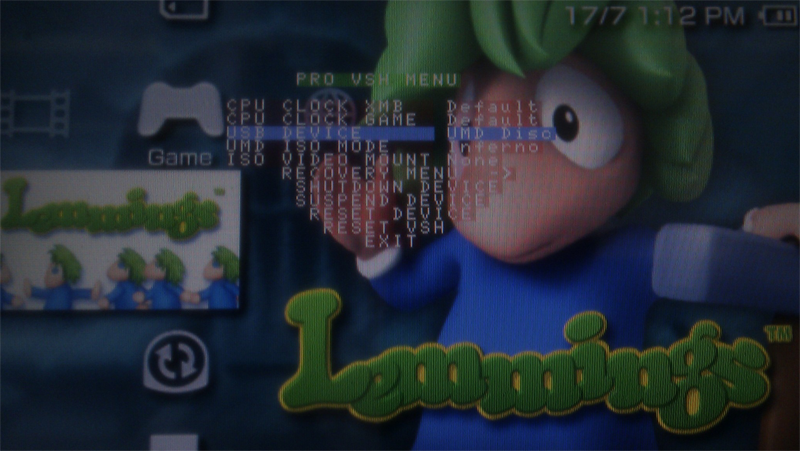
On the XBM of your custom firmware PSP press the select button, this will bring up the VHS menu.
Go down to USB Device and select UMD Disc, exit the VHS menu then put the PSP in USB mode.
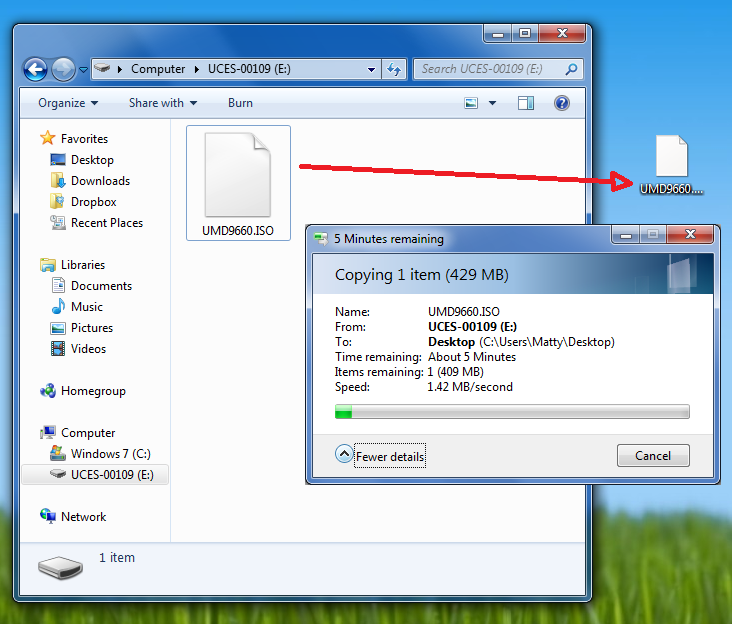
Now you can copy an ISO of your PSP game to computer
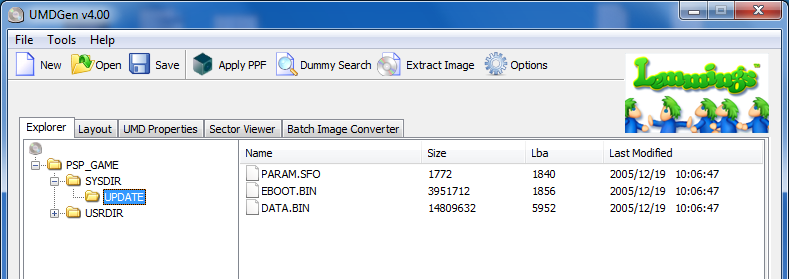
You can open the ISO in UMD Gen on your PC, here you can delete any files not required to save space. I usually just delete the system update folder.
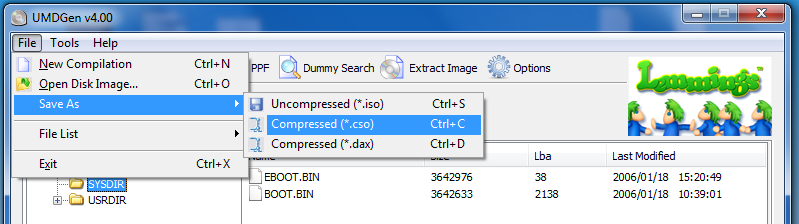
When you are done go File > Save As > Compressed CSO
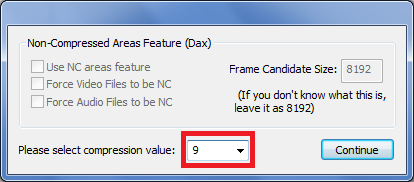
Set the compression level to 9
Your ISO will compress to a CSO, basically a compressed ISO.
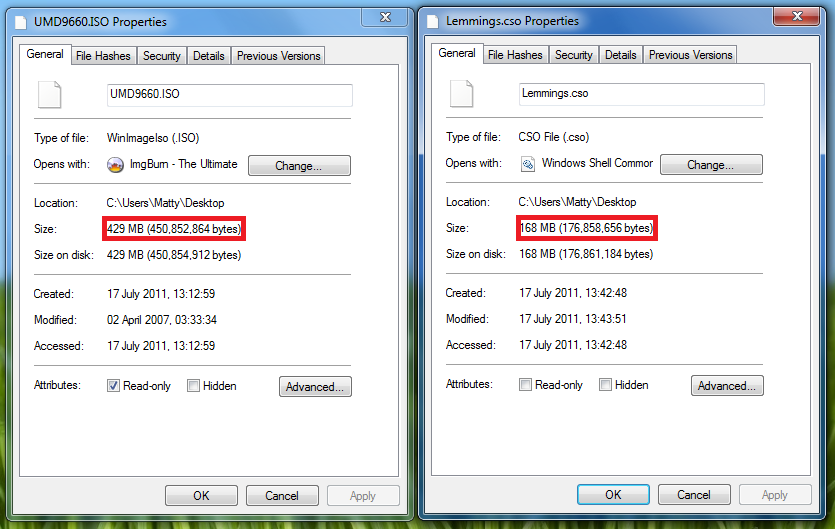
As you can see my Lemmings game has been reduced from 429 MB to 168MB, saving 261MB of my memory stick.
Thats it, you can copy your compressed game to the ISO folder on your PSP's memory stick and play. Dont forget to set your USB mode back to the memory stick.
You can then copy the game back to your PSP and play it directly from the memory card, this is useful as you can easily carry many games around on your PSP, it will also help to improve battery life as the PSP does not need to power the UMD drive.
You will need:
- A PSP running custom firmware, see this tutorial to run custom firmware on any PSP.
- A USB cable
- UMDGen
On the XBM of your custom firmware PSP press the select button, this will bring up the VHS menu.
Go down to USB Device and select UMD Disc, exit the VHS menu then put the PSP in USB mode.
Now you can copy an ISO of your PSP game to computer
You can open the ISO in UMD Gen on your PC, here you can delete any files not required to save space. I usually just delete the system update folder.
When you are done go File > Save As > Compressed CSO
Set the compression level to 9
Your ISO will compress to a CSO, basically a compressed ISO.
As you can see my Lemmings game has been reduced from 429 MB to 168MB, saving 261MB of my memory stick.
Thats it, you can copy your compressed game to the ISO folder on your PSP's memory stick and play. Dont forget to set your USB mode back to the memory stick.
Attachments
Last edited: