InsaneNutter
Resident Nutter
I was looking for more information about Googles Chromium OS and came across this website: http://www.makeuseof.com/tag/download-google-chrome-os-and-run-on-a-real-computer/
They created a bootable image of Chromium OS which can be dumped to a 4gb or larger usb drive, sd card and so on.
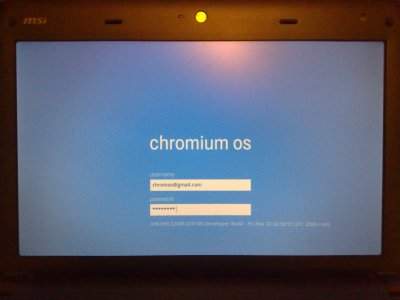
I dumped it to an old 4gb SD card, told my MSI Wind netbook to boot from the sd card and within a few seconds the Chromium login screen appeared.
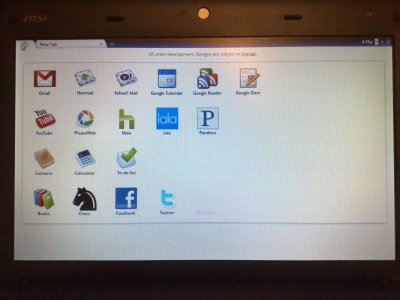
I logged on with username: chronos and password: password and was presented with a working Google Chrome.
Webpages loaded very quickly as they do with Google Chrome on Windows (why don’t I use chrome as my main browser? )
)
Not much else I can say about it really, Chromium OS is in a very early beta stage and couldn’t realistically be used in an everyday environment unless all you needed to do was browse a couple of webpages.
There are no buttons for basic commands like shutdown, sleep or re start.
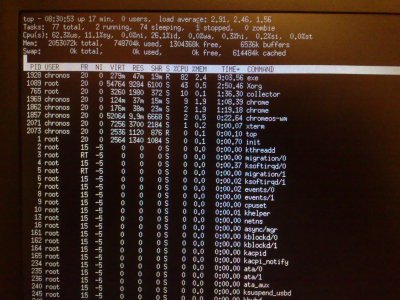
You can however press CTRL + ALT + T which will open the terminal, here you can type “sudo shutdown -h now” to shutdown, pressing the power button also did the same on my MSI Wind.
Here is a pretty boring video of Chromium on the MSI Wind
[video=youtube;k37agcHCKc0]https://www.youtube.com/watch?v=k37agcHCKc0[/video]
It can display the MSI Winds native 1024x600 screen resolution, sound and Ethernet work however wireless doesn’t at the moment.
Im not sure about Bluetooth or the webcam as there’s no software to make use of them.
There you go, the Google OS running on real hardware.
They created a bootable image of Chromium OS which can be dumped to a 4gb or larger usb drive, sd card and so on.
I dumped it to an old 4gb SD card, told my MSI Wind netbook to boot from the sd card and within a few seconds the Chromium login screen appeared.
I logged on with username: chronos and password: password and was presented with a working Google Chrome.
Webpages loaded very quickly as they do with Google Chrome on Windows (why don’t I use chrome as my main browser?
)Not much else I can say about it really, Chromium OS is in a very early beta stage and couldn’t realistically be used in an everyday environment unless all you needed to do was browse a couple of webpages.
There are no buttons for basic commands like shutdown, sleep or re start.
You can however press CTRL + ALT + T which will open the terminal, here you can type “sudo shutdown -h now” to shutdown, pressing the power button also did the same on my MSI Wind.
Here is a pretty boring video of Chromium on the MSI Wind
[video=youtube;k37agcHCKc0]https://www.youtube.com/watch?v=k37agcHCKc0[/video]
It can display the MSI Winds native 1024x600 screen resolution, sound and Ethernet work however wireless doesn’t at the moment.
Im not sure about Bluetooth or the webcam as there’s no software to make use of them.
There you go, the Google OS running on real hardware.