
-
 Welcome to the Digiex Download Center, you are welcome to download anything you like here. No registration is required! Digiex offers direct download links with no captchas or wait times.
The team do our best to ensure no content infringes copyrights and provide a DMCA Takedown request form to request the removal of content from Digiex.
Notable sections: Jazz Jackrabbit Archives | Pokemon Archives | Xbox Archives | Xbox 360 Archives
You are using an out of date browser. It may not display this or other websites correctly.
You should upgrade or use an alternative browser.
You should upgrade or use an alternative browser.
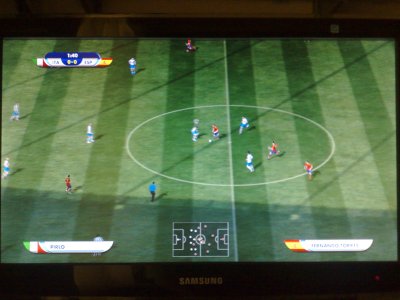
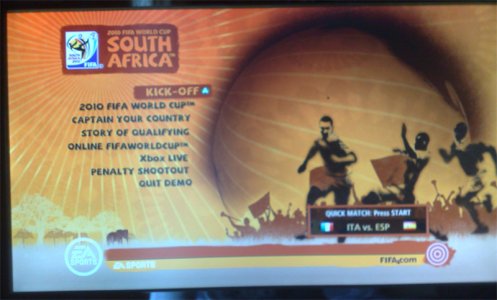
2010 FIFA World Cup Xbox 360 Demo Download
- Thread starter xzKinGzxBuRnzx
- Start date


xzKinGzxBuRnzx
Veteran
- Joined
- Aug 9, 2008
- Messages
- 1,675
I have same MD5 and SHA1
I burned with imgburn the folder "content" like it is writtend on the tutorial, exactly the same way.
edit: can it be because i haven't removed all the "READ ME.txt" ??

The file is in .ISO format, to burn it all you needed to do was select it in Imgburn and hit the big button. You weren't suppose to extract it's contents. Though if you did, are you sure that when you burned it that you didn't mess up on step 5 here. https://digiex.net/threads/how-to-b...-a-cd-dvd-or-blu-ray-disc-using-imgburn.1251/
xzKinGzxBuRnzx
Veteran
- Joined
- Aug 9, 2008
- Messages
- 1,675
Yes i did it correctly, i pressed No. I normally burn the ISO files with alcohol 120% but since on the tutorial it's written to bur nthe folder Content i did it like that xD
Should i try burning the iso?
PD: I have only 1 DVD left xD
Thats up to you sir, if you only have one left I wouldn't waste. In fact, if you have a flash drive laying around just use that. Much easier than burning and will perform faster and not crash as often. If not, Then all I can say is that it does work. I'm not sure how alcohol 120 burns. So I would say if you do then use imgburn to do it and not to extract it's contents. Just select and burn

Copied to flash drive then moved demo from flash to Xbox HDD and now it works
Great News!

InsaneNutter
Resident Nutter
I can confirm it works perfectly off the hard drive too, i downloaded the ISO, extracted the folders out of it and dumped it straight on the 360's hard drive with Xplorer 360.
Some demos do have problems when played from a DVD.
Some demos do have problems when played from a DVD.
Attachments
okay i connected the usb to the xbox360 and configured it. Then i injected the folder Content with all correctly (i didn't have a folder content on the usb). The xbox360 didn't recognize the demo so i format the usb again and before connecting it to the pc I transferred a demo from my xbox hard disk to the usb. Then i connected the usb to the pc and in the program USB Xtaf Xplorer the demo appeared correctly. I went inside the "0000..." folder and copied the folder "454188F6", BUT the xbox360 doesn't recognize this demo, it recognizes only the one i passed from the hdd to the usb!
And now i connect the usb again to the pc and in the program all seems correct!

Look at the program I click file-> Open Device, then enter Content->0000000000000000 and it looks like this:
i also checked the MD5 again and it's all correct, i have the last Dashboard version and it's a non flashed xbox360.
I'm cursed, aren't I ?
And now i connect the usb again to the pc and in the program all seems correct!
Look at the program I click file-> Open Device, then enter Content->0000000000000000 and it looks like this:
i also checked the MD5 again and it's all correct, i have the last Dashboard version and it's a non flashed xbox360.
I'm cursed, aren't I ?
Attachments
sweetboy200
New Member
- Joined
- Apr 9, 2010
- Messages
- 1
I have the same problem
Freezing on screen with flags i burned the iso with img burn
Freezing on screen with flags i burned the iso with img burn

xzKinGzxBuRnzx
Veteran
- Joined
- Aug 9, 2008
- Messages
- 1,675
Okay lets see, the demo doesn't work on dvd, that's confirmed.
cinek68 do you have a flashed xbox360? I think i can't play the demo via USB because it isn't firmed software and only works on flashed xbox.
You don't need a modified Xbox 360 to play it via USB. You just need the most recent dashboard update. You can use CD,DVD,USB,HDD...
Guys most people are getting this to work, myself and InsaneNutter have confirmed it works. There must be something you are messing up on. We have many guides in our guide section. I'm sure you can get it to work also.
I also see you replied above saying something about USB. Though am having difficult understanding. Please explain to me better.

xzKinGzxBuRnzx
Veteran
- Joined
- Aug 9, 2008
- Messages
- 1,675
sorry i'm not english
the fact is that I do it and it doesn't work, i did it exactly the same you wrote on the" guide for inject the demo to flash drive" and the xbox360 says there's no demo
Go to memory on your Xbox 360, select your flash drive and see if it shows up there.
I tried EVERYTHING and it doesn't work. On "memory" it writes: Demos: 0kb and same for all otherthings :0 kb
I tried many times, doing exactly the same you did, changing something, verifying again the MD5 and it does not work.
It's really strange, i think i give up.
thanks for everything
I tried many times, doing exactly the same you did, changing something, verifying again the MD5 and it does not work.
It's really strange, i think i give up.
thanks for everything
Captain Caveman
Active Member
- Joined
- Dec 13, 2009
- Messages
- 34
Works here via USB as well..
kpasanen10
New Member
- Joined
- Apr 9, 2010
- Messages
- 1
demo fifa
I have the same problem thay hello says.
Plese reply us.
I format flash on NTSF.
Config it on XBOX.
And do the guide exactly.
Don't work.
I have the same problem thay hello says.
Plese reply us.
I format flash on NTSF.
Config it on XBOX.
And do the guide exactly.
Don't work.
I have the same problem thay hello says.
Plese reply us.
I format flash on NTSF.
Config it on XBOX.
And do the guide exactly.
Don't work.
tío pa mí que esto sirve para todos menos para los españoles o algo así, nos tienen marginados o algo los de xbox xDD
Works here via USB as well..
How did u do this?
Similar threads

- Replies
- 0
- Views
- 510
- Replies
- 4
- Views
- 5K


About Digiex
Digiex is a technology and gaming forum, founded in 2004 by InsaneNutter and Nimrod.
Digiex has served the internet community with breaking news, detailed guides, exclusive downloads and a popular discussion forum. A small, friendly community of like‑minded people has developed over the years. People are encouraged to register and participate in on‑going discussions.
Get Social



