

Dark Scyth
Veteran
- Joined
- Mar 3, 2009
- Messages
- 2,530
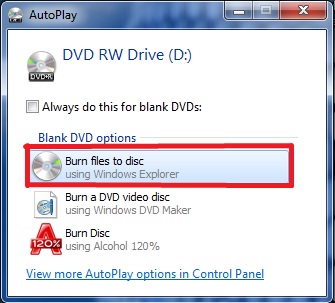
Place a blank DVD in the drive and click Burn files to disc.
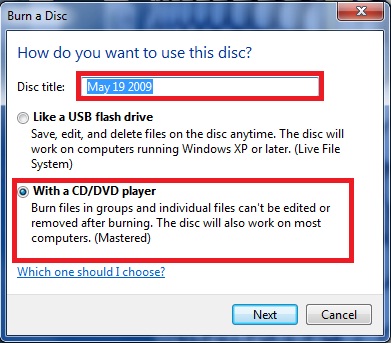
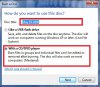
The Disc title shouldn't matter. Click With a CD/DVD player. (On Vista it should say Mastered)
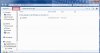
Drag the Content folder to this screen and click burn to disc.
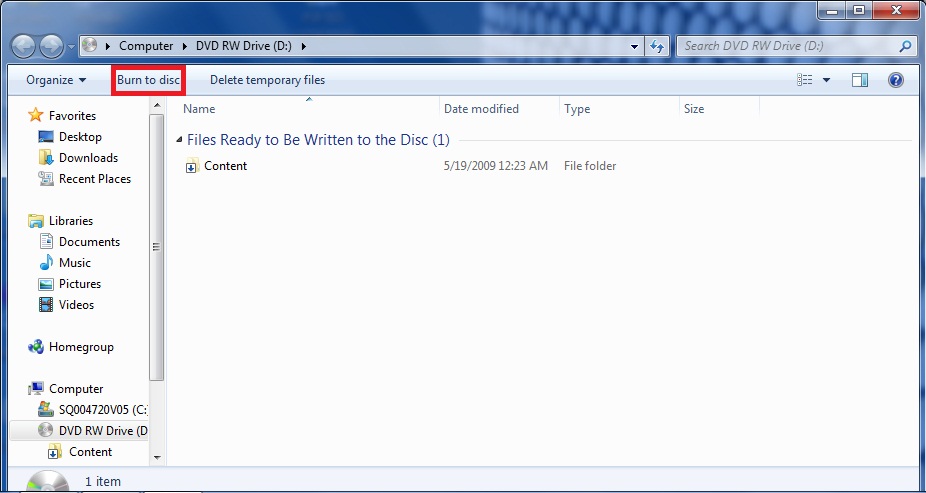
Click burn to disc.
The Disc title shouldn't matter. Click With a CD/DVD player. (On Vista it should say Mastered)
Drag the Content folder to this screen and click burn to disc.
Click burn to disc.
Attachments
Last edited:
 , anyways didn't think it would work because its so simple but it did so I would just like to say thanks, you saved me a hell of alot of dvd lols. Btw I burned FNR 4 to a DVD + R, 4x speed, with no problems.


