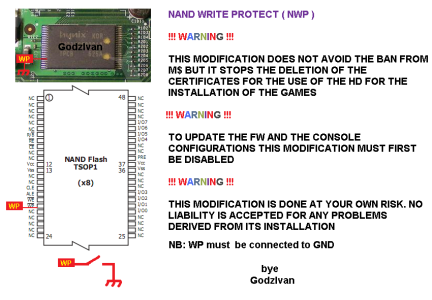
It just won't turn on after flashing XBR3 for Xenon
using LPT method with NANDPro20b. First I tried booting after the SMC cleared with the eject button and Xell didnt even pop up and didn't even change status on the power brick.
1) Disconnect Power Cable from 360, and disconnect LPT cable from PC
2) Leave 360 unplugged for 2 mins
3) short data pins 29-32 being careful not to touch power pins 36&37 (my screwdriver was actually too big and ended up shorting 27-32 which worked fine for me, make sure the screwdriver head sits flat along the pins so it touches all of them without pressing too hard to avoid damaging)
4) Plug in Power
5) WAIT 5 seconds!!! <--- did not see this in other guides and it helped me!
6) Remove short
7) Plug in LPT cable
Erase entire nand using the command: "nandpro lpt: -e16 0 400"