Windows XP Mode for Windows 7

InsaneNutter

Resident Nutter
Joined
Jun 1, 2007
Messages
11,869
Location
UK
Over a month ago, we were briefed about a secret Microsoft technology that we were told would be announced alongside the Windows 7 Release Candidate (RC) and would ship in final form simultaneously with the final version of Windows 7. This technology, dubbed Windows XP Mode (XPM, formerly Virtual Windows XP or Virtual XP, VXP), dramatically changes the compatibility story for Windows 7 and, we believe, has serious implications for Windows development going forward. Here's what's happening.​

XPM is built on the next generation Microsoft Virtual PC 7 product line, which requires processor-based virtualization support (Intel and AMD) to be present and enabled on the underlying PC, much like Hyper-V, Microsoft's server-side virtualization platform. However, XPM is not Hyper-V for the client. It is instead a host-based virtualization solution like Virtual PC; the hardware assistance requirement suggests this will be the logical conclusion of this product line from a technological standpoint. That is, we fully expect future client versions of Windows to include a Hyper-V-based hypervisor.

wiovyz10m7yyw691k6ex.jpg

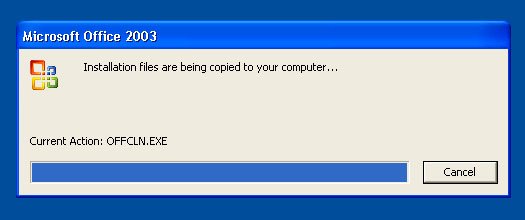
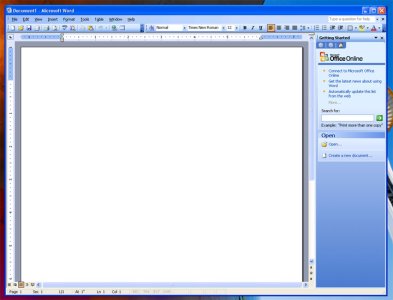
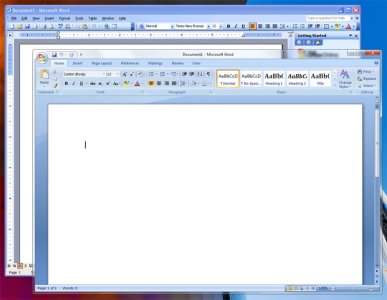
Windows XP Mode running Word 2003 under XP and Word 2007 under Windows 7.

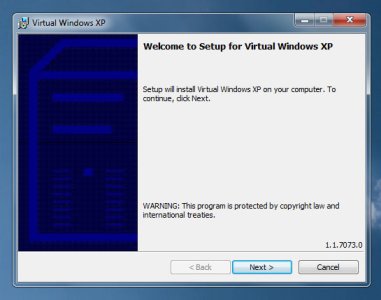
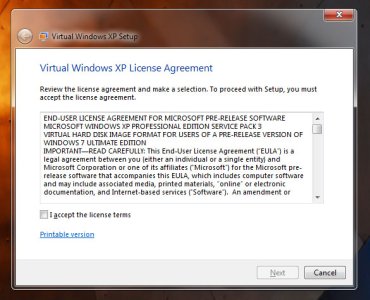
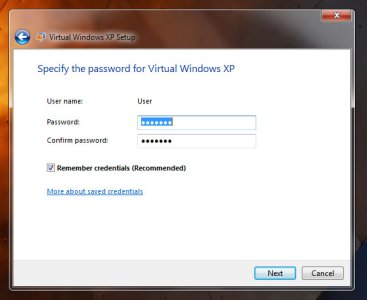
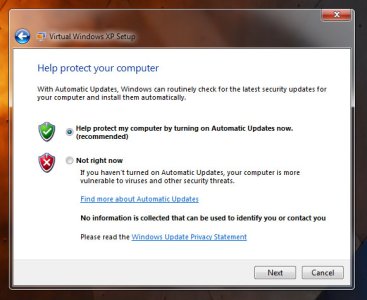
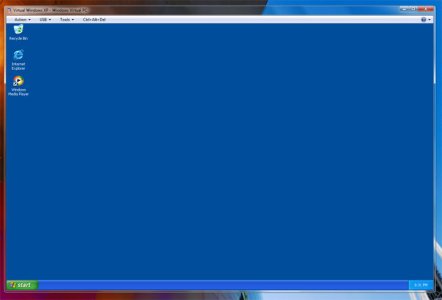
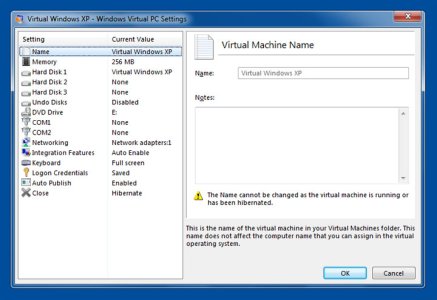
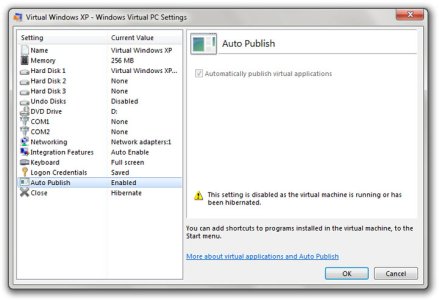
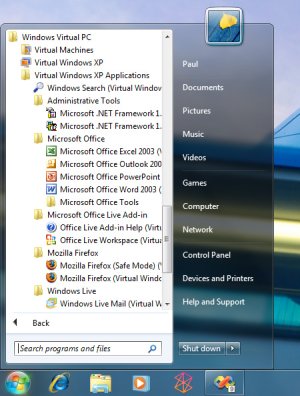
XP Mode consists of the Virtual PC-based virtual environment and a fully licensed copy of Windows XP with Service Pack 3 (SP3). It will be made available, for free, to users of Windows 7 Professional, Enterprise, and Ultimate editions via a download from the Microsoft web site. (That is, it will not be included in the box with Windows 7, but is considered an out-of-band update, like Windows Live Essentials.) XPM works much like today's Virtual PC products, but with one important exception: As with the enterprise-based MED-V (Microsoft Enterprise Desktop Virtualization) product, XPM does not require you to run the virtual environment as a separate Windows desktop. Instead, as you install applications inside the virtual XP environment, they are published to the host (Windows 7) OS as well. (With shortcuts placed in the Start Menu.) That way, users can run Windows XP-based applications (like IE 6) alongside Windows 7 applications under a single desktop.

Obviously, XPM has huge ramifications for Windows going forward. By removing the onus of legacy application compatibility from the OS, Microsoft can strip away deadwood technology from future versions of Windows at a speedier clip, because customers who need to run older applications can simply do so with XPM. For Windows 7 specifically, XPM is a huge convenience, especially for Microsoft's corporate customers, who can of course control XPM behavior via standard Microsoft administration and management technologies like Active Directory (AD) and Group Policy (GP). And it significantly recasts the Windows 7 compatibility picture. Before, Microsoft could claim that Windows 7 would be at least as compatible as Windows Vista. Now, they can claim almost complete Windows XP compatibility, or almost 100 percent compatibility with all currently running Windows applications.

We've both been using and testing Virtual XP for over a month and we we've been dying to communicate what we've discovered, as you might imagine. So here's what you can expect. Paul will publish a high-level screenshot gallery on the SuperSite for Windows showing off Windows XP Mode and what it's like to run Windows XP and Windows 7 applications side-by-side. On Within Windows, Rafael will provide a deep technical dive into Windows XP Mode and explain how it works and how you can make it work the way you want. Later, Paul will add a Windows XP Mode article to his Windows 7 Feature Focus series as well. And of course we'll be covering this feature in-depth in "Windows 7 Secrets," which will be published by Wiley & Sons later this year.

Source
 

Attachments

  • vxp_01.jpg
    vxp_01.jpg
    66.9 KB · Views: 1,002
  • vxp_02.jpg
    vxp_02.jpg
    128.4 KB · Views: 969
  • vxp_03.jpg
    vxp_03.jpg
    64.2 KB · Views: 976
  • vxp_04.jpg
    vxp_04.jpg
    96.6 KB · Views: 978
  • vxp_05.jpg
    vxp_05.jpg
    29.2 KB · Views: 1,050
  • vxp_06.jpg
    vxp_06.jpg
    31.7 KB · Views: 887
  • vxp_07.jpg
    vxp_07.jpg
    38 KB · Views: 916
  • vxp_08.jpg
    vxp_08.jpg
    31.4 KB · Views: 844
  • vxp_09.jpg
    vxp_09.jpg
    46 KB · Views: 979
  • vxp_10.jpg
    vxp_10.jpg
    44.3 KB · Views: 1,218
  • vxp_11.jpg
    vxp_11.jpg
    53.5 KB · Views: 1,045
  • vxp_12.jpg
    vxp_12.jpg
    47.2 KB · Views: 1,011
  • vxp_13.jpg
    vxp_13.jpg
    107.9 KB · Views: 965
  • vxp_14.jpg
    vxp_14.jpg
    99.6 KB · Views: 1,026
  • vxp_15.jpg
    vxp_15.jpg
    38.5 KB · Views: 1,254
  • vxp_16.jpg
    vxp_16.jpg
    78.8 KB · Views: 1,096
  • vxp_17.jpg
    vxp_17.jpg
    89.8 KB · Views: 1,171
  • vxp_18.jpg
    vxp_18.jpg
    133.2 KB · Views: 1,097
For businesses this will be big, a lot of companies can’t update past XP because they use custom software that simply doesn’t work in Vista / Windows 7

The company can now upgrade to Windows 7 knowing that old software can be used without spending a lot of extra cash on updating it.

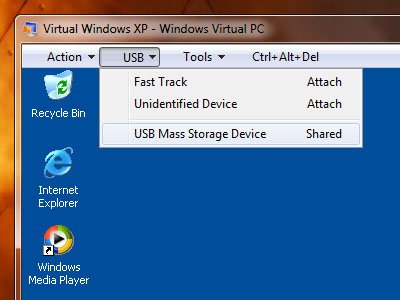
It also looks like it can mount USB devices, if so it would be fantastic to be able to install and use old usb hardware I have that simply has no drivers for 64bit versions of Windows.

I’m sure people will have fun hacking it too, maybe get it to run Windows 98.
As that article says it means Windows 7 can be sold as almost 100% compatible with Windows XP applications.

To me personally it’s a great addition and something I will use at some point.
 
Microsoft has discusses Windows 7's XP mode in-depth:

REDMOND, Wash. — April 28, 2009 — As part of the upcoming Windows 7 Release Candidate milestone, Microsoft will release a beta version of Windows XP Mode, which allows users of Windows 7 Professional and above to launch many older Windows XP productivity applications directly from their Windows 7 desktop. The Windows XP Mode stand-alone feature is specifically designed to help small businesses that are using Windows XP applications move to Windows 7. For larger businesses, Microsoft Enterprise Desktop Virtualization (MED-V) MED-V 2.0 builds on top of Windows Virtual PC and provides centralized management of Windows XP Mode. MED-V 2.0 will be available in beta within 90 days of general availability of Windows 7.

PressPass spoke with Scott Woodgate, director of Desktop Virtualization and Microsoft Desktop Optimization Pack (MDOP) at Microsoft, to find out how this new advancement is helping ensure a smooth transition for customers planning to migrate to Windows 7.

PressPass: What are you announcing today?

Woodgate: We are announcing the beta release of Windows XP Mode for Windows 7. Small businesses told us they wanted help upgrading to Windows 7. Windows XP Mode, an optional feature of Windows 7 Professional, Enterprise and Ultimate editions, helps small businesses upgrade to Windows 7 by providing a virtual Windows XP environment capable of running many Windows XP-compatible business and productivity applications. Customers can run many older Windows XP business and productivity applications within Windows XP Mode and launch them from the Windows 7 desktop with just a single click. A beta of Windows XP Mode will be made available on April 30.

PressPass: How does Windows XP Mode work?

Windows XP Mode is the combination of two features. The first part is a pre-packaged virtual Windows XP environment. The second is Windows Virtual PC, which is used to run the virtual Windows XP environment. Customers can install their applications into Windows XP Mode using typical installation processes such as downloading from the Web or using the product CD. Once installed, the applications are automatically available on the Windows 7 Start Menu and can be launched just like any Windows 7 program. Optionally, these Windows XP applications can be pinned to the Windows 7 Task Bar and launched using just a single click from the Windows 7 desktop.

PressPass: What types of applications are suited for Windows XP Mode and Windows Virtual PC stand-alone?

Woodgate: Windows XP Mode is best suited for older business and productivity applications such as accounting, inventory and similar applications. Windows XP Mode is not aimed at consumers because many consumer applications require extensive use of hardware interfaces such as 3-D graphics, audio, and TV tuners that do not work well under virtualization today. The sweet spot for applications that run in Windows Virtual PC is business and productivity applications that tend to conform to the basic Windows API (Application Programming Interface.) Small businesses operate under constrained resources and are highly sensitive to the time and expense required to upgrade their PC. Windows XP Mode provides small businesses with the ability to run many Windows XP applications, saving time and expense, but Windows XP Mode does not have 100 percent compatibility with all Windows XP applications. We encourage ISVs (Independent Software Vendors) and customers to install their applications in Windows XP Mode during the beta timeframe and provide us with feedback on their experiences.

PressPass: Does Windows XP Mode offer any benefits for larger businesses? How does this announcement relate to Microsoft Enterprise Desktop Virtualization (MED-V)?

Woodgate: Windows XP Mode and Windows Virtual PC as stand-alone features are specifically designed for small businesses and provide an unmanaged IT experience. For larger businesses looking to reduce the cost of ownership of deploying Windows Virtual PCs across hundreds of users, Microsoft provides MED-V. MED-V is one of the six components in Microsoft Desktop Optimization Pack (MDOP), a dynamic desktop solution designed for better management and control of enterprise desktop environments. MED-V is the management tool for Windows Virtual PC; it builds on top of Windows Virtual PC to run two operating systems on one device. Basically, by adding virtual image delivery and policy-based provisioning, it facilitates centralized management. This is a great tool for IT pros who want to reduce the cost of managing and deploying Windows Virtual PC.

Key features that MED-V provides include centralized management, policy-based provisioning and virtual image delivery. MED-V v1 is available today for Windows Vista and provides management for Microsoft Virtual PC 2007. MED-V 2.0 will be available in beta within 90 days of the general availability of Windows 7 and will be extended to manage Windows Virtual PC on 32-bit and 64-bit versions of Windows 7.

PressPass: How do small businesses handle these management tasks?

Woodgate: An important consideration of working with virtualization technology is the fact that the user has both the physical and the virtual PC to maintain. Every PC requires a degree of maintenance including but not limited to keeping the operating system and applications up to date with patches, virus and malware protection, and backup. Windows XP Mode is pre-configured with the Windows XP firewall and to apply updates automatically from Windows Update. It is not pre-configured with anti-virus or anti-malware software, which is recommended. Because of the need to maintain the virtual machine, we recommend everyone make best efforts to upgrade applications to run natively in Windows 7 and use Windows XP Mode only when necessary.

PressPass: How does Windows XP Mode align with Microsoft’s commitment to application compatibility?

Woodgate: With Windows 7, we’ve worked very hard to maintain compatibility with Windows Vista applications. We have an array of tools and resources to help with application compatibility. Virtually all Windows Vista-compatible applications, as well as the majority of Windows XP applications, run unmodified on Windows 7. For those that do not, the Programs Troubleshooter in the Control Panel provides a wizard interface to employ compatibility features that allow applications to run natively on Windows 7. For IT pros the Application Compatibility Toolkit provides finer-grained control over the compatibility features, also referred to as “shims.” When an application cannot run or be natively shimmed, that’s when it’s most appropriate to use Windows XP Mode technology.

PressPass: How can customers get Windows XP Mode?

Woodgate: Beta testers can download Windows Virtual PC and the virtual Windows XP environment later this week. When Windows XP Mode is released to production, there will be two ways for customers to get Windows XP Mode. The easiest way will be to get it pre-installed on a PC from an original equipment manufacturer or local value-added reseller. This requires minimum configuration and delivers the most compelling experience for small to medium-sized businesses. As an alternative, Windows Virtual PC and Virtual Windows XP will be available as downloads from Microsoft.com for Windows 7 Professional, Ultimate and Enterprise customers. Windows Virtual PC requires PCs with Intel VT or AMD-V hardware virtualization technology enabled in the PC BIOS. Windows XP Mode can be installed by anyone with reasonable PC maintenance experience; however, it is definitely easier to acquire via a new PC.

PressPass: Does Windows 7 have higher system requirements with Windows XP Mode installed?

Woodgate: Yes. We recommend that customers use Windows XP Mode on a PC with 2GB of memory. We also recommend an additional 15 GB of additional disk space for Windows XP Mode. In addition, Windows Virtual PC requires a PC with Intel-VT or AMD-V enabled in the CPU, as it takes advantage of the latest advancements in hardware virtualization.

PressPass: What have you heard from your customers about Windows XP Mode?

Woodgate: The early feedback we’ve received from customers on the concept is very positive, saying that they value our commitment to helping them manage their business. This new release reinforces our efforts to fuel business success by providing the right tools for our customers to flourish and succeed. By empowering our customers with Windows XP Mode, we are giving them the best of both worlds. They can now conveniently migrate to Windows 7 and move existing applications that may not have been compatible directly with Windows 7.

Source
 
You know you want to get a copy for Digiex if it has no serial number or anything like that (A) ;)
 
Have any of you tried Virtual PC though? It's so SLOWWWW. It's more of an emulator than a wrapper, emulates a P3, soundblaster, some various other things. So companies needing to use high-power software in XP mode are going to be in for a laggy surprise.
 
Have any of you tried Virtual PC though? It's so SLOWWWW. It's more of an emulator than a wrapper, emulates a P3, soundblaster, some various other things. So companies needing to use high-power software in XP mode are going to be in for a laggy surprise.

I have absolutely no problems with XP Mode, I run it with 512MB of RAM and it runs as quick as a brand new XP box. Mind you I've only used it for testing of VMWare's vSphere Client, as it's not compatible with Windows 7 yet.
 

About Digiex

Digiex is a technology and gaming forum, founded in 2004 by InsaneNutter and Nimrod. Digiex has served the internet community with breaking news, detailed guides, exclusive downloads and a popular discussion forum. A small, friendly community of like‑minded people has developed over the years. People are encouraged to register and participate in on‑going discussions.

Get Social

Back
Top Bottom