Hoffman
Veteran
- Joined
- Jun 1, 2007
- Messages
- 1,822
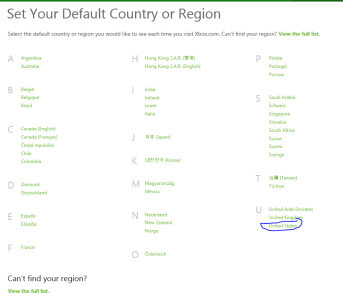
I've been reading that you can change your Xbox One Region easily in the Settings and then it will allow you to browse and buy content from the US store.
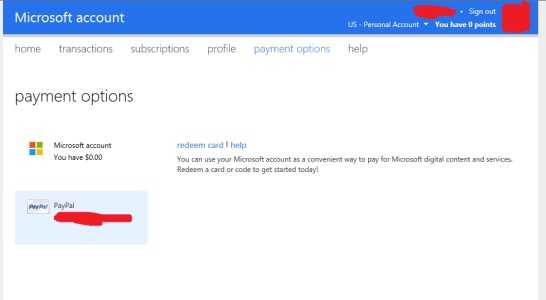
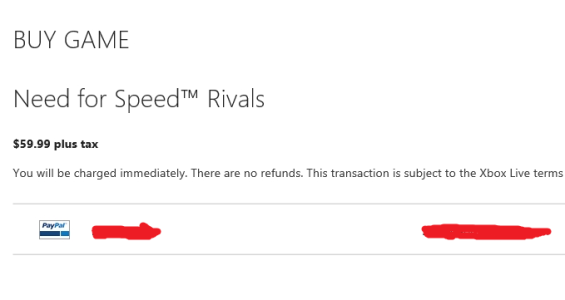
The only catch however, is that your payment option's don't transfer with you (ie if you have PayPal or Credit Card attached to the UK account, you have to re-add when your in the US store as the payment methods are separate). However you can just add new payment options for your US store account including linking it to your PayPal account or just getting a US friend to buy you pre-paid codes.
Then apparently once you got your game you can go back to your original region (say UK) and download and play the game as normal
Has anyone tried this?
I'm really tempted to do this for Titanfall. For some odd reason EA the publisher has decided that worldwide releases are a no go and requires European's to wait an additional 4 days for a game. While this isn't a major deal, it's still rather retarded and waiting longer for a game is really annoying, especially when you play with US friends who will have a four day headstart. (But then again, let's be honest EA are usually quite retarded)
Another benefit is when you use direct currency conversion, buying games from the US Store in dollars with say British Pounds or Euro's actually lets you get the game a lot cheaper.
My concern though is how Microsoft will handle this. They made the console region free, so are they likely to come down hard on people who choose to do this? Last thing I want to do is get my account banned just to get a game four days earlier. But getting the game at a slightly reduced price, digitally and at the same time as my US friends is very appealing.
I've been reading this article from the Microsoft website
Based on this, I reckon it would be possible to purchase and download Titanfall while my console was set to 'United States'. Then only once it's downloaded switch back to UK to play it. (Reason I'd have to download from the US store, is it wouldn't be available in my region until 4 days later). It's just that will Microsoft care if I purposefully cheat the system using my UK account?
UPDATE:
All the information from this thread has been written up in a handy Step by Step Guide, with all the details you need to buy and manage games and billing accounts on Xbox One from different regions, the implications as well as a FAQ. Check it out:
Step by Step Guide to purchasing content from US Xbox One Store from any region
The only catch however, is that your payment option's don't transfer with you (ie if you have PayPal or Credit Card attached to the UK account, you have to re-add when your in the US store as the payment methods are separate). However you can just add new payment options for your US store account including linking it to your PayPal account or just getting a US friend to buy you pre-paid codes.
Then apparently once you got your game you can go back to your original region (say UK) and download and play the game as normal
Has anyone tried this?
I'm really tempted to do this for Titanfall. For some odd reason EA the publisher has decided that worldwide releases are a no go and requires European's to wait an additional 4 days for a game. While this isn't a major deal, it's still rather retarded and waiting longer for a game is really annoying, especially when you play with US friends who will have a four day headstart. (But then again, let's be honest EA are usually quite retarded)
Another benefit is when you use direct currency conversion, buying games from the US Store in dollars with say British Pounds or Euro's actually lets you get the game a lot cheaper.
My concern though is how Microsoft will handle this. They made the console region free, so are they likely to come down hard on people who choose to do this? Last thing I want to do is get my account banned just to get a game four days earlier. But getting the game at a slightly reduced price, digitally and at the same time as my US friends is very appealing.
I've been reading this article from the Microsoft website
If I purchase a game in one country/region, can I play it in another country/region?
Yes. There are no playback restriction on games purchased and downloaded.
For example, if you purchased and downloaded Ryse in France and then move to Germany with your console, you can still play the game that you downloaded. However, you would not be able to re-download the game you purchased, as it would not be available for you to download in the German marketplace.
Can I play a game I purchased in one country/region on a friend’s Xbox One in another country or region?
No. Because the game was purchased in one country or region, it will not be available for you to download from another country or region’s marketplace. The marketplace that your friend’s Xbox One console “points to” will not have access to the content, as that content isn’t available in the “foreign” marketplace.
For example, if you live in France and purchased/downloaded Ryse to your console and then you visit your friend in Germany and sign in to her Xbox One console with your gamertag, you won’t be able to download Ryse to that Xbox console, even though you previously purchased it.
Based on this, I reckon it would be possible to purchase and download Titanfall while my console was set to 'United States'. Then only once it's downloaded switch back to UK to play it. (Reason I'd have to download from the US store, is it wouldn't be available in my region until 4 days later). It's just that will Microsoft care if I purposefully cheat the system using my UK account?
UPDATE:
All the information from this thread has been written up in a handy Step by Step Guide, with all the details you need to buy and manage games and billing accounts on Xbox One from different regions, the implications as well as a FAQ. Check it out:
Step by Step Guide to purchasing content from US Xbox One Store from any region