


Nimrod
Dev Ops
- Joined
- Jun 1, 2007
- Messages
- 1,514
For years the front page of Digiex ran on a portal add-on. It could do a lot: features, sliders, categories, author pages, its own widgets. We used almost none of it. All we ever wanted was our News forum on the home page, each post in full with its picture beside it, and the comments underneath when you click through.
You don't need a portal for that. XenForo already has Article forums, which show a thread's first post as an article with the replies under it. The only thing missing is a home page made from that forum, so we wrote one, and nothing else. It's what runs the front page here now, and it's one of the add-ons we're happiest with.
Free, change it however you like.
Download Digiex-HomePage-1.0.0.zip
WHAT IT DOES
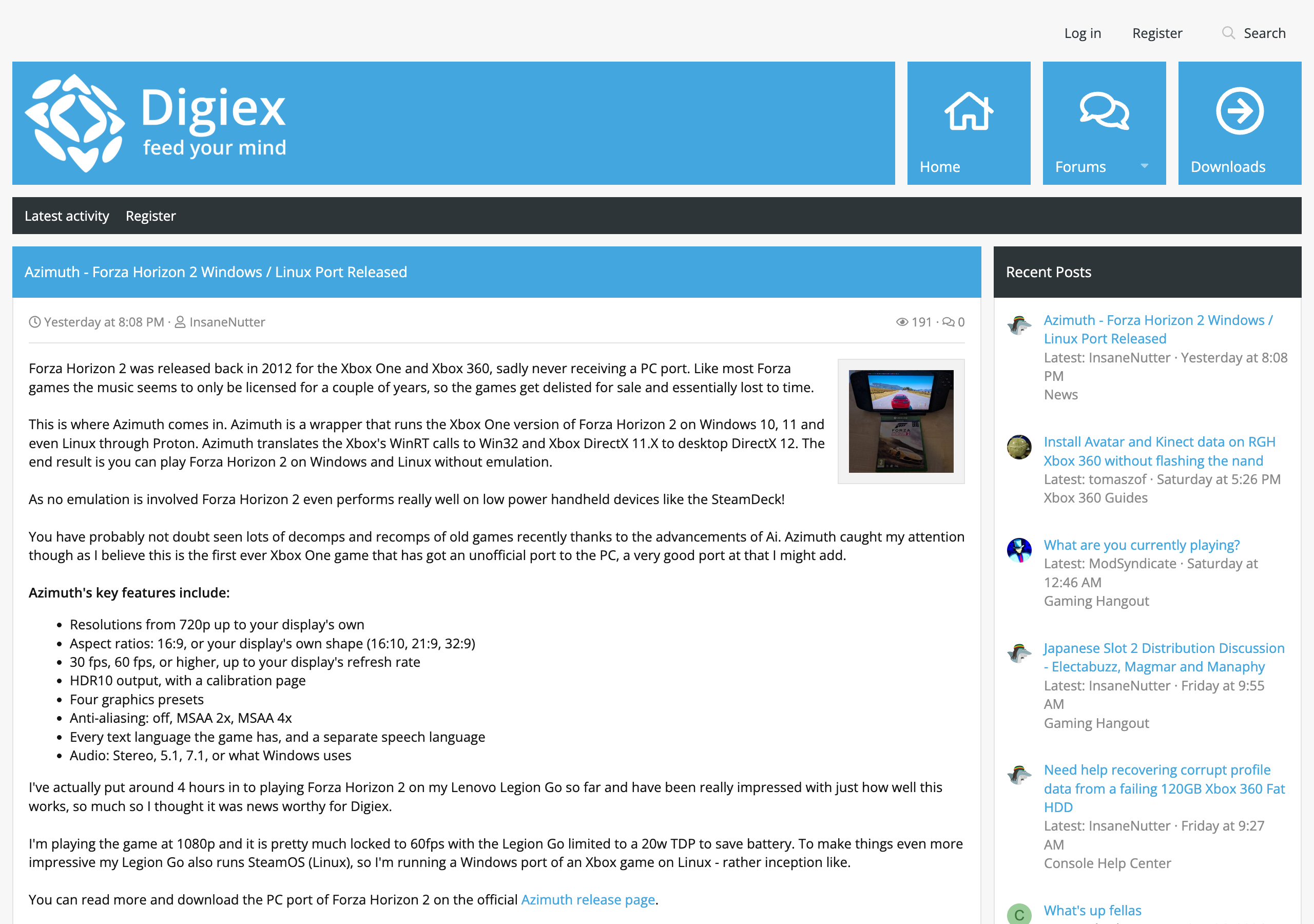
The home page shows the newest threads from the forum you pick, newest first, each with its first post in full. 10 to a page by default, and later pages are just /?page=2 and so on, so there's no extra section of the site to link to.
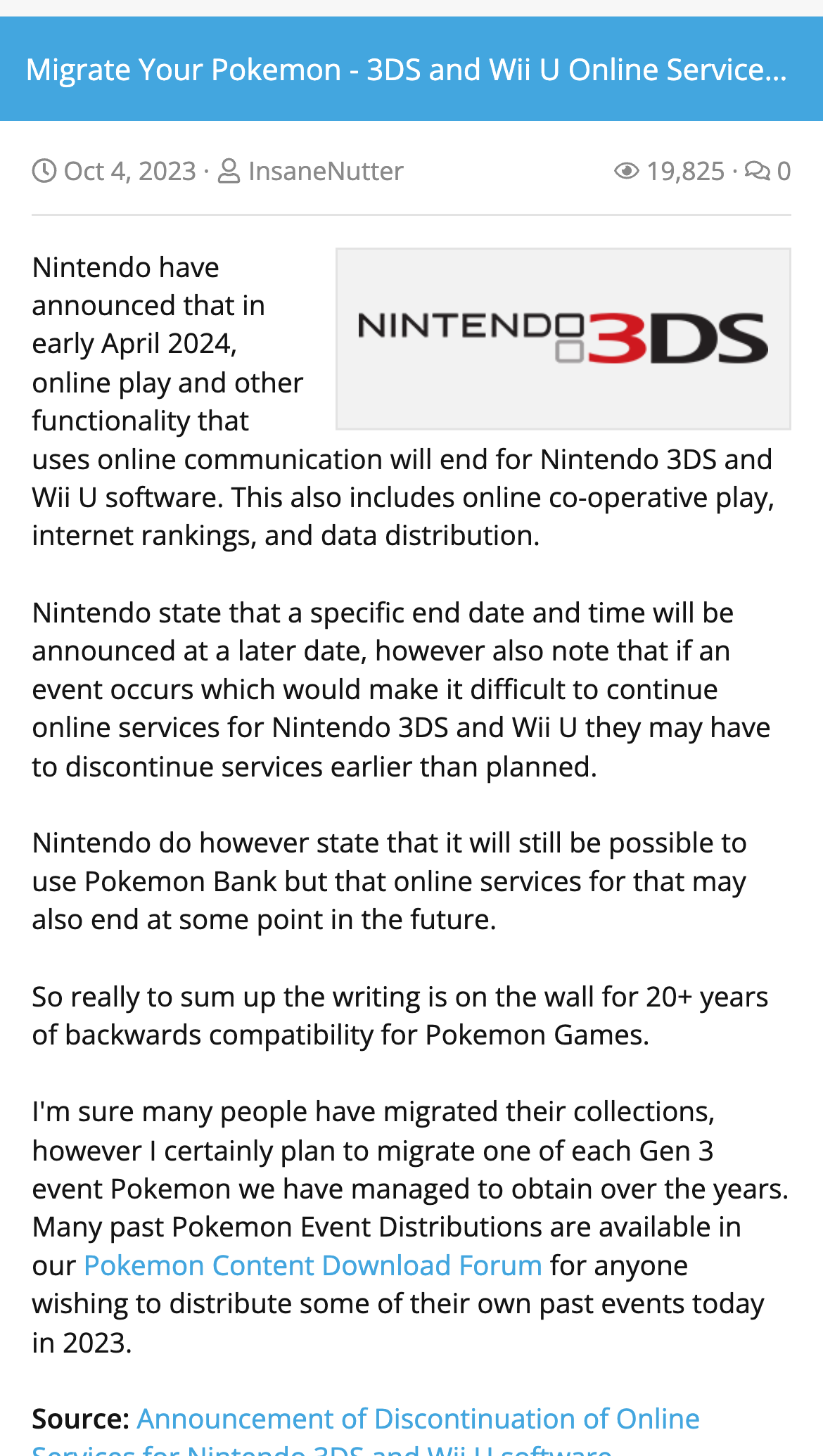
The first image attached to a post sits beside it as a thumbnail and is taken out of the post, so it doesn't show twice. Under the title you get the date, author, views and replies, and the title takes you to the thread.
Make that forum an Article forum and the threads read like articles: the first post pinned at the top, the author's details under it, and replies as compact comments with no signatures. They get the home page sidebar too, and their picture is used when the link is shared.
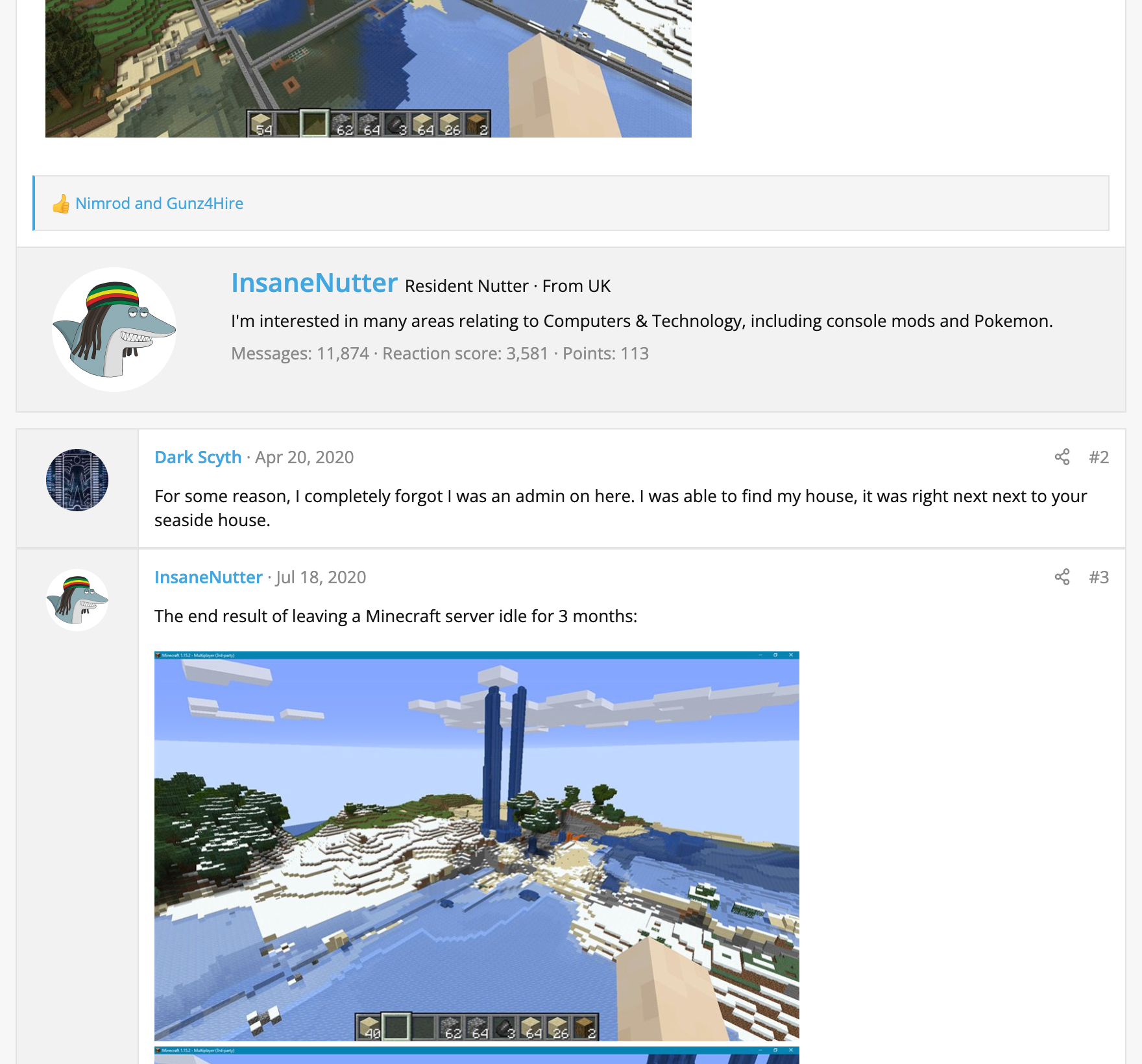
Two smaller things we wanted while we were at it:
It works fine on a phone, the picture shrinks with the screen:
INSTALL
XenForo 2.3 only.
Admin CP -> Add-ons -> Install/upgrade from archive, and upload the zip. Or copy the upload folder into your XenForo root and install it from the add-ons list, or from the command line:
Installing it changes nothing you can see. Then:
WORTH KNOWING
Don't disable it while your index route is home/, or your front page will say not found. Put the route back to forums/ first. Uninstalling does that for you.
It uses images attached to the post, not ones linked from other sites, and there's no screen yet for picking a different picture.
If you're moving off a portal add-on, its old addresses won't redirect on their own. We added a few rewrite rules to our web server for ours.
Uninstalling removes everything it added, including its one small table. Your forum stays an Article forum.
There's more detail in the README.md inside the zip. Questions or improvements, post them here.
You don't need a portal for that. XenForo already has Article forums, which show a thread's first post as an article with the replies under it. The only thing missing is a home page made from that forum, so we wrote one, and nothing else. It's what runs the front page here now, and it's one of the add-ons we're happiest with.
Free, change it however you like.
Download Digiex-HomePage-1.0.0.zip
WHAT IT DOES
The home page shows the newest threads from the forum you pick, newest first, each with its first post in full. 10 to a page by default, and later pages are just /?page=2 and so on, so there's no extra section of the site to link to.
The first image attached to a post sits beside it as a thumbnail and is taken out of the post, so it doesn't show twice. Under the title you get the date, author, views and replies, and the title takes you to the thread.
Make that forum an Article forum and the threads read like articles: the first post pinned at the top, the author's details under it, and replies as compact comments with no signatures. They get the home page sidebar too, and their picture is used when the link is shared.
Two smaller things we wanted while we were at it:
- The forum's RSS feed lists posts by when they were posted. XenForo normally dates them by the latest reply, so an old article jumps back to the top of feed readers whenever someone comments on it.
- XenForo's New posts widget gets a No time limit tick box. It normally only lists threads active in the last 30 days, so a quiet month leaves the box half empty.
It works fine on a phone, the picture shrinks with the screen:
INSTALL
XenForo 2.3 only.
Admin CP -> Add-ons -> Install/upgrade from archive, and upload the zip. Or copy the upload folder into your XenForo root and install it from the add-ons list, or from the command line:
php cmd.php xf:addon-install Digiex/HomePageInstalling it changes nothing you can see. Then:
- Setup -> Options -> Home page: pick your news forum.
- Setup -> Options -> Basic board information: set Index page route to
home/. That puts it at the root of your site. - Recommended: edit the forum and use Change type at the top to make it an Article forum. XenForo converts the existing threads for you.
- Appearance -> Widgets: fill the "Home page: Sidebar" and "Home page article: Sidebar" positions with whatever you like.
WORTH KNOWING
Don't disable it while your index route is home/, or your front page will say not found. Put the route back to forums/ first. Uninstalling does that for you.
It uses images attached to the post, not ones linked from other sites, and there's no screen yet for picking a different picture.
If you're moving off a portal add-on, its old addresses won't redirect on their own. We added a few rewrite rules to our web server for ours.
Uninstalling removes everything it added, including its one small table. Your forum stays an Article forum.
There's more detail in the README.md inside the zip. Questions or improvements, post them here.




