

InsaneNutter
Resident Nutter
A simple and effective way to remove the watermark is to download the Watermark Removal Script which automates the entire process for you.
The previous watermark remover had some problems on x64 systems, I have updated the post with the remover by deepxw which works perfectly on 64bit systems too.
You can download this Windows 7 (7100 - RC) Desktop Watermark Remover
Save it to your desktop, unzip, choose either the 32 or 64bit version depending on which you installed then right click and select run as administrator.

The script will then go through the process of removing the watermark, the entire process will take a minute or two.
After its finished re start your computer and the watermark will be gone.
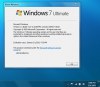
Before:

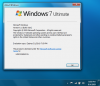
After:

This script should work perfectly on other RC builds too.
The previous watermark remover had some problems on x64 systems, I have updated the post with the remover by deepxw which works perfectly on 64bit systems too.
You can download this Windows 7 (7100 - RC) Desktop Watermark Remover
Save it to your desktop, unzip, choose either the 32 or 64bit version depending on which you installed then right click and select run as administrator.
The script will then go through the process of removing the watermark, the entire process will take a minute or two.
After its finished re start your computer and the watermark will be gone.
Before:
After:
This script should work perfectly on other RC builds too.


 Loaded it to the desktop and opened as administrator, ran it and rebooted, watermark gone and no compatibility issues at all.... So Far,,,,,,,





