

So you want to upload a download to Digiex but its either too big for upload as an attachment in the forum or you need to be able to resume the upload, you can upload your files via FTP to the Digiex server.
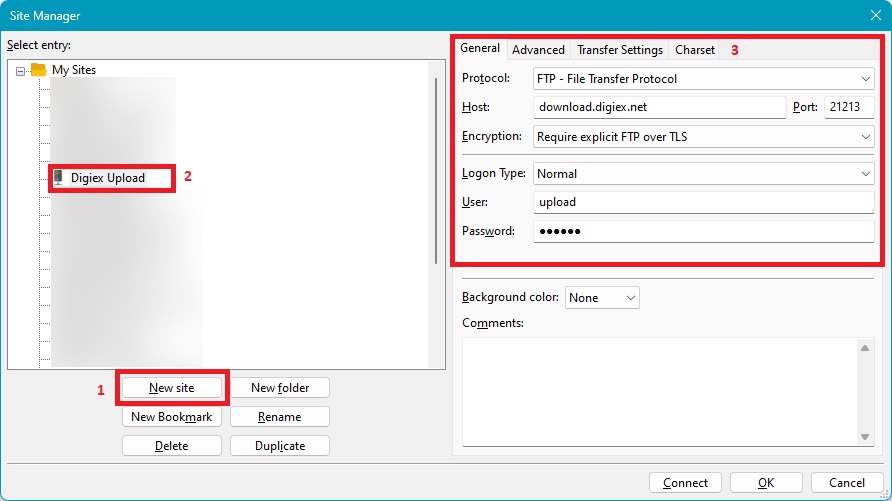
Enter the following details in your FTP client:
Connection type: FTP:
Encryption: Require explicit FTP over TLS
IP: download.digiex.net
Port: 21213
User: upload
Pass: upload
Below is a screenshot of the settings used in FileZilla, a free FTP client. I would recommend you upload with FileZilla as it supports secure FTP connections.
Digiex no longer supports insecure FTP
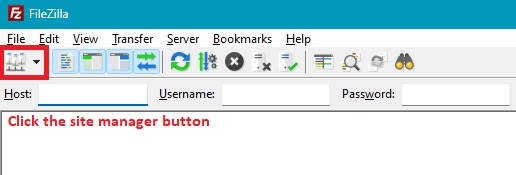
If you have never uploaded a file via FTP before once connected to the server you can basically drag files from your computer on the left to the server on the right and the file will be uploaded:
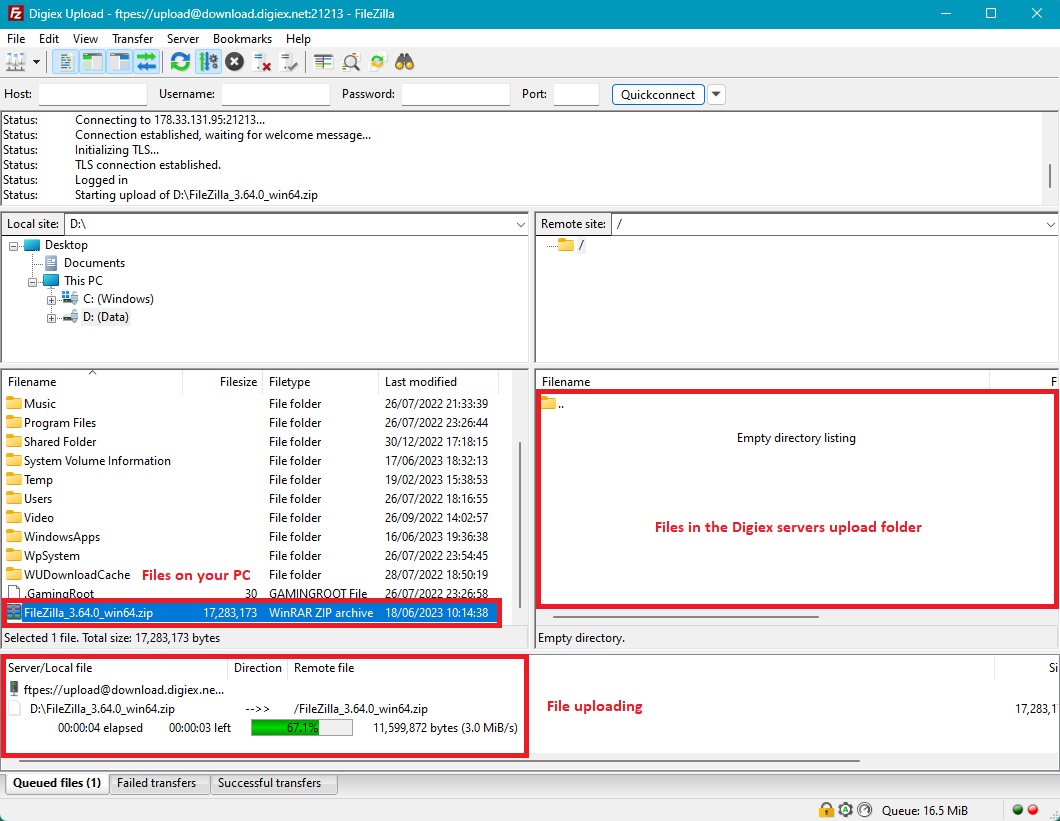
Once your file has uploaded if you message either InsaneNutter or Nimrod they will be able to move your download to the public FTP so you can write a post up about your download and post it.
Please note you cannot download or delete files from the upload folder.
Enter the following details in your FTP client:
Connection type: FTP:
Encryption: Require explicit FTP over TLS
IP: download.digiex.net
Port: 21213
User: upload
Pass: upload
Below is a screenshot of the settings used in FileZilla, a free FTP client. I would recommend you upload with FileZilla as it supports secure FTP connections.
Digiex no longer supports insecure FTP
If you have never uploaded a file via FTP before once connected to the server you can basically drag files from your computer on the left to the server on the right and the file will be uploaded:
Once your file has uploaded if you message either InsaneNutter or Nimrod they will be able to move your download to the public FTP so you can write a post up about your download and post it.
Please note you cannot download or delete files from the upload folder.
Last edited:



