Nimrod
Dev Ops
- Joined
- Jun 1, 2007
- Messages
- 1,512
If you have one of the TP-Link Homeplugs you may find the devices sometimes go into Power Save Mode. At which point, the device seems to freeze.
This is as chipset on the devices isn't always reliable at picking up when a device comes back online - as such the devices gets stuck asleep giving the impression that it has frozen (which can only be resolved by turning it off and on).
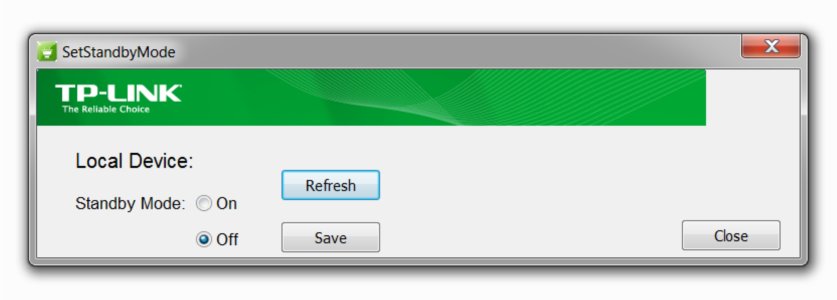
TP-Link releases a fantastic tool for this on there support forums, however its a really old version and many people seem to be having problems with it with errors including:
The Local device hasn't been connented / connected!
(yes, connented - they didn't seem to spell check the error message!)
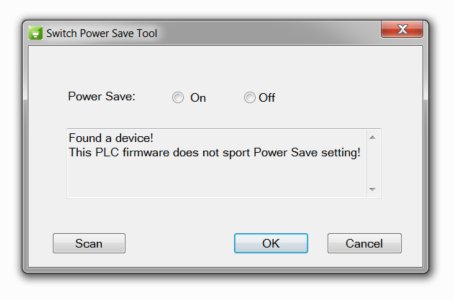
I myself got some of the excellent TL-PA8010P AV1200 and had the same problem. After going back and fourth with support who's based in China they eventually built a new version of the tool in Visual Basic and sent to me. Luckily, it worked first time and now the power saving 'sleep mode' is disabled for good (as I use it for my home network with multiple devices, I want it always on).
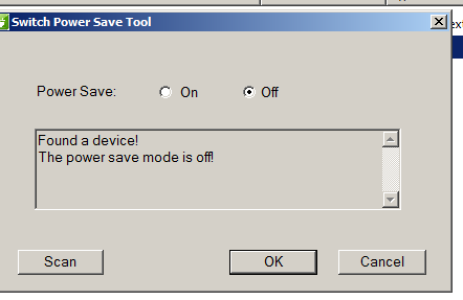
So if you are having problems with the devices falling asleep, and/or getting error messages when using the tool in the site; download this one and let me know how it goes.
Download Power Save Switch Tool for TP-Link Homeplug
If you receive an error about missing any DLL's I've also included the Microsoft VC Redist which you will need to run Visual Basic tools. You can also download this from the Official Microsoft site if you prefer. Download VC Redist
This is as chipset on the devices isn't always reliable at picking up when a device comes back online - as such the devices gets stuck asleep giving the impression that it has frozen (which can only be resolved by turning it off and on).
TP-Link releases a fantastic tool for this on there support forums, however its a really old version and many people seem to be having problems with it with errors including:
The Local device hasn't been connented / connected!
(yes, connented - they didn't seem to spell check the error message!)
I myself got some of the excellent TL-PA8010P AV1200 and had the same problem. After going back and fourth with support who's based in China they eventually built a new version of the tool in Visual Basic and sent to me. Luckily, it worked first time and now the power saving 'sleep mode' is disabled for good (as I use it for my home network with multiple devices, I want it always on).
So if you are having problems with the devices falling asleep, and/or getting error messages when using the tool in the site; download this one and let me know how it goes.
Download Power Save Switch Tool for TP-Link Homeplug
If you receive an error about missing any DLL's I've also included the Microsoft VC Redist which you will need to run Visual Basic tools. You can also download this from the Official Microsoft site if you prefer. Download VC Redist