

InsaneNutter
Resident Nutter
As fans of the original Pokemon games will know, it was never possible to trade your Pokemon from Red, Blue, Yellow and Green (in Japan) to the GameBoy Advance Pokemon games and beyond. It's also very likely the battery which keeps your save game alive in your game cartridge has long since run dry.
However 17 and a half years later it appears the battery inside @Trebor's Pokemon Blue cartridge still works and all his Pokemon from 1999 are intact. This really surprised us both, as Trebor hadn't touched the game for easily the last 15 years.
As Trebor had loaned me all his past Pokemon games to help with my living Pokedex progress I thought i'd make the effort to save his original Pokemon from over 17 years ago to say thanks!
This post is going to show what was impossible until recently, trading original Pokemon from Red, Blue, Yellow and Green all the way up to the latest Pokemon Sun / Moon games.
To do this we are going to have to use 3rd party tools, so in one sense you can't 100% legitimately do this only using only Nintendo issued hardware and tools, however the end result will be indistinguishable from the Nintendo approved way.
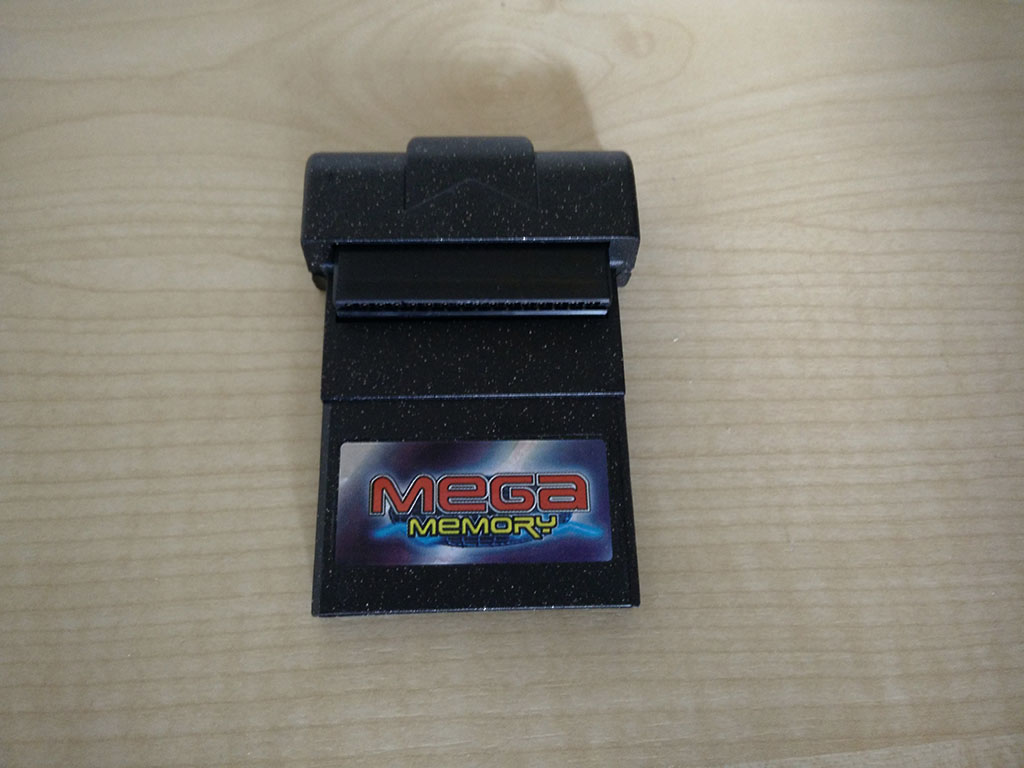
First thing first I imagined the battery in the Pokemon Blue cartridge could fail at any second, so before i did anything i backed up the save on to my GameBoy Mega Memory card. This is great as a temp backup, however doesn't allow us to do anything other than restore the save back to the cartridge it came from.
So once I knew I could recover from what ever i did after this point i hooked the Pokemon Blue game up to my Gameboy Transferer 2. I purchased this device years ago to backup my own GameBoy save games so I could use them with emulators and most importantly preserve them. You can also dump roms of your games with this and write them back to GameBoy flash cards, however i've never actually owned a GameBoy flashcard to try this.
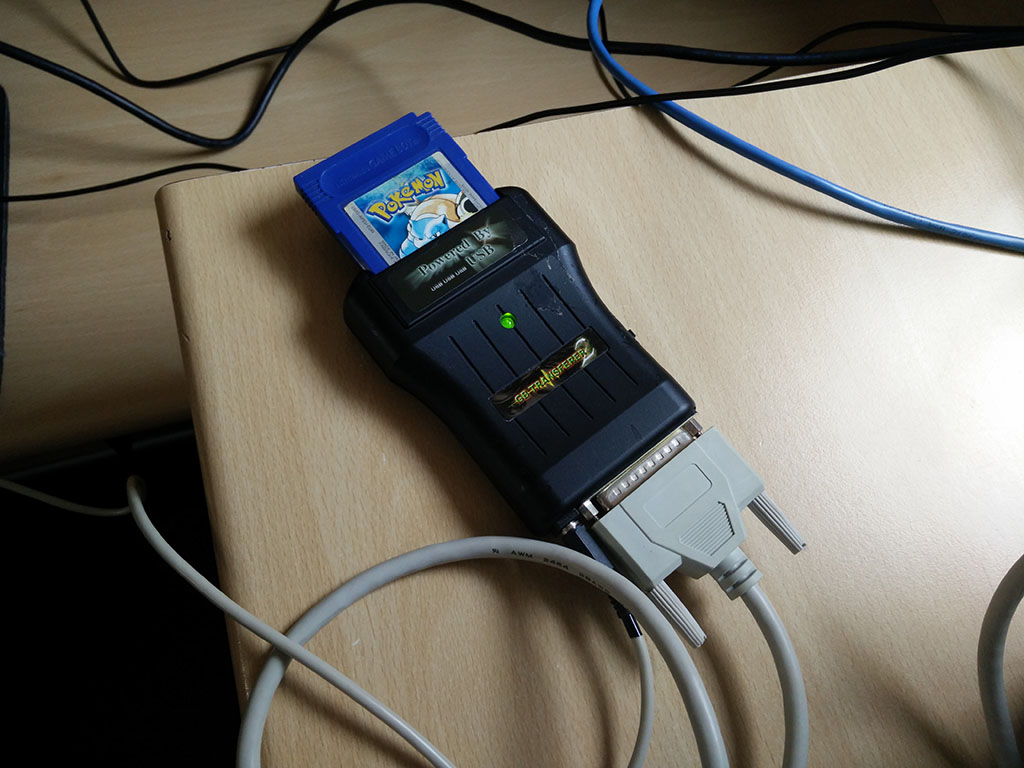
This is where things get a bit more complex, you might notice the the Gameboy Transferer 2 uses a parallel port (printer port) to connect to a PC, modern PC's simply do not have this legacy connector anymore.
Luckily I still have our familys first ever PC back from 1998, the last time this was powered on was in 2010 when i needed a PC with a parallel port, so I was unsure if it would actually still work, however it did!
The younger me taught myself how to upgrade and build a PC using this computer, so it's seen a lot of abuse over the years.
The PC was a Pentium 2 @ 300mhz, 128mb of ram, 4MB ATI Rage Pro GPU with an 8gb hard drive, however the motherboard failed about a year after we got it, so we ended up getting a new motherboard that could take both the Pentium 2 processor we had and newer ones up to 900mhz. So a few years later i upgraded it to a 900mhz Celeron, bumped the ram up to 512mb and added a Nvidia RIVA TNT 2 GPU to it, so despite its age this PC can actually run Windows XP pretty well, which is perfect for use with hardware like the Gameboy Transferer 2.
You might be able to see the ISA 56k modem at the bottom, PCI USB 2.0 expansion card, 10/100 Ethernet card (PC's didn't have onboard network connections back then) and the Nvidia RIVA TNT 2 above that.

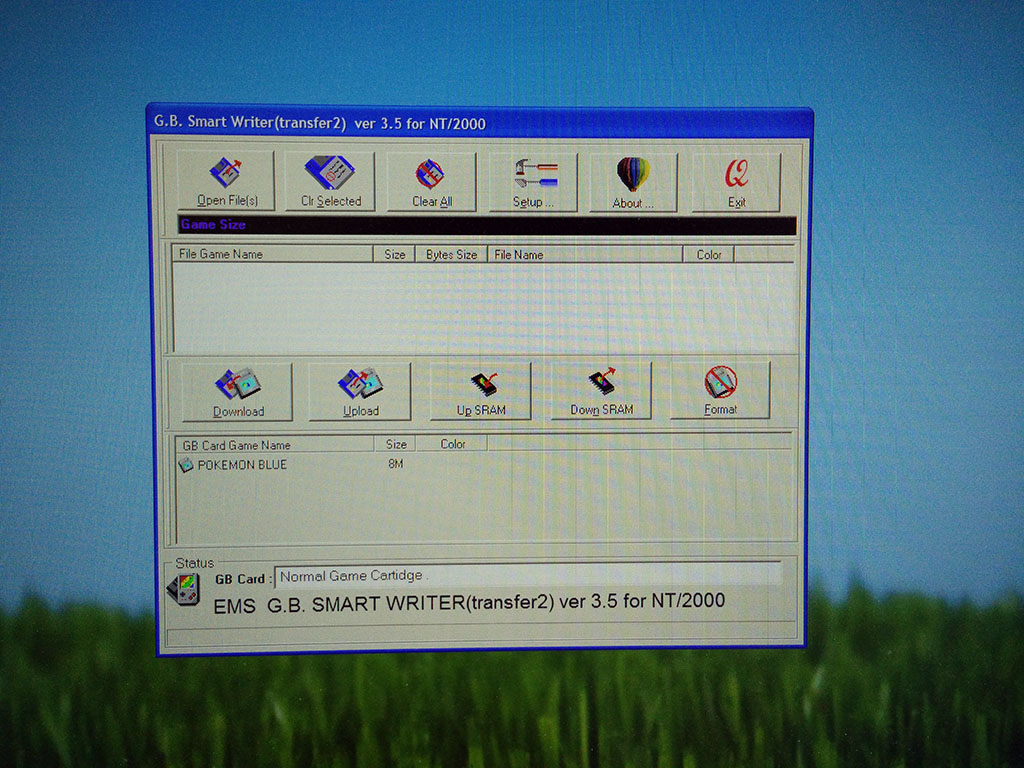
Everything still appeared to work nicely the GB Smart Writer software was able to recognise the Pokemon Blue game, so by clicking "Down Sram" i can download the save game to the PC.
I also dumped a rom of Pokemon Blue and checked I could load the save i'd dumped in an emulator, which i could! So i then copied the save on to my Home Server so I could access it on my main PC running Windows 10.
A bit off topic, however I was impressed an old Nvidia RIVA TNT2 could output at my monitors native resolution of 1920x1200:
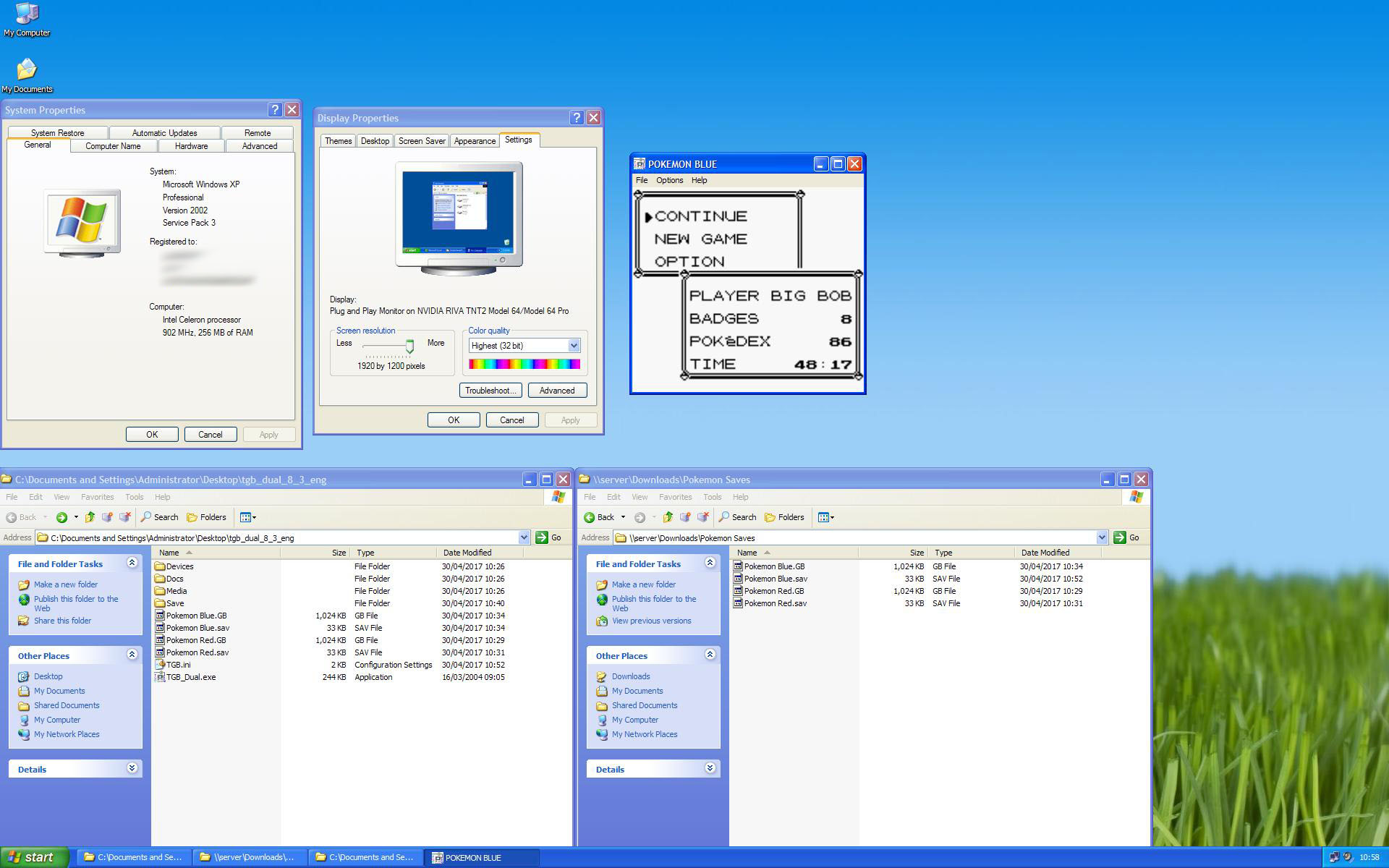
So now now the hard bit is done, the save is backed up and no longer at the mercy of a 17 year old battery:
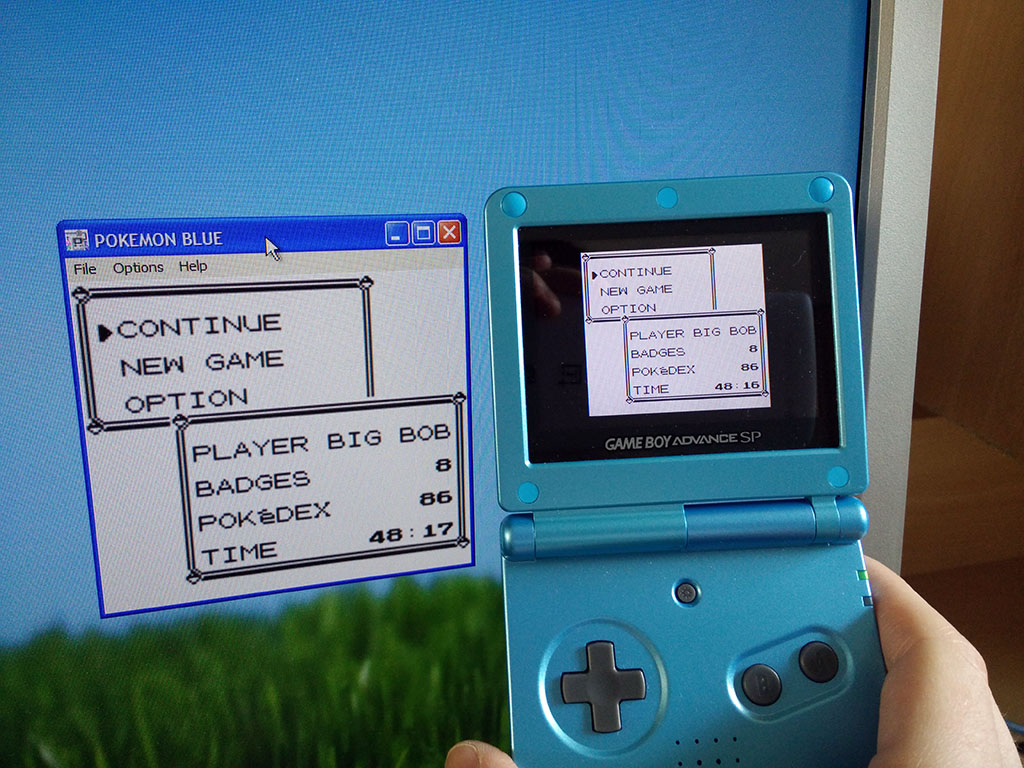
Next using a 3DS that is homebrew enabled I was able to take the save game I backed up and inject that in to the Virtual Console re-release of Pokemon Blue on the Nintendo 3DS.
I have a full in depth tutorial i posted up last year on how to do this, see: Pokemon GameBoy / Rom Save Transfer To 3DS
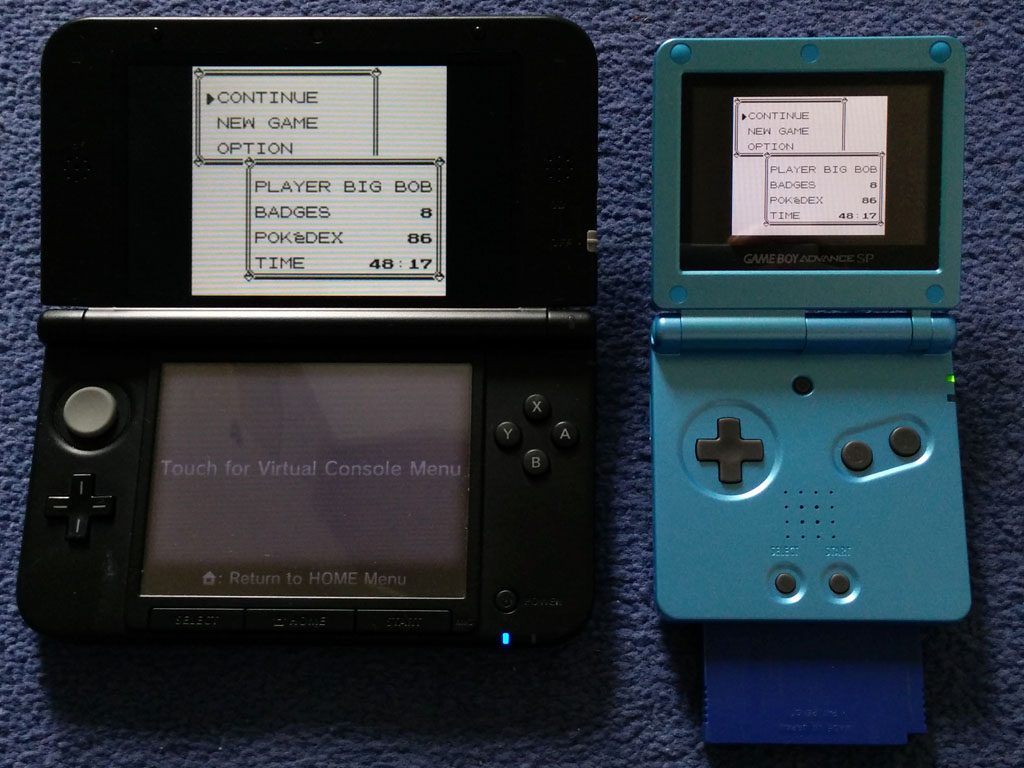
With the save game from the physical Pokemon Blue cartridge now on the Virtual Console version of Pokemon Blue on the 3DS I can simply use the Poke Transporter application to import the Pokemon on to PokeBank, as far as the 3DS is concerned these Pokemon could have been caught yesterday, not 17 years ago:
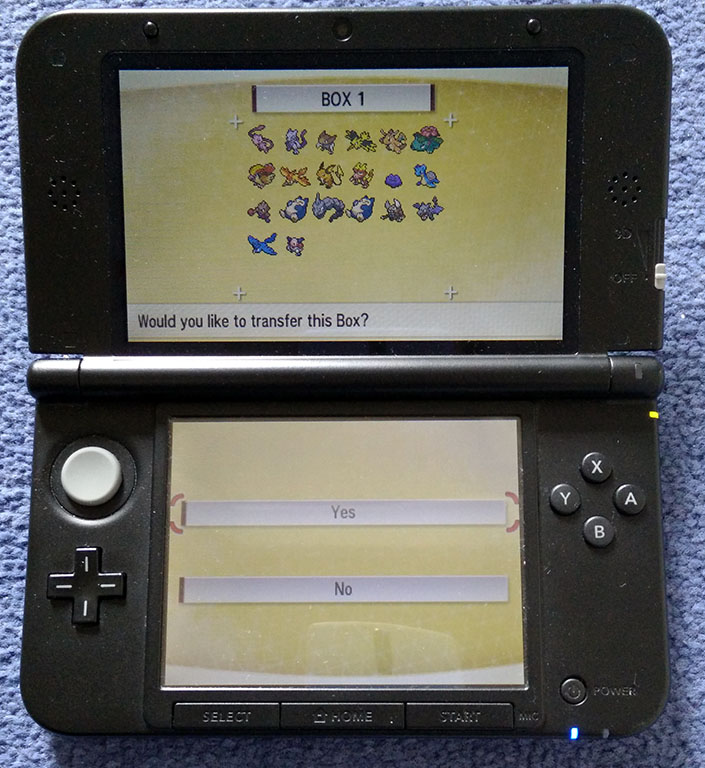
Once transported to PokeBank the Pokemon can be moved on to any GEN 7 Pokemon game, which is currently just Pokemon Sun and Moon.
So there we have it, @Trebor's 17 and a half year old Pokemon are now waiting on my Pokemon Moon game to be traded to his Pokemon Sun game:
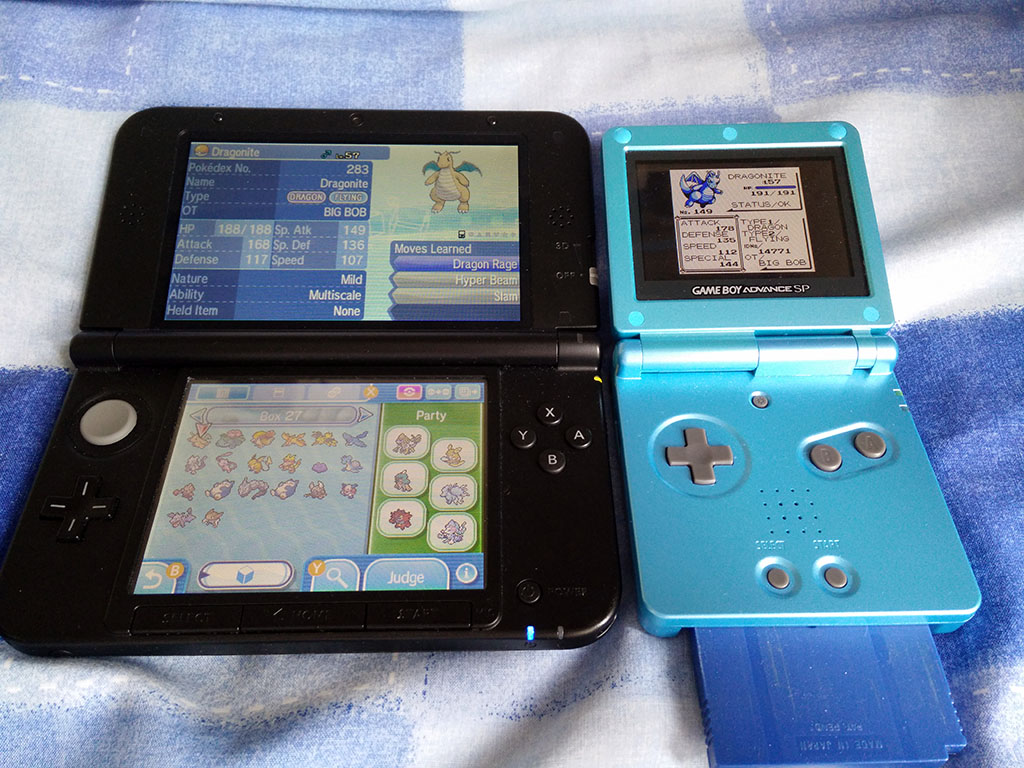
I thought i'd do a little blog to show people it is indeed possible to trade your old GameBoy Pokemon to GEN 7.
Related links:
How to backup GameBoy and GameBoy Colour save games from retail cartridges
Pokemon GameBoy / Rom Save Transfer To 3DS
Now you might well be thinking this is all well and good, however i don't happen to own an almost 20 year old PC which still has a parallel port and it's impossible to buy the Gameboy Transferer 2 even if I did.
All is not lost however, keep an eye on this Tindie project, someone has created a modern GameBoy cartridge reader that works over USB, on Windows 10. This has been out of stock for a while, however it seems the designer is expecting to have more stock for sale within the next couple of days.
However 17 and a half years later it appears the battery inside @Trebor's Pokemon Blue cartridge still works and all his Pokemon from 1999 are intact. This really surprised us both, as Trebor hadn't touched the game for easily the last 15 years.
As Trebor had loaned me all his past Pokemon games to help with my living Pokedex progress I thought i'd make the effort to save his original Pokemon from over 17 years ago to say thanks!
This post is going to show what was impossible until recently, trading original Pokemon from Red, Blue, Yellow and Green all the way up to the latest Pokemon Sun / Moon games.
To do this we are going to have to use 3rd party tools, so in one sense you can't 100% legitimately do this only using only Nintendo issued hardware and tools, however the end result will be indistinguishable from the Nintendo approved way.
First thing first I imagined the battery in the Pokemon Blue cartridge could fail at any second, so before i did anything i backed up the save on to my GameBoy Mega Memory card. This is great as a temp backup, however doesn't allow us to do anything other than restore the save back to the cartridge it came from.
So once I knew I could recover from what ever i did after this point i hooked the Pokemon Blue game up to my Gameboy Transferer 2. I purchased this device years ago to backup my own GameBoy save games so I could use them with emulators and most importantly preserve them. You can also dump roms of your games with this and write them back to GameBoy flash cards, however i've never actually owned a GameBoy flashcard to try this.
This is where things get a bit more complex, you might notice the the Gameboy Transferer 2 uses a parallel port (printer port) to connect to a PC, modern PC's simply do not have this legacy connector anymore.
Luckily I still have our familys first ever PC back from 1998, the last time this was powered on was in 2010 when i needed a PC with a parallel port, so I was unsure if it would actually still work, however it did!
The younger me taught myself how to upgrade and build a PC using this computer, so it's seen a lot of abuse over the years.
The PC was a Pentium 2 @ 300mhz, 128mb of ram, 4MB ATI Rage Pro GPU with an 8gb hard drive, however the motherboard failed about a year after we got it, so we ended up getting a new motherboard that could take both the Pentium 2 processor we had and newer ones up to 900mhz. So a few years later i upgraded it to a 900mhz Celeron, bumped the ram up to 512mb and added a Nvidia RIVA TNT 2 GPU to it, so despite its age this PC can actually run Windows XP pretty well, which is perfect for use with hardware like the Gameboy Transferer 2.
You might be able to see the ISA 56k modem at the bottom, PCI USB 2.0 expansion card, 10/100 Ethernet card (PC's didn't have onboard network connections back then) and the Nvidia RIVA TNT 2 above that.
Everything still appeared to work nicely the GB Smart Writer software was able to recognise the Pokemon Blue game, so by clicking "Down Sram" i can download the save game to the PC.
I also dumped a rom of Pokemon Blue and checked I could load the save i'd dumped in an emulator, which i could! So i then copied the save on to my Home Server so I could access it on my main PC running Windows 10.
A bit off topic, however I was impressed an old Nvidia RIVA TNT2 could output at my monitors native resolution of 1920x1200:
So now now the hard bit is done, the save is backed up and no longer at the mercy of a 17 year old battery:
Next using a 3DS that is homebrew enabled I was able to take the save game I backed up and inject that in to the Virtual Console re-release of Pokemon Blue on the Nintendo 3DS.
I have a full in depth tutorial i posted up last year on how to do this, see: Pokemon GameBoy / Rom Save Transfer To 3DS
With the save game from the physical Pokemon Blue cartridge now on the Virtual Console version of Pokemon Blue on the 3DS I can simply use the Poke Transporter application to import the Pokemon on to PokeBank, as far as the 3DS is concerned these Pokemon could have been caught yesterday, not 17 years ago:
Once transported to PokeBank the Pokemon can be moved on to any GEN 7 Pokemon game, which is currently just Pokemon Sun and Moon.
So there we have it, @Trebor's 17 and a half year old Pokemon are now waiting on my Pokemon Moon game to be traded to his Pokemon Sun game:
I thought i'd do a little blog to show people it is indeed possible to trade your old GameBoy Pokemon to GEN 7.
Related links:
How to backup GameBoy and GameBoy Colour save games from retail cartridges
Pokemon GameBoy / Rom Save Transfer To 3DS
Now you might well be thinking this is all well and good, however i don't happen to own an almost 20 year old PC which still has a parallel port and it's impossible to buy the Gameboy Transferer 2 even if I did.
All is not lost however, keep an eye on this Tindie project, someone has created a modern GameBoy cartridge reader that works over USB, on Windows 10. This has been out of stock for a while, however it seems the designer is expecting to have more stock for sale within the next couple of days.





