• Welcome to the Digiex Download Center, you are welcome to download anything you like here. No registration is required! Digiex offers direct download links with no captchas or wait times.
    The team do our best to ensure no content infringes copyrights and provide a DMCA Takedown request form to request the removal of content from Digiex.

    Notable sections: Pokemon Archives | Xbox Archives | Xbox 360 Archives

Alan Wake Developer Commentary DLC

InsaneNutter

Resident Nutter
Joined
Jun 1, 2007
Messages
11,864
Location
UK
9hhxjid7rpw68x97h9o9.jpg


Alan Wake Developer Commentary DLC


About the DLC:

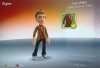
Here is the Alan Wake Developer Commentary, this DLC is not sold on Xbox Live, it is included with the limited edition of Alan Wake. If this DLC is ever sold on the marketplace it will be removed from Digiex. The DLC also includes an unlockable avatar award, this being a Jacket and Scarf for both Male and Female avatars.

This DLC is not console or gamertag locked and will work on any Xbox 360, your Xbox 360 does not need to be Jtag hacked to use this.

How to install:

Copy the content out of the rar file to Content\0000000000000000\ on the Xbox 360 hard drive, or a USB memory stick formatted by the Xbox 360. The end result should be Content\0000000000000000\4D530805\00000002

How to use:

On the main menu of the game select options, and enable the video commentary. This will also unlock the Jacket and Scarf avatar award.

attachment.php


attachment.php


attachment.php


Thats all, if all you want is the free avatar award you can delete the DLC after you have unlocked it.

Download:

Download Alan Wake Developer Commentary DLC

 

Attachments

  • avatar-award-1.jpg
    avatar-award-1.jpg
    111.7 KB · Views: 15,349
  • avatar-award-2.jpg
    avatar-award-2.jpg
    243.7 KB · Views: 15,235
  • avatar-award-3.jpg
    avatar-award-3.jpg
    179.8 KB · Views: 15,267
Hi, posting again.

I was wondering if anyone could help me out with how to do this using a USB stick please? Help would be awesome. Thanks!
 
I'm having some issues getting this to work and could use some help. :(

I've used USB Xtaf (FATX) Xplorer and created the folders Content\0000000000000000 and injected \4D530805\00000002 .

On my xbox, the USB shows up with all the correct folders (games, Avatar Item....) and under games is the Developers Commentary under Games. I have copied that over to the xbox and when I look at System/memory/games/Alan wake.. my saved games are there as well as the Developers Commentary.

However when I run the game "Video Commentary" is not there. Any ideas, where I messed up??
 
Make folders manually, to be sure, the path looks like:
Content\0000000000000000\4D530805\0000000 <<-- theres file from archive.
 
Make folders manually, to be sure, the path looks like:
Content\0000000000000000\4D530805\0000000 <<-- theres file from archive.

Now I am thoroughly confused "0000000" not "00000002"??

Okay, I take my stick that I used on the xbox all the time, and open USB Xtaf (FATX) Xplorer.

"Open Device"
Then click on "Content"
Then click on "0000000000000000"
from here I make a new folder "4D530805"
click into that one
then make a new folder "00000002"
then "inject" the "4D5308050CCF0002" file.

I'm feeling really stupid. :'(

EDIT: okay 3rd times the charm ;) I FINALLY GOT IT
 
Last edited:
I enabled video commentary and the avatar award pop up. I however cannot use it. Everytime I go to avatar section it says in the beginning your avatar library is changed.you need to sign up to xbox live to update your avatar library. But I cant go to Live. Any remedies?
 
The avatars were updated with the Kinect Dashboard launched a few months ago, maybe put your hard drive in a console that can go on live and let them update?
Not sure if it will work, it should do however.
 

About Digiex

Digiex is a technology and gaming forum, founded in 2004 by InsaneNutter and Nimrod. Digiex has served the internet community with breaking news, detailed guides, exclusive downloads and a popular discussion forum. A small, friendly community of like‑minded people has developed over the years. People are encouraged to register and participate in on‑going discussions.

Get Social

Top Bottom