• Welcome to the Digiex Download Center, you are welcome to download anything you like here. No registration is required! Digiex offers direct download links with no captchas or wait times.
    The team do our best to ensure no content infringes copyrights and provide a DMCA Takedown request form to request the removal of content from Digiex.

    Notable sections: Pokemon Archives | Xbox Archives | Xbox 360 Archives

AT&T U-Verse Installation Disk for Xbox 360 Download

Hoffman

Addict
Joined
Jun 1, 2007
Messages
284
This download will allow you to use the AT&T U-Verse service on your Xbox 360, you must already have AT&T U-Verse, you will just not be charged an extra $99 to use it on an additional device.

How to use:

1. Burn the ISO to a disc, see: How to burn BIN, CUE, DI, DVD, GI, IMG, ISO, MDS, NRG and PDI images to disc if you need any help with that.
2. Insert in to the Xbox 360 and install.
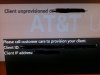
3. To receive a signal you must call AT&T tier 2 support to enable the 360 to use the service. You will apparently not be charged 99 USD since you already own the CD.

AT&T Tier 2 Support can be called on 1(800)-288-2020

I'm not American and have no idea about AT&T U-Verse so can not help you with this, I am just passing it on in the hope it is of some use.

Download AT&T U-Verse Installation Disk for Xbox 360
Download AT&T U-Verse Xbox 360 Manual
 

Attachments

  • AT&T U-Verse Xbox 360 Manual.pdf
    AT&T U-Verse Xbox 360 Manual.pdf
    507.8 KB · Views: 5,522
  • uverse (1).jpg
    uverse (1).jpg
    55.5 KB · Views: 5,522
  • uverse (2).jpg
    uverse (2).jpg
    87.5 KB · Views: 4,927
link doesnt work for installation disk please fix im getting AT&T U-Verse today
 
It's not installation, I believe you have to have the disc in if you want it to work. Either should work honestly and there isn't much point in wasting a whole DL disc over it.
 
I am a total noob I apologize in advance

Would my 360 require any modding to use this? or can it be a virgin xbox?
 
Nope no mod is required, you do have to be paying for the AT&T service to make use of this though.
 
I registered just to Thank You! I wasn't even searching for this but stumbled upon it. I was searching to see if you had to pay $100 for each XBOX ( I have 2) and low and behold this came up. I will Try it when i get home today. Thanks!


Tried it with no luck. I get error 0x8007045D but I wonder if it's because I'm on the beta Dashboard that is being released tomorrow. I'll try again tomorrow.
 
Last edited:
Hoffman,
Thank you very much for this! It worked great. I do have some experiences to share with all who are looking at doing this:
  1. You do not need the $99 kit from AT&T. That kit has the disk that you can download from this article, a HomePNA adapter (which is not needed), a Microsoft Media Center Remote and the manual that you can download from this article.
  2. When you hook-up your XBox, it must be a wired connection, not a wireless. Wireless connections will not work (I tried wireless it did not work, I spoke with AT&T about this and Tier 2 explained that wireless is not supported - even though they have a wireless receiver now).
  3. U-Verse accounts have a hard limit of five (5) receivers per account. If you have five receivers (like I do), you will need to have them remove one of the recievers from your account to have your XBox added (you can either ship the receiver back or keep it in case you decide to remove the XBox as a receiver).
  4. Any universal remote that supports either the XBox or a Microsoft Media Center PC will work (I use a Harmony remote and it works perfectly) it does not need to be the AT&T XBox remote that comes in the kit (no matter what support tells you).
  5. If you have any type of advanced network setup, plan on removing it.
  6. When you call in, tell them you already have the kit and you just need to activate your XBox at this point. They might give you a little flack but just be persistant about it and they will ultimately relent and activate your XBox as a receiver.
In my case, I had some issues because I had a Cisco Pix firewall behind my AT&T Home Gateway to segregate my home PC network from the AT&T HomePNA network. My Pix was recking havoc on the DHCP requests and internet traffic on the HomePNA network for some reason (although it was configured to ignore that traffic - maybe because it was broadcast traffic, not sure). This is not the first time I had these problems with my Pix and the HomePNA network so I made the decision to merge my home network with the HomePNA network. I did not necessarily like this but I have retired most of my PCs and all my family members either have tablets or smart phones and there is only one computer on the network now. This simplified the network and quit freaking out the AT&T reps who do not understand advanced networking or routing.

My other suggestion here is that if you are using the Home Gateway's built-in wireless (and can I just say B & G only - really? What is this, 1998?) I recommend hiding the SSID (turn off broadcast) and setting up MAC filtering. This will keep others from seeing or using your WiFi and bandwidth without your knowledge.

I hope that between Hoffman's ISO and my tips you will be able to get your XBox up and running as an AT&T receiver quickly and properly the first time!
 

About Digiex

Digiex is a technology and gaming forum, founded in 2004 by InsaneNutter and Nimrod. Digiex has served the internet community with breaking news, detailed guides, exclusive downloads and a popular discussion forum. A small, friendly community of like‑minded people has developed over the years. People are encouraged to register and participate in on‑going discussions.

Get Social

Top Bottom