InsaneNutter
Resident Nutter

The problem:
So you have seen something you want to watch on the BBC iPlayer but don’t want to watch it on your PC? or stream it on a mobile device due to bandwidth restrictions.
The iPlayer uses DRM, which means anything you can download will only play on the PC that downloaded it, not very useful if you would like to watch it else where at a later date, or on a device that does not support the DRM the iPlayer uses.
The solution:
Not all is lost, Get iPlayer will allow you to download MP4 video from the iPlayer and MP3 audio with no DRM, basically meaning you can play back anything from the iPlayer on any device capable of playing MP4 / MP3 content. This is done by tricking the iPlayer in to thinking your computer is an iPhone, this works because the iPhone content on the iPlayer has no DRM.
To do this you need to install Get Iplayer, an application for Windows, Linux and OSX.
Download Get iPlayer for Windows
Checkout the Get iPlayer website for Linux / OSX installation help.
Get iPlayer has PVR-like capabilities (like Sky+ / TiVo / Series-Link); You can save lists of programme searches which are automatically recorded when they become available so that you can watch them when you choose and on devices that cannot run Adobe Flash Player - even if you don’t have adequate broadband speeds or if your broadband streams too slowly at peak hours when you want to watch a programme.
When installed:
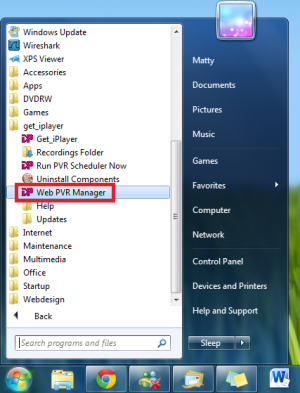
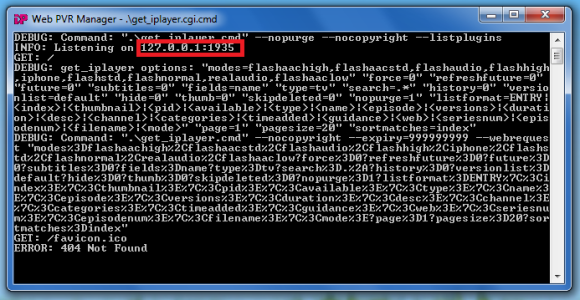
You need to load up the web pvr maganger, this will usually be found in your start menu. If on Windows 8 just search for web pvr on the start screen. The screenshow below shows what you will basically be loading up.
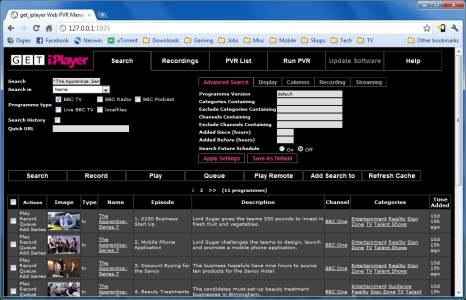
This will basically start a server running on your PC which will pull data from the iPlayer, you should see that your web browser also opened the web interface for get iPlayer, this is where you will control everything from.
If you close your web browser after loading Get iPlayer you can simply access the web interface again from your favourite web browser by going to http://localhost:1935/
Tip: It might be useful to add the Get iPlayer web interface to your factories for easy access.
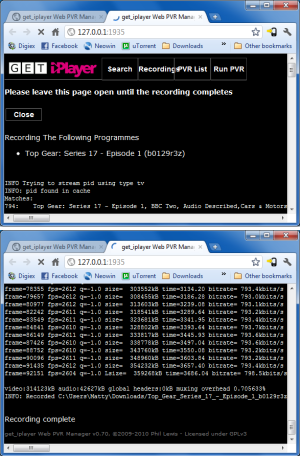
To download something select record, you will find this under the action's section next to the relevant program. A new tab will open showing you the downloads progress.
The end result will be MP4 files with no DRM, that should play on a lot of media players.
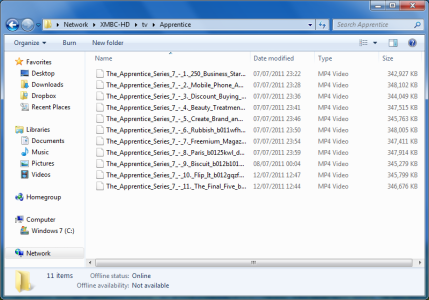
Note: Files are saved in your downloads folder by default, as you can see in the screenshot above for myself this was C:\Users\Matty\Downloads\file-name-of-download-here.mp4
Quality sample, the end result is quite good as you can see.

Refreshing the Get iPlayer cache
If you don't see a new episode which is on the BBC iPlayer chance are you will need to refresh the cache, this is done by simply clicking the "refresh cache" link at the bottom of the main page on the web pvr.
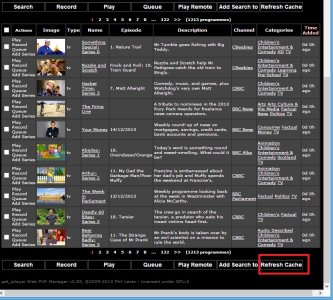
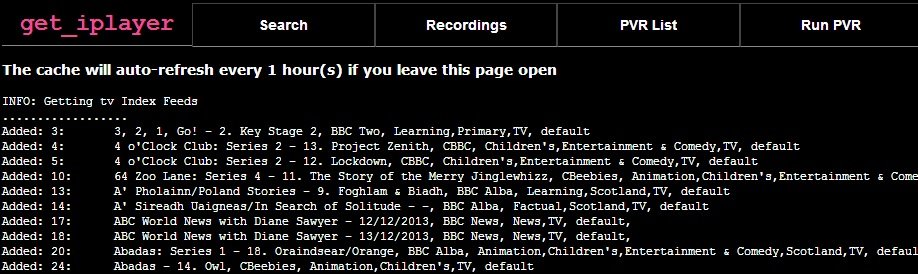
You should then see that any new iPlayer content is then added to your web pvr page, allowd you to download it if you wish to.
Note: The BBC iPlayer TV only works in the UK