Hoffman
Veteran
- Joined
- Jun 1, 2007
- Messages
- 1,822
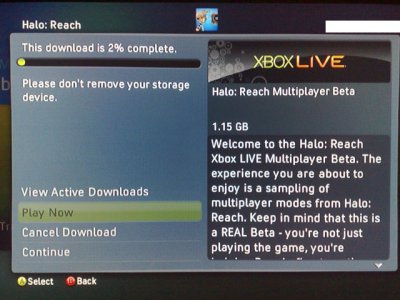
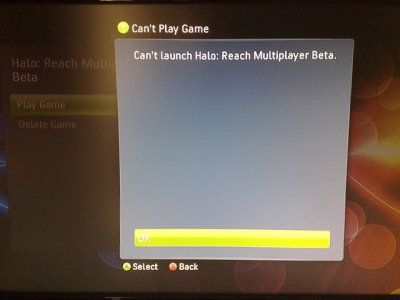
I have tested this on another console here and the beta IS console locked, meaning it will NOT load on any other console / profile other than the one which downloaded it from Xbox Live, so this will likely be useless for the majority of people
If you have a jtagged console you might be able to mod / mess about with this so I thought it was worth uploading for that reason.
Finally thanks to the person who supplied the beta key so this could be uploaded early

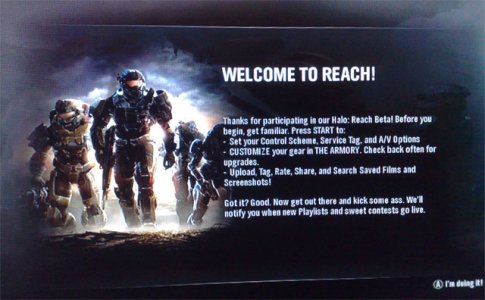
Halo Reach Multiplayer Beta
About the game:
Halo: Reach is an upcoming first-person shooter video game for the Xbox 360. It is part of the Halo series, and it is scheduled for release during the fall of 2010. The game takes place in the year 2552, where humanity is locked in a war with the alien Covenant. Players control Noble 6, a member of an elite supersoldier squad, during a battle for the human world of Reach.
Multiplayer:
Reach will feature multiplayer support via Xbox Live, System Link, and Split screen.
Most of the time, players play as Spartan soldiers but in certain multiplayer modes, players can play as Covenant aliens known as Elites (the Covenant's closest equivalent unit to the UNSC Spartan). Elites are larger, tougher, faster, and have a unique "evade" rolling ability. Reach also features "loadouts", a feature allows players to pick a predefined choice of weaponry at spawn. The veto system has been improved, allowing players to vote for their preferred map and game mode out of a few choices. In order to give multiplayer a longer lasting appeal, players are now rewarded with "credits", which players can spend on armor customizations. These effects are only visual, and don't change the gameplay of the players in any way. The amount of credits a player receives after a match is determined by the player's performance in the match.
Among standard multiplayer modes such as deathmatch (called "Slayer") and king of the hill, Reach includes gametypes new to the franchise. In "Headhunter", players drop skulls upon death, which other players can pick up and deposit at special zones for points. When a player dies all their accumulated skulls fall away as well. "Stockpile" has teams race to collect neutral flags, holding them at capture points every minute for points. "Generator Defense" pits three Spartans versus three Elites. The Elites' objective is to destroy three generators, while Spartans defend the installation. After every round the players switch roles. "Invasion" is a six versus six mode. The gametype pits Spartans against Elites; as the game progresses, new loadouts, vehicles, and areas of the map become open.
Download:
Download Halo Reach Multiplayer Beta (Jtag Only)
Jtag Instructions: (By Twis7eD of InsomniacGamerZ)
This tutorial will teach you how to unlock the Halo: Reach beta on your JTAG'd Xbox 360. It will allow you to run around on all maps including two that haven't been released yet (one of which is a Firefight map) and will also make modifying those .map files possible.
Requirements:
A JTAG'd Xbox 360 or a developement kit
Halo: Reach Beta
Forceload XeX's
WxPirs
Once you have all those files, you may start. You will need to use all of them and if you are missing one, then you can not complete this tutorial.
1. Download Halo Reach Multiplayer Beta (Jtag Only)
2. Once the beta is done downloading, either put your hardrive on your JTAG'd Xbox and boot into XeXmenu and FTP the 4D53885C folder to your Xbox. Or you can connect your hardrive to your computer and open Xplorer360. Then in Xplorer360 go to Partition 3>Content>00000000000>4D53885C>00080000>725EC55D55 2A4DEDDE69466A0BA490B2CB496EF74D and extract that file to somewhere on your computer.
Extracting the maps, default.xex, waves, etc
1. Now open WxPirs.
2. In the top left hand corner, click file> open or click the folder with an arrow above it button.
3. Locate your where you saved your Halo Reach Beta to (aka the 725EC55D552A4DEDDE69466A0BA490B2CB496EF74D file) and open the file.
4. You should now be presented with bink, maps, and waves folders and a default.xex, WaveShell-Xbox.dll and WavesLibDLL.dll
5. Click file > extract all or click the repeating floppy disc icon in the top left hand corner.
6. Pick a folder to extract all of those files and folders to and wait until they are all done (it was will say "done" next to every folder and file).
Downloading the Forceload XeX's (Credit to DeToX for the XeX's and Halo: Reach modding research)
1. Download the Forceload XeX's
2. Extract all contents of the halo_reach_beta_forceload.zip to a folder.
Putting the Beta on your Hardrive and Playing it
1. Open Xplorer360 and navigate to your Partition 3>Content>0000000000>and make a new folder called "Games" if you don't already have that folder.
2. Inside that folder make a new folder called "Halo Reach Beta".
3. Inside of the Halo Reach Beta folder, put your reach-30_settlement.xex, reach-ff10_prototype.xex, reach-20_sword_slayer.xex, reach-70_boneyard.xex, reach-mainmenu.xex, WaveShell-Xbox.dll, WavesLibDLL.dll, and waves folder that you got from the halo_reach_beta_forceload.zip. Make sure that you put EVERY file that came in the halo_reach_beta_forceload.zip folder.
4. Once those files are on your hardrive, go to the folder that contains all the files and folders that you extracted using WxPirs. Take the "maps" and "bink" folders and all of their contents and put those in your Halo Reach Beta folder on your hardrive.
4. Put your hardrive on your Xbox and go to Game Library>XeXmenu. Then go to Hdd1>Content>000000000>Games>Halo Reach Beta> Then click on either reach-30_settlement.xex, reach-ff10_prototype.xex, reach-20_sword_slayer.xex, or reach-70_boneyard.xex to load whichever one of those maps you want.
5. Once you have clicked one of those, you should be in the main menu. Your game will appear to freeze on a black screen. Just wait a few seconds and then the map will load.
6. To go to another map, repeat step 4.
The Firefight map is reach-ff10_prototype.xex and the other unreleased map is reach-70_boneyard.xex
If you have a jtagged console you might be able to mod / mess about with this so I thought it was worth uploading for that reason.
Finally thanks to the person who supplied the beta key so this could be uploaded early
Halo Reach Multiplayer Beta
About the game:
Halo: Reach is an upcoming first-person shooter video game for the Xbox 360. It is part of the Halo series, and it is scheduled for release during the fall of 2010. The game takes place in the year 2552, where humanity is locked in a war with the alien Covenant. Players control Noble 6, a member of an elite supersoldier squad, during a battle for the human world of Reach.
Multiplayer:
Reach will feature multiplayer support via Xbox Live, System Link, and Split screen.
Most of the time, players play as Spartan soldiers but in certain multiplayer modes, players can play as Covenant aliens known as Elites (the Covenant's closest equivalent unit to the UNSC Spartan). Elites are larger, tougher, faster, and have a unique "evade" rolling ability. Reach also features "loadouts", a feature allows players to pick a predefined choice of weaponry at spawn. The veto system has been improved, allowing players to vote for their preferred map and game mode out of a few choices. In order to give multiplayer a longer lasting appeal, players are now rewarded with "credits", which players can spend on armor customizations. These effects are only visual, and don't change the gameplay of the players in any way. The amount of credits a player receives after a match is determined by the player's performance in the match.
Among standard multiplayer modes such as deathmatch (called "Slayer") and king of the hill, Reach includes gametypes new to the franchise. In "Headhunter", players drop skulls upon death, which other players can pick up and deposit at special zones for points. When a player dies all their accumulated skulls fall away as well. "Stockpile" has teams race to collect neutral flags, holding them at capture points every minute for points. "Generator Defense" pits three Spartans versus three Elites. The Elites' objective is to destroy three generators, while Spartans defend the installation. After every round the players switch roles. "Invasion" is a six versus six mode. The gametype pits Spartans against Elites; as the game progresses, new loadouts, vehicles, and areas of the map become open.
Download:
Download Halo Reach Multiplayer Beta (Jtag Only)
Jtag Instructions: (By Twis7eD of InsomniacGamerZ)
This tutorial will teach you how to unlock the Halo: Reach beta on your JTAG'd Xbox 360. It will allow you to run around on all maps including two that haven't been released yet (one of which is a Firefight map) and will also make modifying those .map files possible.
Requirements:
A JTAG'd Xbox 360 or a developement kit
Halo: Reach Beta
Forceload XeX's
WxPirs
Once you have all those files, you may start. You will need to use all of them and if you are missing one, then you can not complete this tutorial.
1. Download Halo Reach Multiplayer Beta (Jtag Only)
2. Once the beta is done downloading, either put your hardrive on your JTAG'd Xbox and boot into XeXmenu and FTP the 4D53885C folder to your Xbox. Or you can connect your hardrive to your computer and open Xplorer360. Then in Xplorer360 go to Partition 3>Content>00000000000>4D53885C>00080000>725EC55D55 2A4DEDDE69466A0BA490B2CB496EF74D and extract that file to somewhere on your computer.
Extracting the maps, default.xex, waves, etc
1. Now open WxPirs.
2. In the top left hand corner, click file> open or click the folder with an arrow above it button.
3. Locate your where you saved your Halo Reach Beta to (aka the 725EC55D552A4DEDDE69466A0BA490B2CB496EF74D file) and open the file.
4. You should now be presented with bink, maps, and waves folders and a default.xex, WaveShell-Xbox.dll and WavesLibDLL.dll
5. Click file > extract all or click the repeating floppy disc icon in the top left hand corner.
6. Pick a folder to extract all of those files and folders to and wait until they are all done (it was will say "done" next to every folder and file).
Downloading the Forceload XeX's (Credit to DeToX for the XeX's and Halo: Reach modding research)
1. Download the Forceload XeX's
2. Extract all contents of the halo_reach_beta_forceload.zip to a folder.
Putting the Beta on your Hardrive and Playing it
1. Open Xplorer360 and navigate to your Partition 3>Content>0000000000>and make a new folder called "Games" if you don't already have that folder.
2. Inside that folder make a new folder called "Halo Reach Beta".
3. Inside of the Halo Reach Beta folder, put your reach-30_settlement.xex, reach-ff10_prototype.xex, reach-20_sword_slayer.xex, reach-70_boneyard.xex, reach-mainmenu.xex, WaveShell-Xbox.dll, WavesLibDLL.dll, and waves folder that you got from the halo_reach_beta_forceload.zip. Make sure that you put EVERY file that came in the halo_reach_beta_forceload.zip folder.
4. Once those files are on your hardrive, go to the folder that contains all the files and folders that you extracted using WxPirs. Take the "maps" and "bink" folders and all of their contents and put those in your Halo Reach Beta folder on your hardrive.
4. Put your hardrive on your Xbox and go to Game Library>XeXmenu. Then go to Hdd1>Content>000000000>Games>Halo Reach Beta> Then click on either reach-30_settlement.xex, reach-ff10_prototype.xex, reach-20_sword_slayer.xex, or reach-70_boneyard.xex to load whichever one of those maps you want.
5. Once you have clicked one of those, you should be in the main menu. Your game will appear to freeze on a black screen. Just wait a few seconds and then the map will load.
6. To go to another map, repeat step 4.
The Firefight map is reach-ff10_prototype.xex and the other unreleased map is reach-70_boneyard.xex