
How to get XBSLink working on Mac OSX .

Michael_T

Addict
XBSlink is a Proxy for Xbox360 & PS3/2 System Link Games.

Simply run XBSlink on a computer connected to the same network as your console, connect to another XBSlink user on the Internet or a XBSlink cloud and play your favorite Game over the SystemLink feature just as if the game consoles where on the same local network.

Features:

play any XBox360 or PS3/2 System Link enabled Game over your Internet Connection
self organizing P2P structure
fast, low latency, multihreaded application design
unlimited number of users
automatic UPnP NAT port forwarding (if supported by your router)
filter IP packets to protect local services/devices
option to always forward packets from a list of manually entered network devices.
experimental NAT feature
internal chat to communicate with connected XBSlink nodes
Cloud list – join a cloud of other XBSlink users
GUI & command line (non-GUI) mode

Ok and here are the steps to get XBSlink working .

First you need to download a couple of things .
Download XBSlink for Mac from here : XBSlink Download – XBSlink – XBox360 & PS3/2 System Link Proxy

Then you need to download the Mono runtime from here :
Download - Mono
Use the stable version !

Then download from the same page the MonoDevelop app.
Also the stable version !

Now install the runtime and the MonoDevelop app.

Unzipp the XBSlink file and you should get a folder called : "Release" .
Rename it to "XBSlink" & put the folder on your desktop.

Once all that is done open up terminal .
Now enter : "cd /Users/yournamehere/Desktop/XBSlink"
Press enter.
Now your in the directory of XBSlink .
Now enter this :"sudo mono XBSlink.exe"
It will now ask you for your password.
That is the same password you use to authenticate things .
Enter your password & XBSlink should start up .

If you want to know how to use XBSlink , then check the website of XBSlink here :
XBSlink – XBox360 & PS3/2 System Link Proxy - play LAN games over the internet

Have fun playing on XBSlink !
 

Attachments
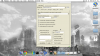
  • XBSlink on Mac.png
    XBSlink on Mac.png
    705.9 KB · Views: 1,950
Last edited:
Great tut Michael.

This worked without issue for me a week ago, both on my MBP and Mac Mini. Tried to fire it up this week and XBS keeps crashing and giving error messages in both Terminal and XBS. Have deleted and reinstalled numerous time without any luck. Any idea of why it worked last week and not now? Will include ss's of error messages if needed.
 
Ah, thanks for pointing out the "Thanks" tab.

Got it up and running finally(error on my end), but here's the issue I now have.

I get extreme lag when joining other servers, and others get that lag when joining my created match(though I have none in this case). Noticed these error messages in Terminal when running XBS today.

*for some reason the forum won't let me post these error messages from Terminal. Will PM them to you*

I'm using a Time Capsule as my router, with the Mac Mini hardwired to it. Good connection speeds from my ISP, 20 down and 6 up. A buddy, also on a Mac and using the same ISP, doesn't have the lag issues. But he's using a different router, which would make you think the issue is with my Time Capsule. But I'm not sure and am hoping for some ideas.

Edit - PM sent.
 
From what i can see in the error message is that there is something wrong with your connection to your internet ( network settings ) .
Did you change anything or did you update to the new version of XBSlink ?
Anyway , you could also try to use XLink Kai , they have a mac client .
 

Attachments

Hi, first of all, great tutorial, The XBSlink forums are no help at all. But I keep getting this error message in terminal & XBSlink doesn't start up '
Unhandled Exception: System.ArgumentException: length
at System.Array.Copy (System.Array sourceArray, Int32 sourceIndex, System.Array destinationArray, Int32 destinationIndex, Int32 length) [0x00000] in <filename unknown>:0
at System.Net.NetworkInformation.MacOsNetworkInterface.ImplGetAllNetworkInterfaces () [0x00000] in <filename unknown>:0
at System.Net.NetworkInformation.NetworkInterface.GetAllNetworkInterfaces () [0x00000] in <filename unknown>:0
[ERROR] FATAL UNHANDLED EXCEPTION: System.ArgumentException: length
at System.Array.Copy (System.Array sourceArray, Int32 sourceIndex, System.Array destinationArray, Int32 destinationIndex, Int32 length) [0x00000] in <filename unknown>:0
at System.Net.NetworkInformation.MacOsNetworkInterface.ImplGetAllNetworkInterfaces () [0x00000] in <filename unknown>:0
at System.Net.NetworkInformation.NetworkInterface.GetAllNetworkInterfaces () [0x00000] in <filename unknown>:0
Any ideas?
 
I just played on XBSLink a few minutes ago . Everything is working on my part .
Dit you install the latest Mono Runtime & Mono app ?
You can also install the Mac version of Xlink Kai to get the libcap library .

Latest Mono runtime can be downloaded here :
http://download.mono-project.com/ar...amework-MRE-2.10.9_11.macos10.xamarin.x86.dmg

Mono app can be downloaded here : Download - MonoDevelop

XLink Kai ( does have the libcap library ) can be downloaded here :
XLink Kai: Evolution VII. Global Network Gaming.

BTW , ignore everything that Terminal is saying once XBSLink has started running. It should be running perfectly.
And just one more thing , hosting a game on Mac is a no go ( it will lag pretty bad ). Just join someone's game .

If there is a better way to run XBSLink on Mac, then please let me know in this topic.

Hi, first of all, great tutorial, The XBSlink forums are no help at all. But I keep getting this error message in terminal & XBSlink doesn't start up '
Unhandled Exception: System.ArgumentException: length
at System.Array.Copy (System.Array sourceArray, Int32 sourceIndex, System.Array destinationArray, Int32 destinationIndex, Int32 length) [0x00000] in <filename unknown>:0
at System.Net.NetworkInformation.MacOsNetworkInterface.ImplGetAllNetworkInterfaces () [0x00000] in <filename unknown>:0
at System.Net.NetworkInformation.NetworkInterface.GetAllNetworkInterfaces () [0x00000] in <filename unknown>:0
[ERROR] FATAL UNHANDLED EXCEPTION: System.ArgumentException: length
at System.Array.Copy (System.Array sourceArray, Int32 sourceIndex, System.Array destinationArray, Int32 destinationIndex, Int32 length) [0x00000] in <filename unknown>:0
at System.Net.NetworkInformation.MacOsNetworkInterface.ImplGetAllNetworkInterfaces () [0x00000] in <filename unknown>:0
at System.Net.NetworkInformation.NetworkInterface.GetAllNetworkInterfaces () [0x00000] in <filename unknown>:0
Any ideas?

Are you on a wireless connection ?
 
Top Bottom



