

InsaneNutter
Resident Nutter
Sometimes you might just want a quick way to run a script designed for Linux on Windows, without having to boot a Linux device or Virtual Machine.
Windows 10 has a full, Ubuntu based Bash shell that can run Linux software directly on Windows. This is made possible by the new Windows Subsystem for Linux Microsoft is adding to Windows 10.
Think of it as the opposite of Wine. Wine allows you to run Windows applications directly on Linux, the Windows Subsystem for Linux allows you to run Linux applications directly on Windows, i bet a few years ago you never thought you'd see Microsoft support such a feature!
How to Install Bash on Windows 10
You need to be running a 64bit Version of Windows 10 and have at least the Windows 10 Anniversary Update. If you have had Windows 10 a while or recently installed it, you should have on the Anniversary Update or past that by now. Simply run Windows Update until you have no more updates to install, you will defiantly be good to go then.
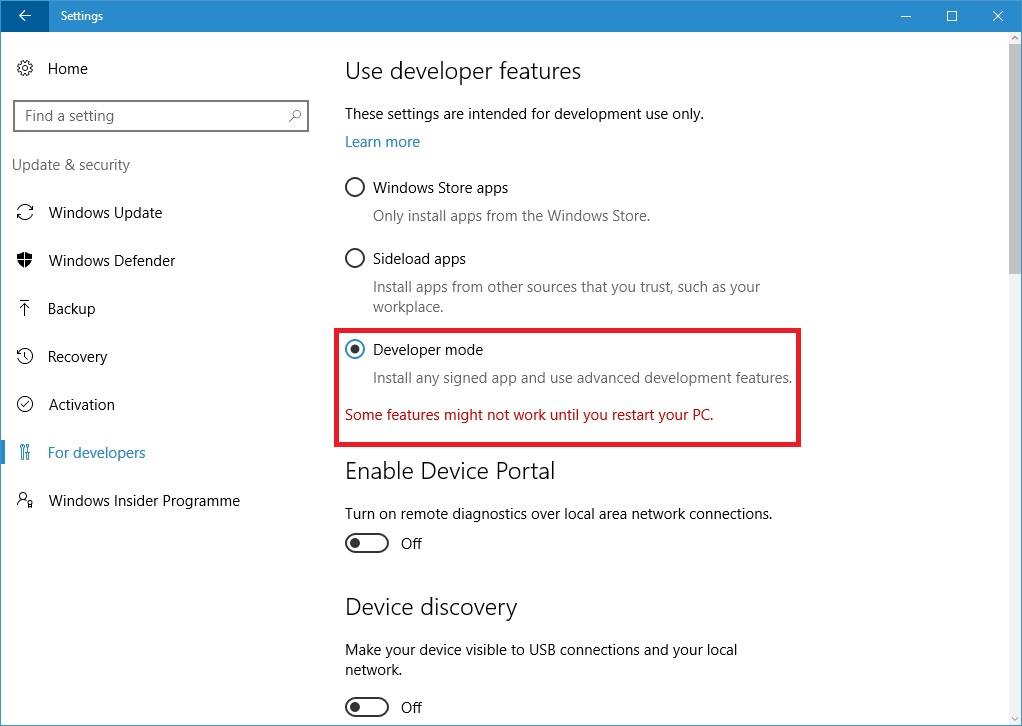
To install Bash go to the Settings app > Update & Security > For Developers. Activate the “Developer Mode” toggle here to enable developer mode, as shown below:
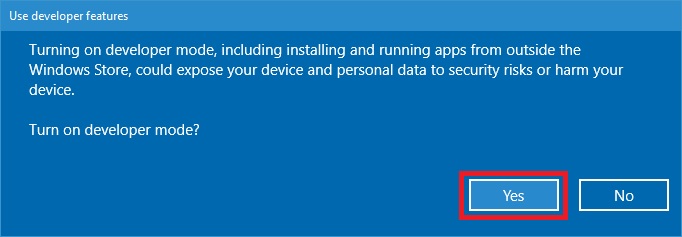
Say yes to turn on developer mode:
Now search for the Control Panel in the start menu.
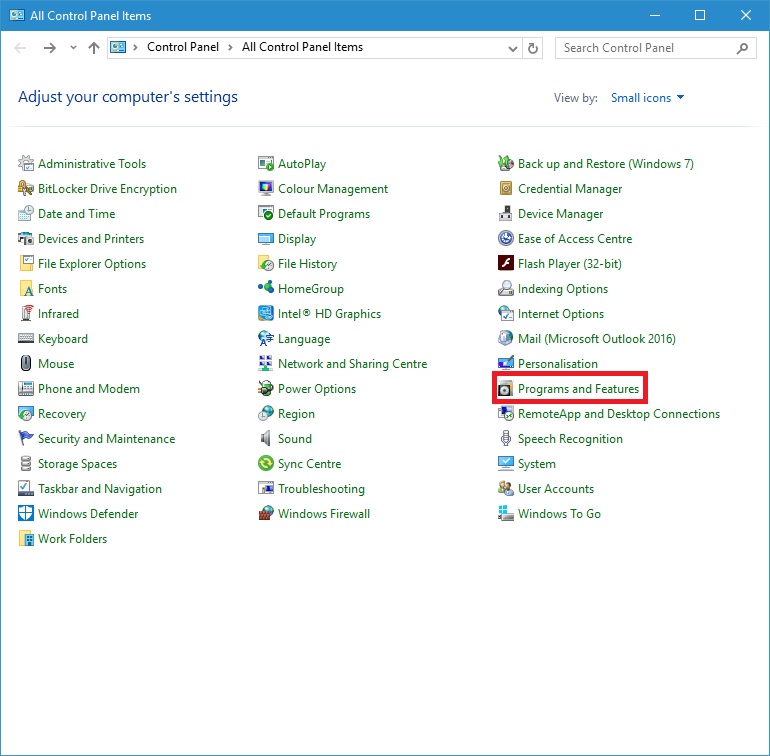
Once in Control Panel click on Programs and Features:
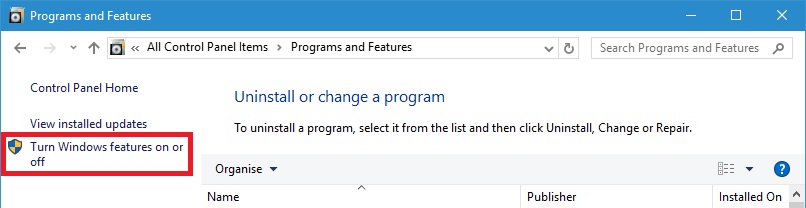
Then click on Turn Windows features on or off:
Enable the “Windows Subsystem for Linux (Beta)” option in the list here and click ok:
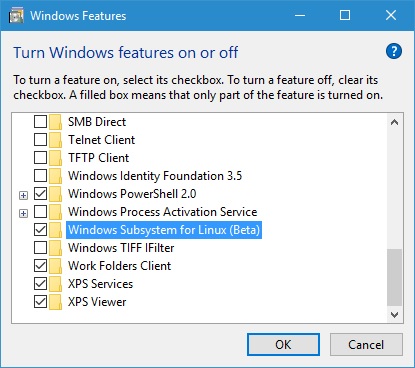
Windows will then enable bash, you then have to re start your computer.
Once Windows has loaded again search for Command Prompt in the start menu and type bash, typing y to continue installing.
The required files will then be downloaded and installed, this will take a few minutes as it mentions:
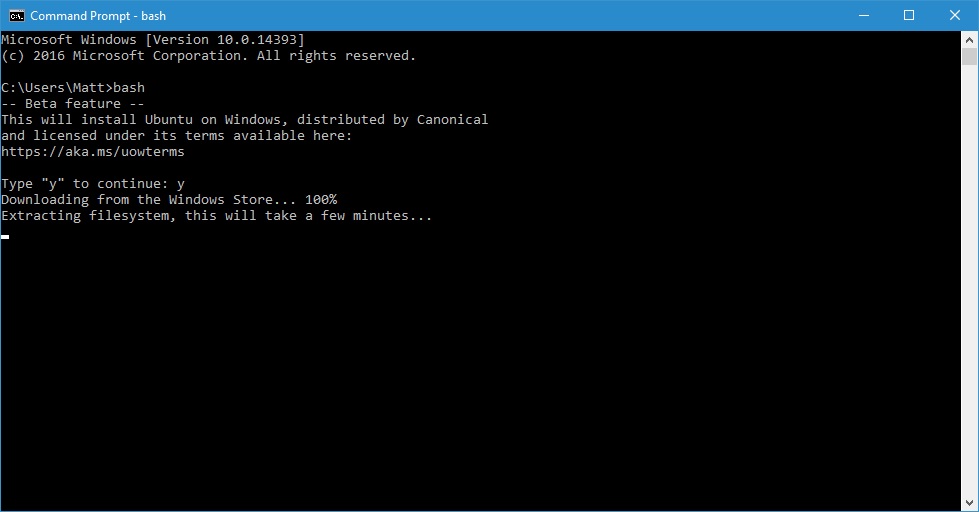
Once everything is setup you will be asked to create a username and password, remember these:
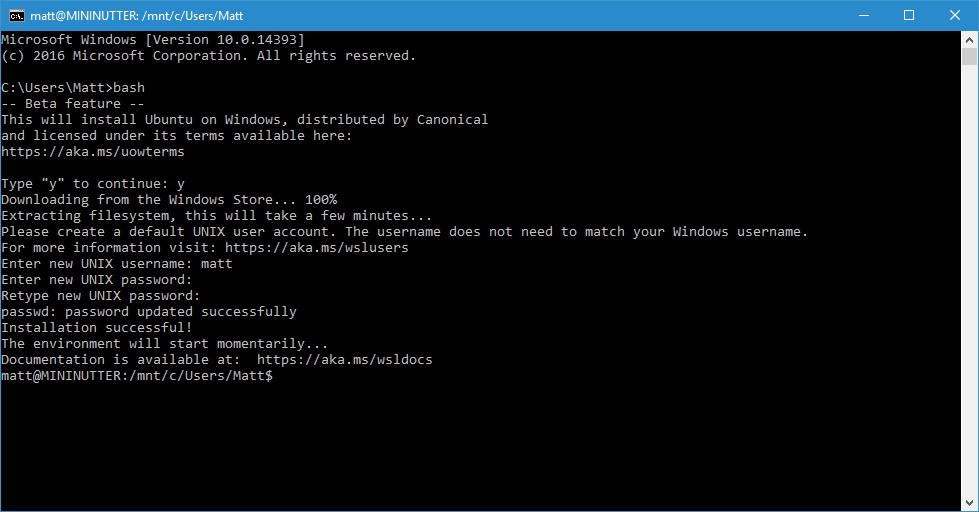
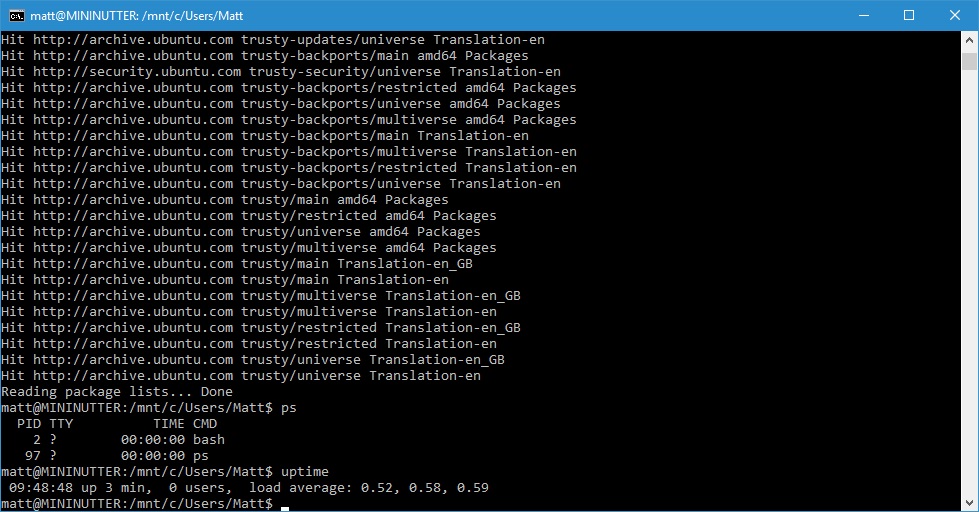
Congratulations, you now have a full working bash shell on Windows 10, aka Ubuntu on Windows 10:
Windows 10 has a full, Ubuntu based Bash shell that can run Linux software directly on Windows. This is made possible by the new Windows Subsystem for Linux Microsoft is adding to Windows 10.
Think of it as the opposite of Wine. Wine allows you to run Windows applications directly on Linux, the Windows Subsystem for Linux allows you to run Linux applications directly on Windows, i bet a few years ago you never thought you'd see Microsoft support such a feature!
How to Install Bash on Windows 10
You need to be running a 64bit Version of Windows 10 and have at least the Windows 10 Anniversary Update. If you have had Windows 10 a while or recently installed it, you should have on the Anniversary Update or past that by now. Simply run Windows Update until you have no more updates to install, you will defiantly be good to go then.
To install Bash go to the Settings app > Update & Security > For Developers. Activate the “Developer Mode” toggle here to enable developer mode, as shown below:
Say yes to turn on developer mode:
Now search for the Control Panel in the start menu.
Once in Control Panel click on Programs and Features:
Then click on Turn Windows features on or off:
Enable the “Windows Subsystem for Linux (Beta)” option in the list here and click ok:
Windows will then enable bash, you then have to re start your computer.
Once Windows has loaded again search for Command Prompt in the start menu and type bash, typing y to continue installing.
The required files will then be downloaded and installed, this will take a few minutes as it mentions:
Once everything is setup you will be asked to create a username and password, remember these:
Congratulations, you now have a full working bash shell on Windows 10, aka Ubuntu on Windows 10:





