

InsaneNutter
Resident Nutter
Note this guide still works fine for PSP's on 6.39, however if you want to update to 6.60 which is likely the final PSP firmware see an updated version of this guide: PSP 6.60 Pro C2 Latest Custom Firmware Install - [PSP, PSP Slim, PSP 3000, PSP Go]
The PSP Custom Firmware 6.39 Pro B8 will work on all PSP models from the original PSP to the PSP Go, all you need is to be running the official 6.39 firmware to install and use this custom firmware.
When custom firmware is on your PSP you can use emulators, homebrew applications and even backup your games to the memory stick. This allows you to easily carry around more than one game, and helps to save your PSP's battery as it does not need to power the UMD drive when playing games.
You can only permanently install this firmware on a PSP 1000 or a PSP 2000 that is not an 88 v3 version. However its very easy to re load the custom firmware on a 88V3 PSP 2000, PSP 3000 or PSP Go. I will cover finding out your PSP version later in this guide.
Updating your PSP to 6.39:
To begin Download the Official 6.39 firmware and update your PSP.
Now simply extract the PSP folder from the 6.39 update RAR file and move it to your PSP's memory stick.
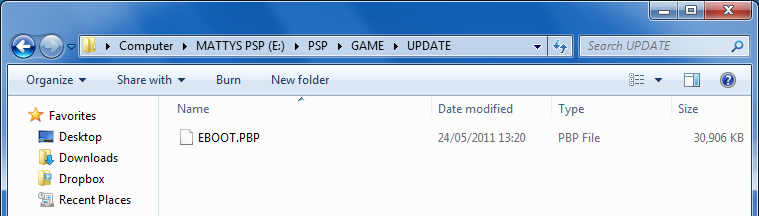
As you can see below the PSP\GAME\UPDATE folder contains the EBOOT.PBP update.
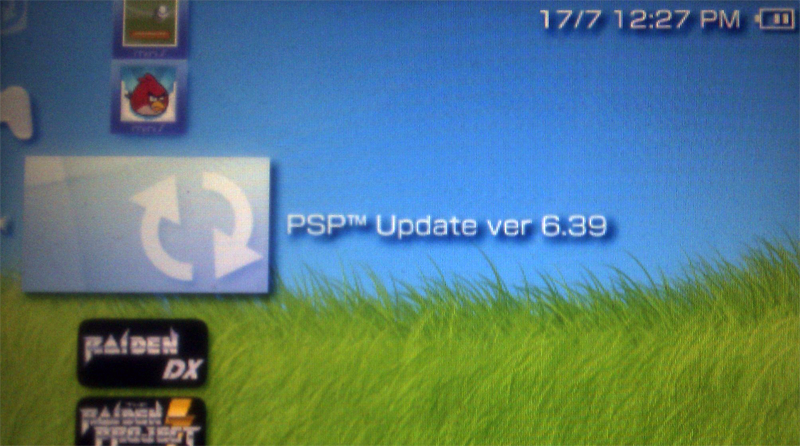
Now on your PSP go to Game > Memory stick and follow the instructions to install the update
Installing the custom firmware:
Now Download the 639 PRO-B8 custom firmware, inside this RAR file you will find 3x folders that you need
Copy the PROUPDATE to the PSP > Game folder on the memory card

Regardless of your PSP model you can safely run the PROUPDATE application
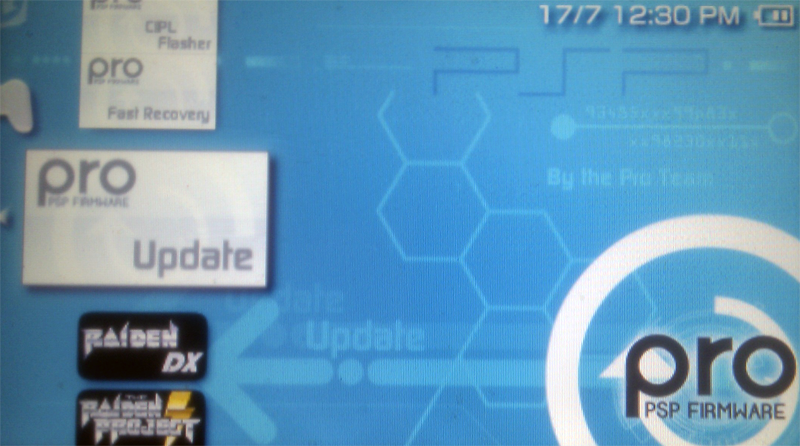
After running the update press "X" and the custom firmware will install, all been well your PSP will now be running custom firmware until you power it off.
Can i permanently flash the custom firmware to my PSP?
Now your PSP can run unsigned code we will find out if you can permanently flash the custom firmware to your PSP.
Download PSP Ident
Copy the program to your PSP > Game folder like you did with the custom firmware installer, then load PSP Ident up on your PSP.
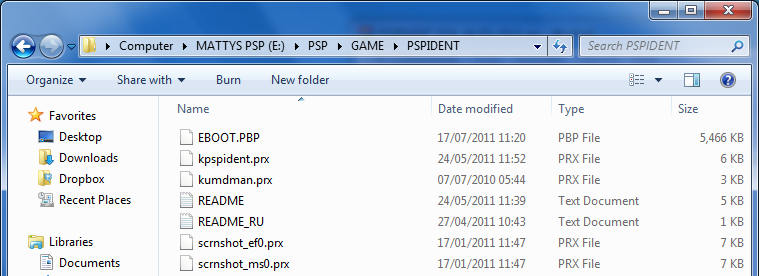
You will be presented with lots of information about your PSP, the screenshot below is from my PSP 1000.
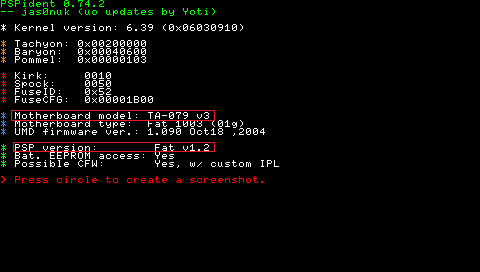
We can see that my PSP is a 1.2 the 1 been a PSP 1000 and it has a 79 V3 motherboard, which is capable of having custom firmware permanently flashed to it.
Remember you can only permanently install this firmware on a PSP 1000 or a PSP 2000 that is not an 88 v3 version.
If you can permanently flash custom firmware:
Copy the CIPL_Flasher from the Pro B8 firmware you downloaded to the PSP > Game folder on the memory card, then run the application from your PSP to make the custom firmware permanent.
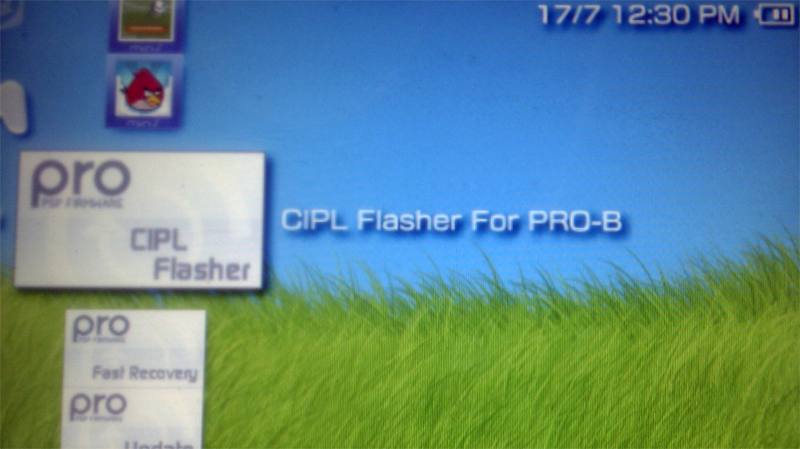
You can now power your PSP off and still have custom firmware when you power it on again.
If you can not permanently flash custom firmware:
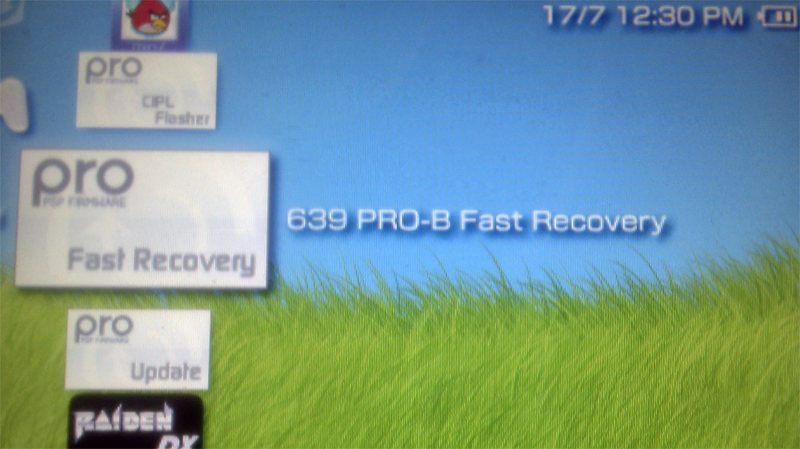
Copy the FastRecovery folders to the memory card, if you power your PSP off simply run this application again to enable custom firmware. The custom firmware will stick until you power your PSP off.
End result:
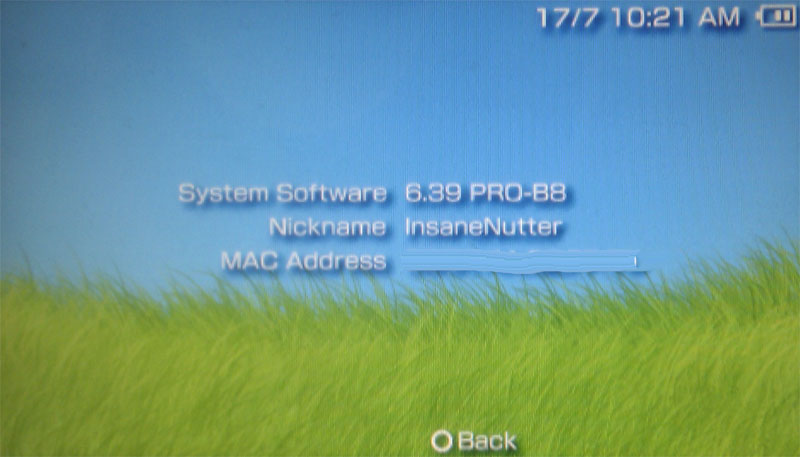
I have personally tested and made this firmware permanent on my PSP 1000 and a friends PSP 2000 (Non 88v3). If you are unsure about anything just use the PROUPDATE and enjoy custom frimware. If you ever power your PSP off fully just use the fast recovery program, there is little risk to your PSP doing this.
As 6.39 is the latest official PSP firmware you will be able to play any game released to date, you will also be able to connect to the PSN and buy stuff. Best of both worlds I think you will agree
The PSP Custom Firmware 6.39 Pro B8 will work on all PSP models from the original PSP to the PSP Go, all you need is to be running the official 6.39 firmware to install and use this custom firmware.
When custom firmware is on your PSP you can use emulators, homebrew applications and even backup your games to the memory stick. This allows you to easily carry around more than one game, and helps to save your PSP's battery as it does not need to power the UMD drive when playing games.
You can only permanently install this firmware on a PSP 1000 or a PSP 2000 that is not an 88 v3 version. However its very easy to re load the custom firmware on a 88V3 PSP 2000, PSP 3000 or PSP Go. I will cover finding out your PSP version later in this guide.
Updating your PSP to 6.39:
To begin Download the Official 6.39 firmware and update your PSP.
Now simply extract the PSP folder from the 6.39 update RAR file and move it to your PSP's memory stick.
As you can see below the PSP\GAME\UPDATE folder contains the EBOOT.PBP update.
Now on your PSP go to Game > Memory stick and follow the instructions to install the update
Installing the custom firmware:
Now Download the 639 PRO-B8 custom firmware, inside this RAR file you will find 3x folders that you need
- PROUPDATE
- FastRecovery
- CIPL_Flasher
Copy the PROUPDATE to the PSP > Game folder on the memory card
Regardless of your PSP model you can safely run the PROUPDATE application
After running the update press "X" and the custom firmware will install, all been well your PSP will now be running custom firmware until you power it off.
Can i permanently flash the custom firmware to my PSP?
Now your PSP can run unsigned code we will find out if you can permanently flash the custom firmware to your PSP.
Download PSP Ident
Copy the program to your PSP > Game folder like you did with the custom firmware installer, then load PSP Ident up on your PSP.
You will be presented with lots of information about your PSP, the screenshot below is from my PSP 1000.
We can see that my PSP is a 1.2 the 1 been a PSP 1000 and it has a 79 V3 motherboard, which is capable of having custom firmware permanently flashed to it.
Remember you can only permanently install this firmware on a PSP 1000 or a PSP 2000 that is not an 88 v3 version.
If you can permanently flash custom firmware:
Copy the CIPL_Flasher from the Pro B8 firmware you downloaded to the PSP > Game folder on the memory card, then run the application from your PSP to make the custom firmware permanent.
You can now power your PSP off and still have custom firmware when you power it on again.
If you can not permanently flash custom firmware:
Copy the FastRecovery folders to the memory card, if you power your PSP off simply run this application again to enable custom firmware. The custom firmware will stick until you power your PSP off.
End result:
I have personally tested and made this firmware permanent on my PSP 1000 and a friends PSP 2000 (Non 88v3). If you are unsure about anything just use the PROUPDATE and enjoy custom frimware. If you ever power your PSP off fully just use the fast recovery program, there is little risk to your PSP doing this.
As 6.39 is the latest official PSP firmware you will be able to play any game released to date, you will also be able to connect to the PSN and buy stuff. Best of both worlds I think you will agree
Attachments

Last edited:





