
Hi all,
after lots of Googling, Youtubeing and hair pulling I'm asking for help please:
My unmodded, stock Phat Xbox360 (Jasper, I think) came with a 20Gb hard disk which was full, but is now failing (some arcade games refuse to boot with a "the disk maybe dirty, take it out, wipe with a cloth try again / reboot your xbox" message. To be safe I have transferred most content onto a 16Gb USB flash drive. I also have a 640Gb SATA Samsung drive (portable 2.5 USB) formatted on the xbox that I wanted to use, having investigated the HDDHakr tutorials talking about WD drives. The internal 20Gb is also a Samsung.
I opened the HD caddy, tried to swap the 640Gb with the 20Gb: not recognised by Xbox. With the internal 20Gb in the USB SATA mount, it is recognised as unformatted. I have used Xplorer360 (which came with the hardware bridge that sits under the internal HD and ontop of the Xbox) so I used to see partitions 0,2,3. Same with Party Buffalo as Explorer360 doesn't seem to work for me anymore.
But now with dashboard update 17559, I have 4 partions: labelled "System Auxiliary" (206Mb), "System Extended" (128Mb), "Compatability" (256Mb), "Data" (The rest of the space, XGb).
I have also experimented with Horizon, that just complicates things (from a directory tree viewpoint) as it has everything in folders like Demos, Profiles, Videos, etc
Is there a way to get the 640Gb as my internal (even as a reduced 500Gb using a HDDSS500.BIN)?
I would prefer not to hack my 640 drive with hddhakr as I only have 1 laptop, no desktop, but can anyone help me please? There must be a way....
Cheers for taking the time to read this. If anything isn't clear, I'll clarify
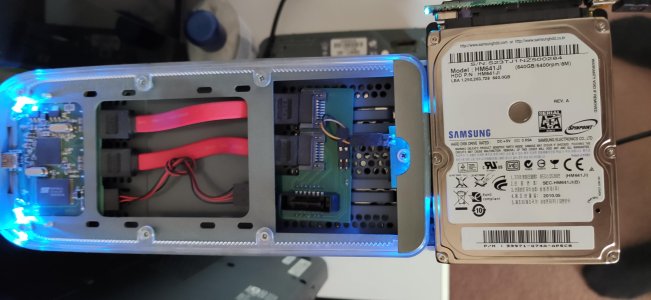
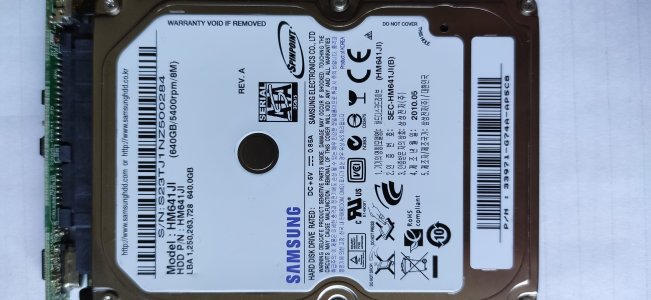
attached 2 screenshots, Explorer 360 hardware, my 640Gb samsung drive
after lots of Googling, Youtubeing and hair pulling I'm asking for help please:
My unmodded, stock Phat Xbox360 (Jasper, I think) came with a 20Gb hard disk which was full, but is now failing (some arcade games refuse to boot with a "the disk maybe dirty, take it out, wipe with a cloth try again / reboot your xbox" message. To be safe I have transferred most content onto a 16Gb USB flash drive. I also have a 640Gb SATA Samsung drive (portable 2.5 USB) formatted on the xbox that I wanted to use, having investigated the HDDHakr tutorials talking about WD drives. The internal 20Gb is also a Samsung.
I opened the HD caddy, tried to swap the 640Gb with the 20Gb: not recognised by Xbox. With the internal 20Gb in the USB SATA mount, it is recognised as unformatted. I have used Xplorer360 (which came with the hardware bridge that sits under the internal HD and ontop of the Xbox) so I used to see partitions 0,2,3. Same with Party Buffalo as Explorer360 doesn't seem to work for me anymore.
But now with dashboard update 17559, I have 4 partions: labelled "System Auxiliary" (206Mb), "System Extended" (128Mb), "Compatability" (256Mb), "Data" (The rest of the space, XGb).
I have also experimented with Horizon, that just complicates things (from a directory tree viewpoint) as it has everything in folders like Demos, Profiles, Videos, etc
Is there a way to get the 640Gb as my internal (even as a reduced 500Gb using a HDDSS500.BIN)?
I would prefer not to hack my 640 drive with hddhakr as I only have 1 laptop, no desktop, but can anyone help me please? There must be a way....
Cheers for taking the time to read this. If anything isn't clear, I'll clarify
attached 2 screenshots, Explorer 360 hardware, my 640Gb samsung drive





