Wandsbek
Resident
Hallo guys, i have seen some Threads about "What's wrong with my PC, i can't play that game, im getting a error" or, or, or...
I found a site (very nice one ) this will auto-check your Computer-Hardware and your Compatible.
So please if you have problem's with a game then do first the "System-Check"
I found a site (very nice one
) this will auto-check your Computer-Hardware and your Compatible.So please if you have problem's with a game then do first the "System-Check"
Click Me >>> Can You Run It <<< Click Me
- Get your complete report in seconds including upgrade suggestions for your computer.
- Only your system's hardware and system software are evaluated.
- No personally identifiable information is collected.
- Works on Windows XP, 2000, 2003, Vista and 7.
- Works with Internet Explorer, Firefox and Netscape browsers.
- You will need to give your permission to download a secure ActiveX/Java browser component.
- You can easily uninstall the ActiveX/Java browser component when the analysis is complete.
What it does
This site provides a One-Click solution that looks at your computer's hardware and system software to determine whether or not your current system can run a product. Each of your computer's components is evaluated to see how well it meets the minimum and recommended requirements for specific products. Recommendations are made on how to update or upgrade each component which does not meet the listed requirements. Sometimes, a simple, free software download is all that is needed. Sometimes you'll find that you need a different video card to fully experience what the game has to offer.For more information, see our FAQs.
How To:
It's pretty simple.
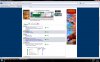
Step 1) Search a product by typing its name, or select from the dropdown.
Step 2) Click on "Can You Run It?"
Step 3) You will need to give your permission to download a secure ActiveX/Java browser component.
Step 4) Now wait some second's, till the site created a log.
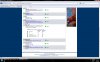
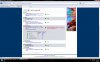
Step 5) When the log is done take a look, you will see the minimun and the recommended detail's.
Im uploaded some Picture's, how you all can see, i don't have a "High End Power-PC" like KingburnZ or Nuttey.
It's pretty simple.
Step 1) Search a product by typing its name, or select from the dropdown.
Step 2) Click on "Can You Run It?"
Step 3) You will need to give your permission to download a secure ActiveX/Java browser component.
Step 4) Now wait some second's, till the site created a log.
Step 5) When the log is done take a look, you will see the minimun and the recommended detail's.
Im uploaded some Picture's, how you all can see, i don't have a "High End Power-PC" like KingburnZ or Nuttey.