Dark Scyth
Veteran
- Joined
- Mar 3, 2009
- Messages
- 2,520
This is by far the most easy to use program that I have used for Remote Desktop Connection. You can connect to someone or have someone connect to you in very simple steps.
Download the installer and create an account (you don't have to verify the account on your email).
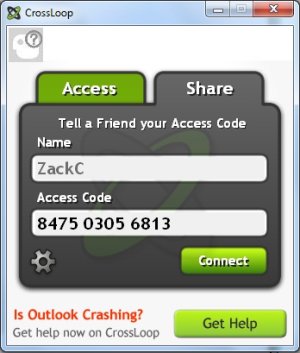
If you want someone to be able to access your PC click on share. If you are trying to access someones PC click on access and ask for their code under the share tab.
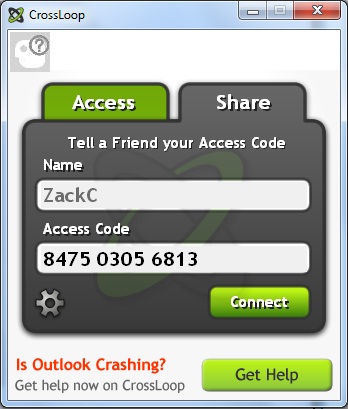
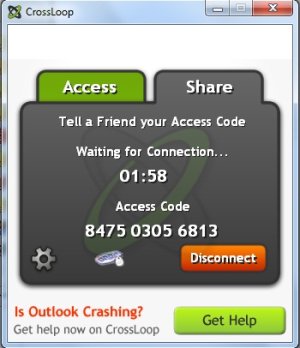
I am sharing so I gave my friend the code (via messenger). After that since I am sharing I clicked connect.
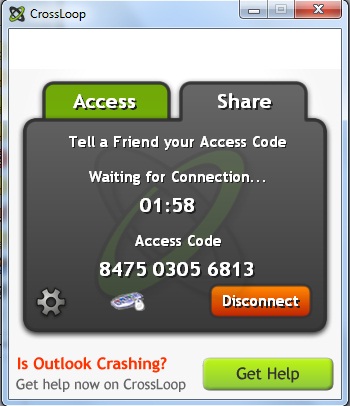
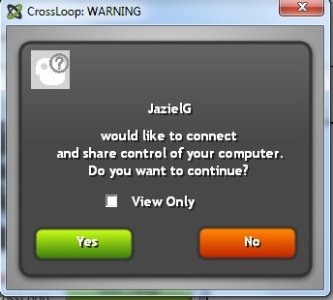
After that I told him to connect from the access tab after I gave him the access code. Then I had to allow him to access my PC.
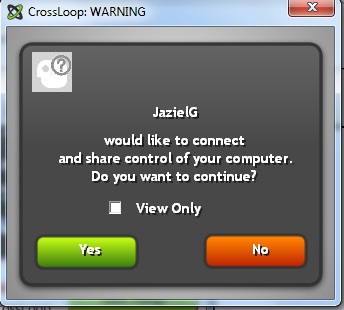
After allowed connection your background will be completely black and he will have access to your PC. If you click view only they won't be able to delete anything on your PC or if you don't click view only they get full access.
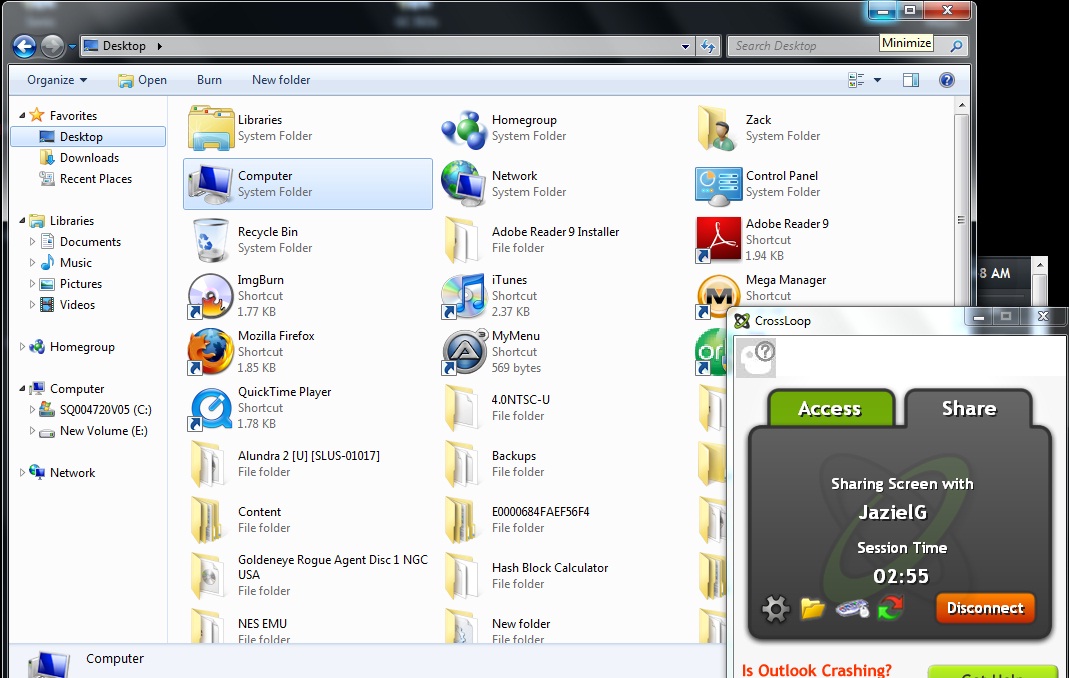
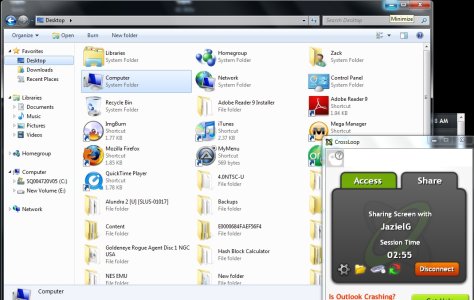
He now has full access to my PC. This is very useful for people that aren't as knowledgeable as other people might be with PC's.
Download the installer and create an account (you don't have to verify the account on your email).
If you want someone to be able to access your PC click on share. If you are trying to access someones PC click on access and ask for their code under the share tab.
I am sharing so I gave my friend the code (via messenger). After that since I am sharing I clicked connect.
After that I told him to connect from the access tab after I gave him the access code. Then I had to allow him to access my PC.
After allowed connection your background will be completely black and he will have access to your PC. If you click view only they won't be able to delete anything on your PC or if you don't click view only they get full access.
He now has full access to my PC. This is very useful for people that aren't as knowledgeable as other people might be with PC's.