

InsaneNutter
Resident Nutter
This tutorial will teach you how to flash / write to a GBA development cartridge with a rom of your choosing, using an Nintendo DS or DS Lite. No expensive GBA development hardware is required.
Back story:
For a long there has been no publicly documented way to flash / write to a GBA development card. It’s often been believed the only way is with obscure development hardware, using software that is incompatible with modern operating systems.
However, in this tutorial I will teach you a a much easier way, which hasn’t been talked about in any online communities. This way uses a homebrew application on an Nintendo DS or DS Lite. The source code for this homebrew application has always been out there, however efforts to compile this failed, which was another obstacle all together. Today all the pieces of this puzzle are together in one place, so keep reading on.
How To Flash Official GBA Development Flash Carts:
Firstly, you are going to need a revision of a GBA Development Flashcard supported by FlashAdvance Slot1 Flasher (FAS1):
Supported GBA Development Flash Cards:
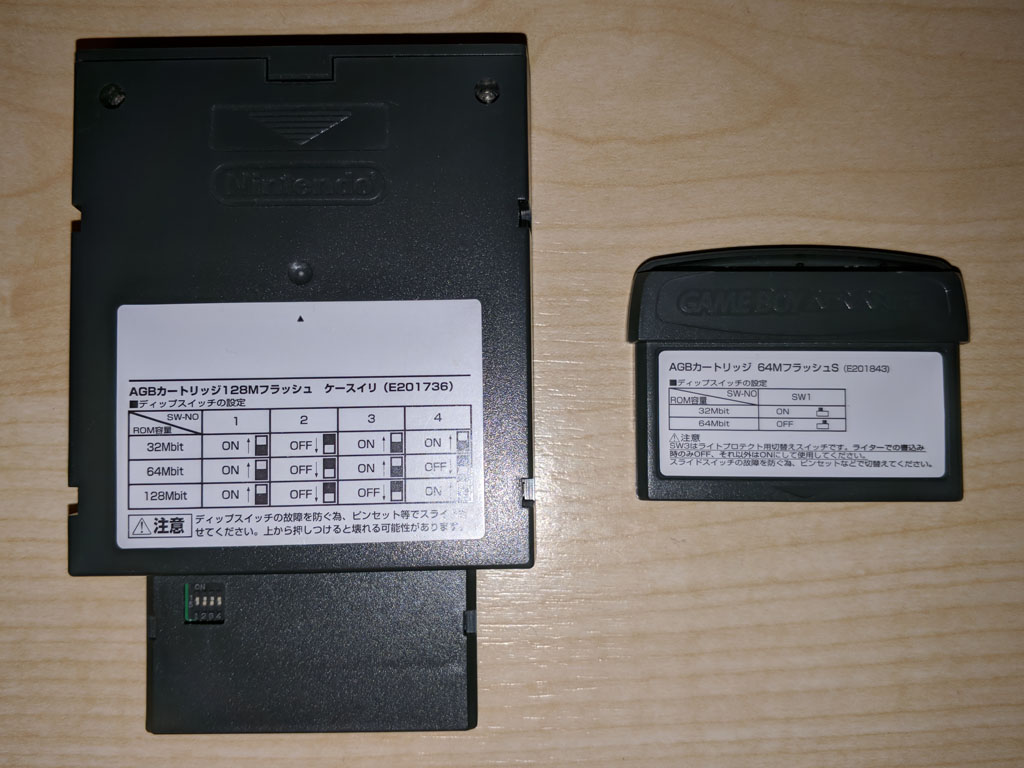
Left: Rev 02, Right: Rev 03
Unsupported GBA Development Flash Cards:
To flash a GBA Development card we are going to use the FAS1 homebrew application running on a Nintendo DS or DS Lite and will need the following:
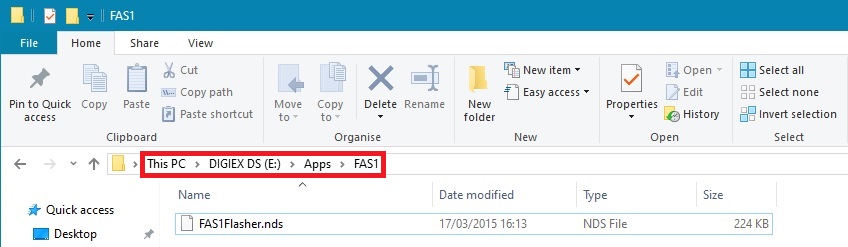
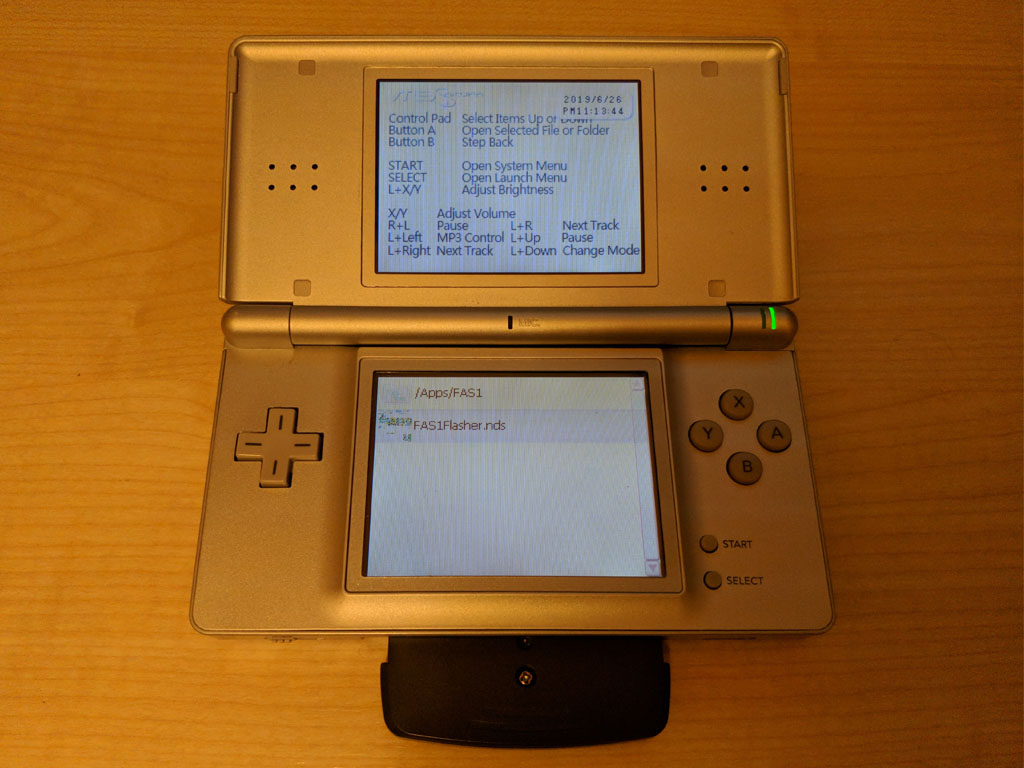
Copy FAS1 to your Nintendo DS flashcard as you would any other homebrew application
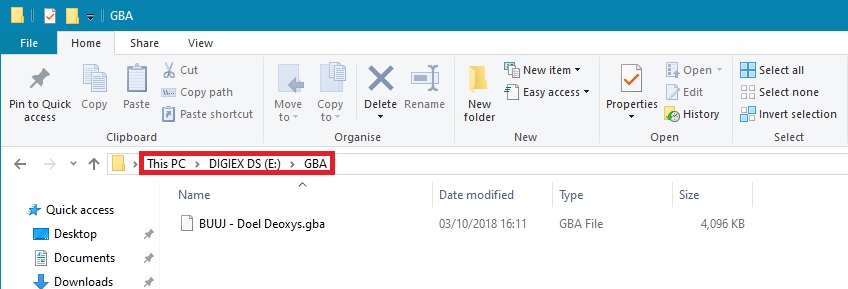
Next create a folder called GBA on the root of your flashcard, inside this folder copy the rom you wish to flash to the Official GBA Development Flash Cart. In this example we will use the Doel Deoxys Distribution.
Insert the Official GBA Development Flash Cart in to Slot 2 on the Nintendo DS / DS Lite.
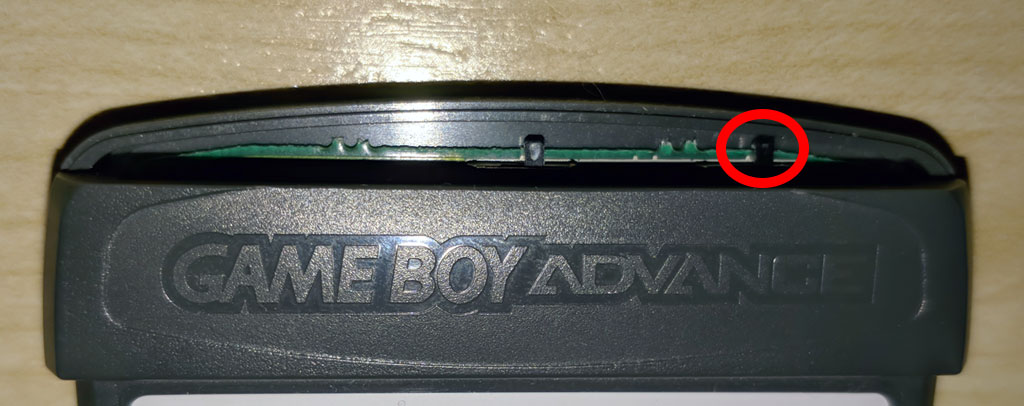
Keep in mind if you have a Rev 3 GBA Development Flash Cart then you need to ensure the write protect is disabled, this is done by moving this switch to the right:
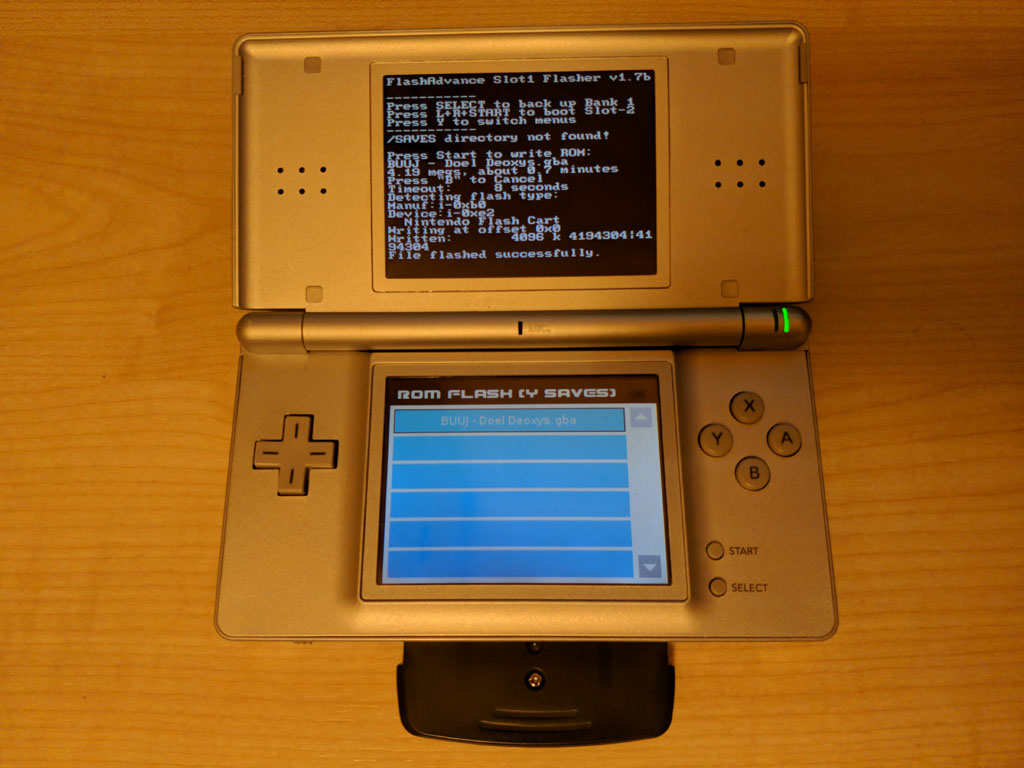
Congratulations you have now flashed a Official GBA Development Flash Cart!
Below is a video of this process, showing a Rev 2 and Rev 3 Official GBA Development Flash Cart been flashed:
Final Notes:
The information I’ve provided can obviously be used for both good and bad, like a lot of things out there. My aim of this post is to bring awareness as to how easily it is to actually re flash a GBA development cart, as it seems to be the general impression this is near enough impossible without GBA development hardware, which is not readily available.
Also a big thank you to both @Deoxyz and @YoshiMoshi for the work they did to make what your reading today possible.
For more information on the controversial side of this, please see my post: How Pokémon GBA Distribution Cartridges Are Replicated and Sold For £1000’s.
Back story:
For a long there has been no publicly documented way to flash / write to a GBA development card. It’s often been believed the only way is with obscure development hardware, using software that is incompatible with modern operating systems.
However, in this tutorial I will teach you a a much easier way, which hasn’t been talked about in any online communities. This way uses a homebrew application on an Nintendo DS or DS Lite. The source code for this homebrew application has always been out there, however efforts to compile this failed, which was another obstacle all together. Today all the pieces of this puzzle are together in one place, so keep reading on.
How To Flash Official GBA Development Flash Carts:
Firstly, you are going to need a revision of a GBA Development Flashcard supported by FlashAdvance Slot1 Flasher (FAS1):
Supported GBA Development Flash Cards:
- Rev 02
- Rev 03
Left: Rev 02, Right: Rev 03
Unsupported GBA Development Flash Cards:
- Rev 01
- Rev 04
- Any 256mbit card
To flash a GBA Development card we are going to use the FAS1 homebrew application running on a Nintendo DS or DS Lite and will need the following:
- Nintendo DS or DS Lite
- Slot 1 DS Flashcard
- GBA Development Card
- FAS1 (Homebrew Application)
- Rom you wish to flash to the GBA dev cart
Copy FAS1 to your Nintendo DS flashcard as you would any other homebrew application
Next create a folder called GBA on the root of your flashcard, inside this folder copy the rom you wish to flash to the Official GBA Development Flash Cart. In this example we will use the Doel Deoxys Distribution.
Insert the Official GBA Development Flash Cart in to Slot 2 on the Nintendo DS / DS Lite.
Keep in mind if you have a Rev 3 GBA Development Flash Cart then you need to ensure the write protect is disabled, this is done by moving this switch to the right:
- Now load FAS1, the same as you would any other homebrew application
- Then select the GBA rom you wish to flash to the Official GBA Development Flash Cart
- Finally let FAS1 do its thing
Congratulations you have now flashed a Official GBA Development Flash Cart!
Below is a video of this process, showing a Rev 2 and Rev 3 Official GBA Development Flash Cart been flashed:
Final Notes:
The information I’ve provided can obviously be used for both good and bad, like a lot of things out there. My aim of this post is to bring awareness as to how easily it is to actually re flash a GBA development cart, as it seems to be the general impression this is near enough impossible without GBA development hardware, which is not readily available.
Also a big thank you to both @Deoxyz and @YoshiMoshi for the work they did to make what your reading today possible.
For more information on the controversial side of this, please see my post: How Pokémon GBA Distribution Cartridges Are Replicated and Sold For £1000’s.





