

Michael_T
Addict
- Joined
- Dec 21, 2009
- Messages
- 738
Updated ( 03-18-2012 ) guide to make USBXTAFGUI_v44 working on a Mac
You need :
Crossover latest version .
Trial version can be downloaded here : CodeWeavers
and USBXTAFGUI_v44
Download link is at the end of this topic .
How to make it work :
First download the lates version of Crossover .
Download link is at the top of this topic .
Install Crossover as any other program on your Mac .
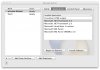
After that go to Configure and press manage bottles . Press the + button down left corner .
Create a winvista bottle & call it whatever you want . Now go to Advanced in that same window .
Press the "Make this the Default Bottle" . Once done close that window .
Go back to Configure and select Install software .
Now this is importent :
Select Runtime Support Components .
Select Microsoft .Net Framework 2.0 from the drop down menu & press Proceed .
Now select your winvista Bottle , the one you named .
Press Install . It will take a couple of minutes depending of your Mac .
Once done simply press the Done button .
You have now successfully installed everything you need to run USBXTAFGUI_v44 .
Now just find USBXTAFGUI_v44.exe and run it , crossover will automatically open and run USBXTAFGUI_v44 . Enjoy .
Please press the thanks button if i helped you out or just rate this topic .
You need :
Crossover latest version .
Trial version can be downloaded here : CodeWeavers
and USBXTAFGUI_v44
Download link is at the end of this topic .
How to make it work :
First download the lates version of Crossover .
Download link is at the top of this topic .
Install Crossover as any other program on your Mac .
After that go to Configure and press manage bottles . Press the + button down left corner .
Create a winvista bottle & call it whatever you want . Now go to Advanced in that same window .
Press the "Make this the Default Bottle" . Once done close that window .
Go back to Configure and select Install software .
Now this is importent :
Select Runtime Support Components .
Select Microsoft .Net Framework 2.0 from the drop down menu & press Proceed .
Now select your winvista Bottle , the one you named .
Press Install . It will take a couple of minutes depending of your Mac .
Once done simply press the Done button .
You have now successfully installed everything you need to run USBXTAFGUI_v44 .
Now just find USBXTAFGUI_v44.exe and run it , crossover will automatically open and run USBXTAFGUI_v44 . Enjoy .
Please press the thanks button if i helped you out or just rate this topic .
Attachments
Last edited by a moderator:


 )
)





