

seanpr92
Godlike
Due to the new update, PayPal has now been added as a feature to XBL. With paypal you can
With Paypal on Xbox you can buy the following
 Microsoft Points
Xbox Live Gold Membership
Downloadable content for different games
Avatar Items
To Use paypal on the Xbox, first your going to want to go to
It should take you to your account payment options like so
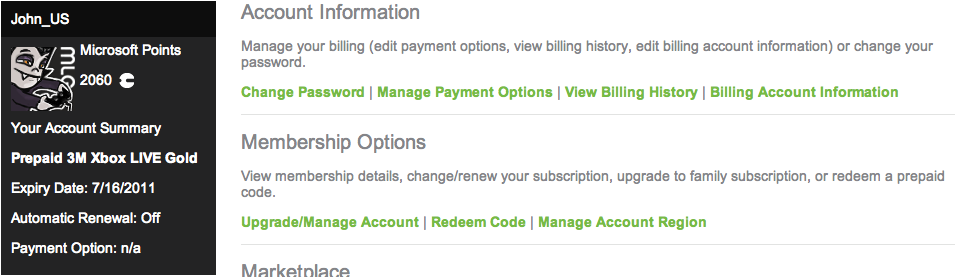
now your going to go to "Pay with Paypal"

Next, your going to want to check off this circle

Now, in the agreement box type in your first name, and "Account" after like so

Sign into your paypal, and if your afraid of what's going to happen here is Paypals instructions
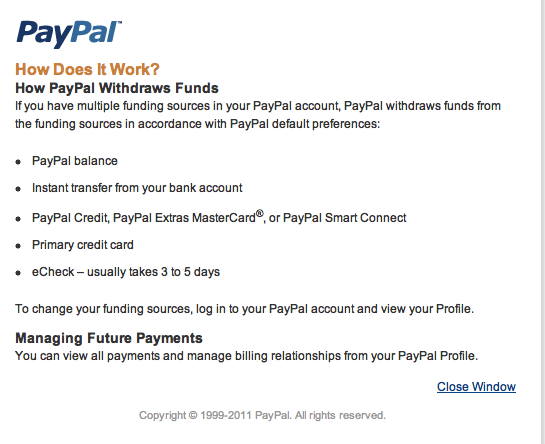
Now you can click agree and it should direct you to Xbox.com again.
Review your billing agreements and what not, and click next
Now you are done, congratulations you have added Paypal to your payment options
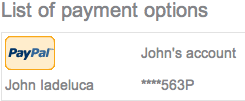
Now, when you go to buy something on XBL you can choose "Pay with paypal account" to pay for your content
With Paypal on Xbox you can buy the following
Microsoft PointsXbox Live Gold MembershipDownloadable content for different gamesAvatar ItemsTo Use paypal on the Xbox, first your going to want to go to
It should take you to your account payment options like so
now your going to go to "Pay with Paypal"
Next, your going to want to check off this circle
Now, in the agreement box type in your first name, and "Account" after like so
Sign into your paypal, and if your afraid of what's going to happen here is Paypals instructions
Now you can click agree and it should direct you to Xbox.com again.
Review your billing agreements and what not, and click next
Now you are done, congratulations you have added Paypal to your payment options
Now, when you go to buy something on XBL you can choose "Pay with paypal account" to pay for your content





