
Simple Question

Fennyariel

Resident
Joined
Dec 15, 2008
Messages
109
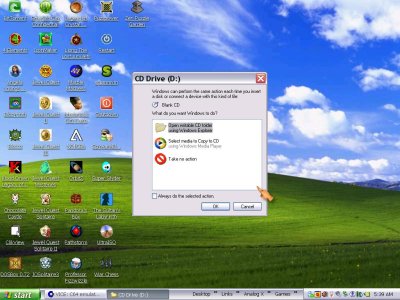
You know that window that pops up asking you what your computer wants done with a disk when you stick a blank one in? I know there's a way to turn that off, I just can't remember how. Could somebody refresh my poor old memory please? Here's a screenshot of what I'm talking about.
 

Attachments

  • Choices Window.JPG
    Choices Window.JPG
    132.7 KB · Views: 841
Right click on your DD/CD drive, go to properties.

Click the auto play tab at the top, I believe there is some menu where you can pick the action to always perform, go through it for each type of CD/DVD and select take no action for each item.
 
Would you believe I've tried all that and it still didn't work?! I can still stick in a blank and it still shows up!
UGH!
 
You can always hold shift down when putting a disc in and it should stop it from auto playing then.
 

About Digiex

Digiex is a technology and gaming forum, founded in 2004 by InsaneNutter and Nimrod. Digiex has served the internet community with breaking news, detailed guides, exclusive downloads and a popular discussion forum. A small, friendly community of like‑minded people has developed over the years. People are encouraged to register and participate in on‑going discussions.

Get Social

Back
Top Bottom



