• Welcome to the Digiex Download Center, you are welcome to download anything you like here. No registration is required! Digiex offers direct download links with no captchas or wait times.
    The team do our best to ensure no content infringes copyrights and provide a DMCA Takedown request form to request the removal of content from Digiex.

    Notable sections: Pokemon Archives | Xbox Archives | Xbox 360 Archives

Title Update Checker

leovanheñ

Member
Joined
Nov 26, 2010
Messages
9
Location
Right now, in 1479 training some assassins buddies
Identifying Title Updates and Media ID's:

Have a look at Xbox 360 MP Gui Download - Title Update / Media ID Manager - This should make the process of identifying and obtaining the correct title update a lot easier than the process below.

Download - Title Update checker
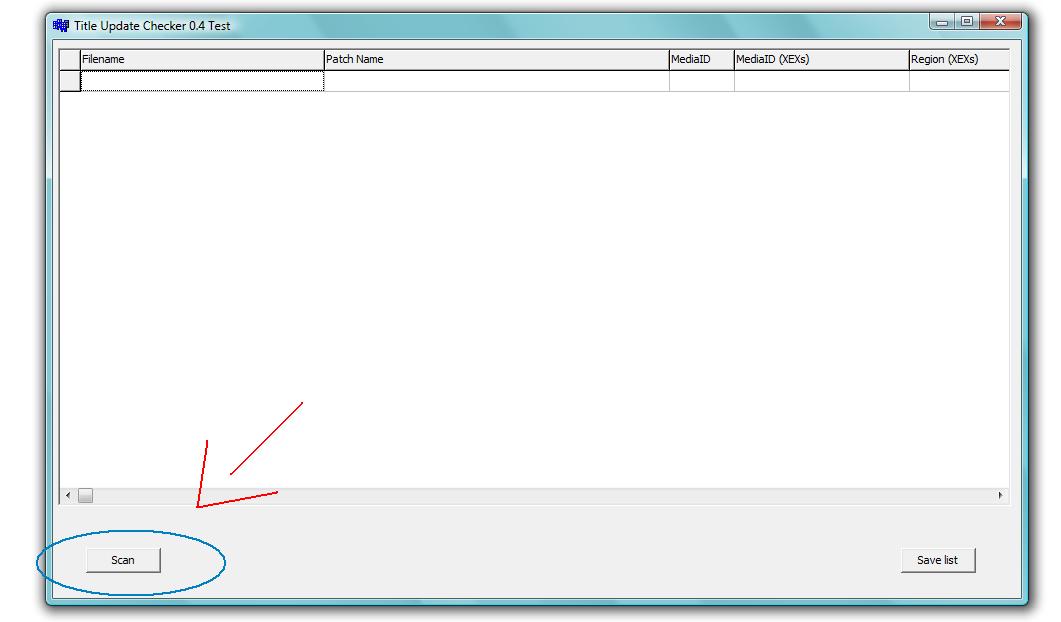
For those who want to share their title updates or check the update info you just download, in an easy way, try this program, just put the update file or files (yes, you can check more than one update at once) inside the folder that contains the program,
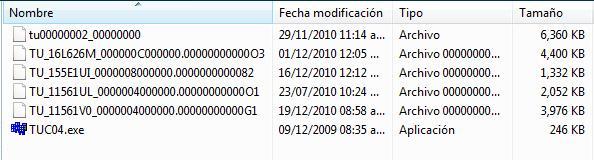
1_-jpg.6174


run it and just click on Scan button
2-jpg.6175


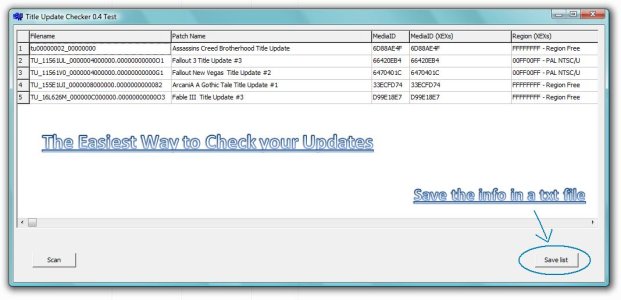
to view the Update Media Id, Name and Region info, even if you want, you can save the update info in a txt file just by click on the Save list button.
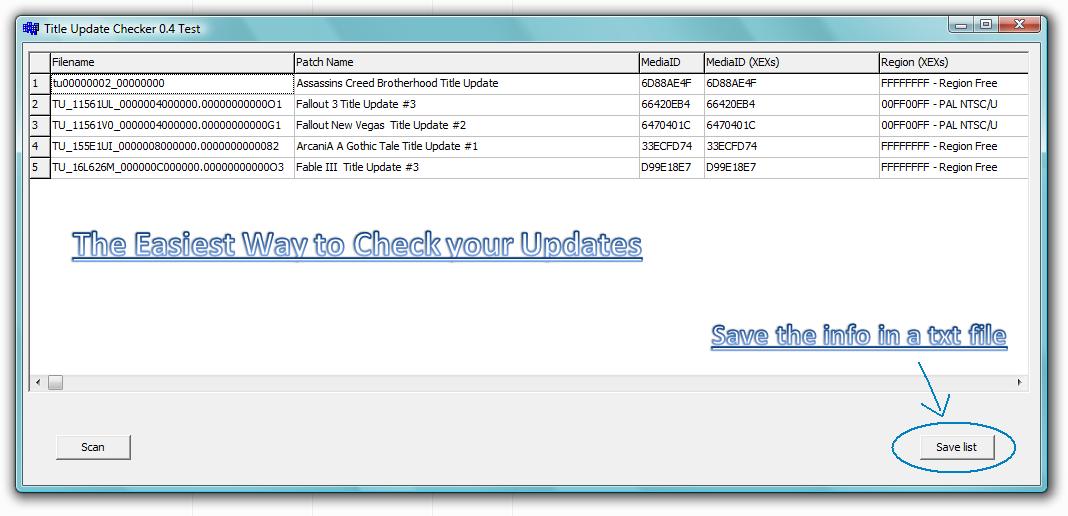
3-jpg.6176


Enjoy it.(H)

P.D. Thanks for the creator of this program, wherever you are, thanks, you make our tasks more easy and enjoyable.
 

Attachments
  • Title Update Checker.rar
    Title Update Checker.rar
    238.2 KB · Views: 26,400
  • 1_.jpg
    1_.jpg
    28.2 KB · Views: 62,254
  • 2.jpg
    2.jpg
    44.4 KB · Views: 62,662
  • 3.jpg
    3.jpg
    81.8 KB · Views: 66,963
Last edited:
The STFS/LIVE container method:

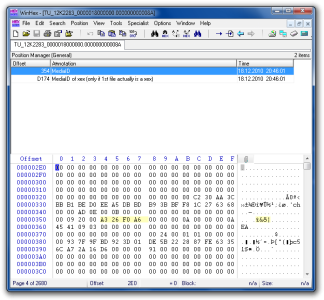
Open TU with a Hexeditor and go to offset 0x354. If the first file in the TU (STFS/LIVE container) is a xex, offset 0xD174 may show the same MediaID. There's a Winhex position file attached below.


The XEX MediaID method:

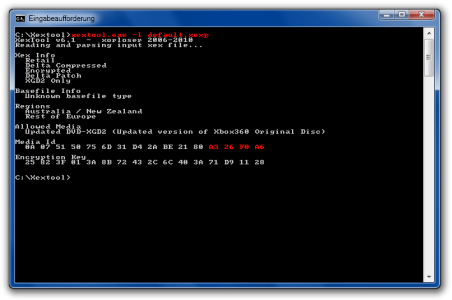
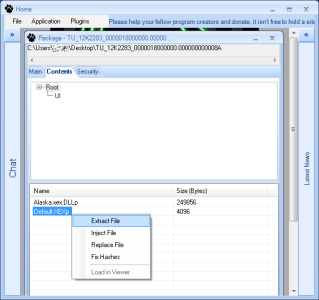
Open the TU with LeFluffie, extract the 'default.xexp' and run it through Xextool with 'xextool.exe -l <filename>'
 

Attachments

  • Winhex MediaID.png
    Winhex MediaID.png
    50.4 KB · Views: 48,117
  • WinHex MediaID position file.zip
    WinHex MediaID position file.zip
    242 bytes · Views: 1,833
  • xextool.png
    xextool.png
    31.5 KB · Views: 47,993
  • lefluffie.png
    lefluffie.png
    10 KB · Views: 46,432
Great! Finally I dont have to put every update in separate folder with name.
Any other usefull software ?
maybe some auto downloader:D?
 
So to clearify things a bit the short named tu go in there respective game folder and older long tu go in cache still

since if you use this program they will all be in the same folder
will need to know where the newer ones go etc

as blackops tu has 000B0000 inside its normal content game folder

does all newer tu go inside 000B0000 in there respective game folders?
 
So to clearify things a bit the short named tu go in there respective game folder and older long tu go in cache still

since if you use this program they will all be in the same folder
will need to know where the newer ones go etc

as blackops tu has 000B0000 inside its normal content game folder

does all newer tu go inside 000B0000 in there respective game folders?

Hello guys. how are you?
I have a doubt and need some help with it.

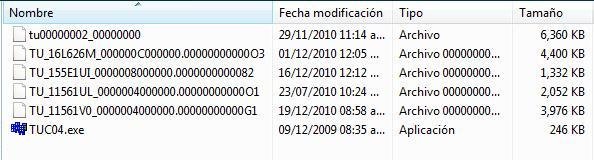
Some TU have the scheme filename something like this: tu_12k22b7_0000000000.0000000000G3


This type of TU i always put in the CACHE folder in Partition 3 HDD (I use xport360)


But there are others TU that have the filename something like this: tu00000002_00000000


Where do i put this files? Because different games have the same filename for their title updates.


For example: Assassins Creed brotherhood TU #4 is tu00000002_00000000 and Crysis 2 Tu #4 also has the same filename (tu00000002_00000000), resulting in a conflit, because the files have the same name, and i can't put them both in the CACHE folder.


I appreciate who helps. Thank you!
 

About Digiex

Digiex is a technology and gaming forum, founded in 2004 by InsaneNutter and Nimrod. Digiex has served the internet community with breaking news, detailed guides, exclusive downloads and a popular discussion forum. A small, friendly community of like‑minded people has developed over the years. People are encouraged to register and participate in on‑going discussions.

Get Social

Back
Top Bottom