

InsaneNutter
Resident Nutter
Windows Media Center TV Pack 2008 is an update for Windows Media Center included with Vista Home Premium and Ultimate, it is primarily targeted at adding support for additional international broadcast standards.
The TV Pack was only released to licensed OEMs, there for unavailable to people who want to build there own Media PC’s powered by Media Center. However you can stop worrying about that as you can download it right here
Feature List:
Some things to note before installing:
1) Install Vista and Update to SP1 if not already done.
(Do not launch Media Center or go through Media Center Setup)
2) Install Media Center TV Pack 2008
Download Windows Media Center TV Pack 2008 (x86)
Download Windows Media Center TV Pack 2008 (x64)
3) Install the PlayReady PC Runtime
Download PlayReady PC Runtime v1.2 (x86 and x64)
4) Install the following patches
KB951685 - The video playback application stops responding when you watch video or Live TV on a Windows Vista-based computer.
Download KB951685 (X86 and x64)
KB950754 - Noticeable problems occur in the video when you use the DirectSound renderer on Windows Vista.
Download KB950754 (x86 and x64)
5) Install any required or recommended Windows Updates and drivers for your pc
6) Launch Media Center and go through Media Center Setup
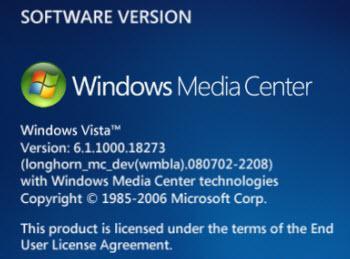
Media Center Version Info:
The TV Pack was only released to licensed OEMs, there for unavailable to people who want to build there own Media PC’s powered by Media Center. However you can stop worrying about that as you can download it right here
Feature List:
- Integrated Services Digital Broadcasting – Terrestrial (ISDB-T) Digital television standard for Japan
- Digital Video Broadcasting – Satellite (DVB-S) free-to-air satellite standards in Europe
- Digital Video Broadcasting – Terrestrial (DVB-T) digital television with improved user experience in Europe
- ClearQAM (Unencrypted Digital Cable)in the United States
- Interactive television with integrated Broadcast Markup language (BML) in Japan and Multimedia and Hypermedia information coding Expert Group (MHEG) (MHEG5) in Europe
Some things to note before installing:
- Installation of the TV Pack must be on top of a clean Vista SP1 install, it will not install without Vista SP1. Apparently it will install on a none clean install of SP1 (an install that has been patched on windows update) but its not recommended.
- Media Center TV Pack 2008 cannot be uninstalled so bear that in mind
- Finally Media Center TV Pack is dependent on PlayReady for playing and recording protected content, if you follow this guide you will end up installing that.
1) Install Vista and Update to SP1 if not already done.
(Do not launch Media Center or go through Media Center Setup)
2) Install Media Center TV Pack 2008
Download Windows Media Center TV Pack 2008 (x86)
Download Windows Media Center TV Pack 2008 (x64)
3) Install the PlayReady PC Runtime
Download PlayReady PC Runtime v1.2 (x86 and x64)
4) Install the following patches
KB951685 - The video playback application stops responding when you watch video or Live TV on a Windows Vista-based computer.
Download KB951685 (X86 and x64)
KB950754 - Noticeable problems occur in the video when you use the DirectSound renderer on Windows Vista.
Download KB950754 (x86 and x64)
5) Install any required or recommended Windows Updates and drivers for your pc
6) Launch Media Center and go through Media Center Setup
Media Center Version Info:





