InsaneNutter
Resident Nutter
Download Windows Vista Sidebar for Windows XP
How to use:
1. Install Alky For Applications.
2. Install Windows_Sidebar_Installer.exe
3. (Optional) Install Gadget Extractor
About the software included in this package:
Alky For Applications: Makes it possible to open software that is created for Windows Vista, on Windows XP. For example the Sidebar.
Windows Sidebar Installer: This is the Windows Sidebar installer.
Gadget Extractor: makes it possible to add new gadgets to your Sidebar, Just open Gadget files with Gadget Extractor, then it will add the gadget to your Sidebar Gadget List.
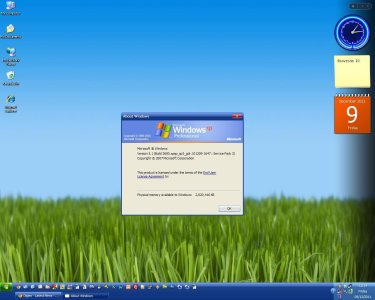
Screenshot of it working attached.
How to use:
1. Install Alky For Applications.
2. Install Windows_Sidebar_Installer.exe
3. (Optional) Install Gadget Extractor
About the software included in this package:
Alky For Applications: Makes it possible to open software that is created for Windows Vista, on Windows XP. For example the Sidebar.
Windows Sidebar Installer: This is the Windows Sidebar installer.
Gadget Extractor: makes it possible to add new gadgets to your Sidebar, Just open Gadget files with Gadget Extractor, then it will add the gadget to your Sidebar Gadget List.
Screenshot of it working attached.