Harcroft
Addict
I took a look and you are correct. FeudalNate's quest signer tool on Xbox doesn't seem to work on Xemu. I sent him a message about it.
I have some good news and some bad news for you. The good news is you still have two methods to install the quests https://github.com/feudalnate/PSO-Quest-DLC-Tools You can use this tool (also from FeudalNate) on your PC to sign the quests and just FTP them into the folders the installer creates.
From the installer Content\Quests\ choose your language, the files go in E:\TDATA\4d53004a\$c\. If you're using english quests they go in the following folders:
quest72_e.dat goes in 4D53004A20000048
quest284_e.dat goes in 4D53004A2000011C
quest285_e.dat goes in 4D53004A2000011D
quest477_e.dat goes in 4D53004A200001DD
All that being said, those 4 quests and and others can be downloaded from the SchtHack or Sylverant PSO servers that you can connect to through Insignia.
Now the bad news. PSO runs pretty poorly on Xemu. Even with a top tier gaming PC you're not going to get a playable experience on Xemu just yet.
I have some good news and some bad news for you. The good news is you still have two methods to install the quests https://github.com/feudalnate/PSO-Quest-DLC-Tools You can use this tool (also from FeudalNate) on your PC to sign the quests and just FTP them into the folders the installer creates.
From the installer Content\Quests\ choose your language, the files go in E:\TDATA\4d53004a\$c\. If you're using english quests they go in the following folders:
quest72_e.dat goes in 4D53004A20000048
quest284_e.dat goes in 4D53004A2000011C
quest285_e.dat goes in 4D53004A2000011D
quest477_e.dat goes in 4D53004A200001DD
All that being said, those 4 quests and and others can be downloaded from the SchtHack or Sylverant PSO servers that you can connect to through Insignia.
Now the bad news. PSO runs pretty poorly on Xemu. Even with a top tier gaming PC you're not going to get a playable experience on Xemu just yet.
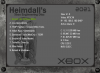
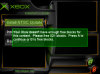
@Harcroft First, let me say these DLC installers are a great resource. Thank you for your efforts! I recently got into Xbox emulation via Xemu. Then just this weekend, learned about Insignia (amazing to be back on XBL). Which brought me to your post (since some games needed title updates). I've been having a great time installing updates for games I haven't played in 20 years! I ran into an issue with Phantasy Star Online though. I'm wondering if you can help. I created an iso from the DLC and I installed the NTSC update with font fix / widescreen patch without a problem. But when I go to install the quests, The installer opens, but I get a 'FAILED' message for each of the 4 quests (see image upload). I'm on Win 10, running Xemu 0.7.117 with original Xbox dashboard. Thanks for your time.