

Dark Scyth
Veteran
- Joined
- Mar 3, 2009
- Messages
- 2,520
The 32GB limitation on FAT32 partitions doesn't allow you to be able to install very many games onto the hard drive. Thankfully there is a way around this.
First you will need to download Fat32Formatter which is provided at the bottom.
Open FAT32Formatter, be sure to run Admin rights.
Pick your portable hard drive that you would like to make FAT32 with over the 32GB limit. My portable hard drive is a Sea Gate so obviously that's what I'm choosing.
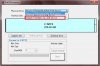
After that you can choose the allocation size you would like FAT32 partition to be, remember that 1024MB is equivalent to 1GB. I already made my partition of 97GB as you can see. There is no limit to the size of partition you can make FAT32 (in reasonable standards).
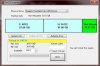
After you format the desired partition to FAT32 you can start ripping/moving games to the partition. Its worth noting that this will not get rid of the 4GB limit restriction that FAT32 format has.
First you will need to download Fat32Formatter which is provided at the bottom.
Open FAT32Formatter, be sure to run Admin rights.
Pick your portable hard drive that you would like to make FAT32 with over the 32GB limit. My portable hard drive is a Sea Gate so obviously that's what I'm choosing.
After that you can choose the allocation size you would like FAT32 partition to be, remember that 1024MB is equivalent to 1GB. I already made my partition of 97GB as you can see. There is no limit to the size of partition you can make FAT32 (in reasonable standards).
After you format the desired partition to FAT32 you can start ripping/moving games to the partition. Its worth noting that this will not get rid of the 4GB limit restriction that FAT32 format has.




