

xzKinGzxBuRnzx
Veteran
- Joined
- Aug 9, 2008
- Messages
- 1,675
Need to sync some files between multiple devices? Then you found the best way to do that! Just follow this simple guide and you have your files syncing within just 5-10 minutes.
Installing
These commands will add a apt repository and then install BitTorrent Sync.
Now you will be prompted to setup BitTorrent Sync. You need to do this, otherwise it will be much more complicated to do manually. You should be at screen like this.
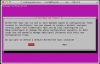
Just read what it says and adjust its settings based on your setup. In the event you failed to set it up correctly, accidentally clicked no or just want to change a setting, simply proceed to the uninstall section of this guide and run those commands. Then start over on installing.
Thats it! Now go to http://127.0.0.1:8888/ (adjust IP address if needed). You should be prompted with this page at which you can begin syncing your files.

Uninstalling
If you wish to revert these changes and remove BitTorrent Sync then here is what you will need to do.
Thats it. It is now fully removed from your system.
Installing
These commands will add a apt repository and then install BitTorrent Sync.
Code:
sudo add-apt-repository -y ppa:tuxpoldo/btsync
sudo apt-get update; sudo apt-get -y install btsync
Now you will be prompted to setup BitTorrent Sync. You need to do this, otherwise it will be much more complicated to do manually. You should be at screen like this.
Just read what it says and adjust its settings based on your setup. In the event you failed to set it up correctly, accidentally clicked no or just want to change a setting, simply proceed to the uninstall section of this guide and run those commands. Then start over on installing.
Thats it! Now go to http://127.0.0.1:8888/ (adjust IP address if needed). You should be prompted with this page at which you can begin syncing your files.
Uninstalling
If you wish to revert these changes and remove BitTorrent Sync then here is what you will need to do.
Code:
sudo apt-get -y remove --purge btsync btsync-common
sudo add-apt-repository -y --remove ppa:tuxpoldo/btsync
Thats it. It is now fully removed from your system.





