

InsaneNutter
Resident Nutter
This tutorial will teach you how to install and run Linux from a USB hard drive on a PlayStation 4 (PS4) which is on firmware 1.76
Before we begin you will need the following:
The PS4 only has two USB 3.0 ports, so we're going to need a USB Hub as we require a USB Hard Drive or Memory Stick for our Linux install and of course a mouse and keyboard too.
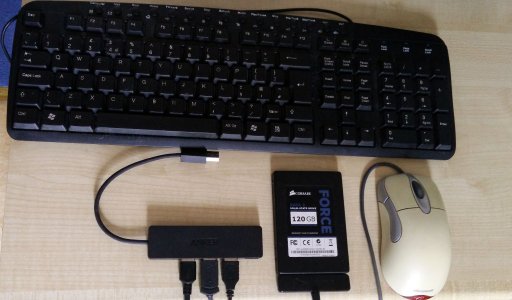
After raiding my box of PC accessories and old parts i've ended up with the following:
You now want to download the following:
The Linux distro used in this guide is PS4 Linux 0.1.1 by D-ecks. This is essentially Fedora 23 Linux with kernel patches from Fail0verflow and 3d acceleration / Steam support from OsirisX. The end result is you have great compatibility with existing x86-64 applications.
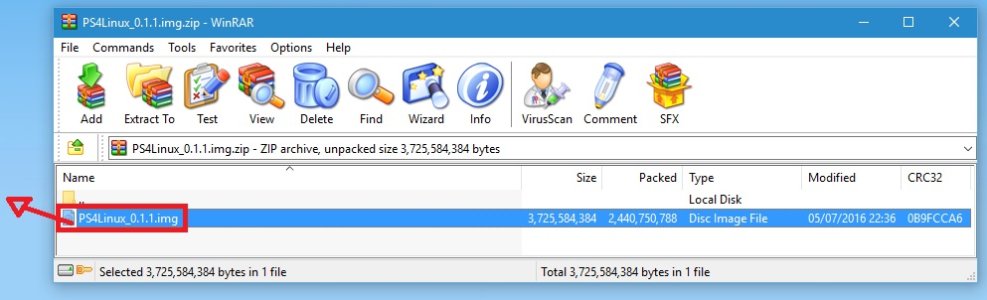
Extract both Rufus and PS4 Linux to your desktop:
Load Rufus and follow the steps below:
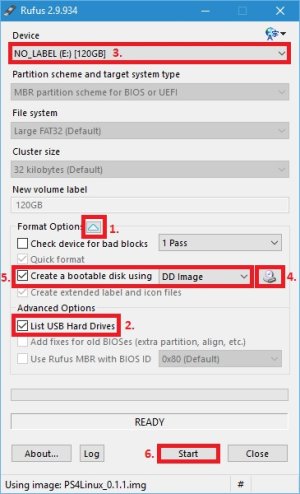
1. Click this arrow to display the advanced options
2. List USB Hard Drive
3. Select your USB hard drive or memory stick.
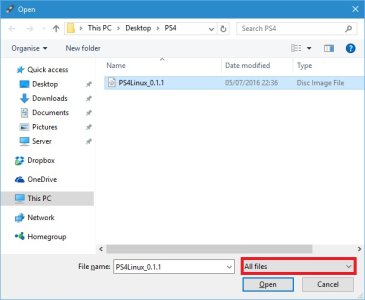
4. Browse for the IMG of PS4 Linux you download, be sure to select "All files":
5. Ensure create a bootable disk using DD image is selected
6. Press start to copy PS4 Linux to your USB Hard Drive of Memory Stick, this will erase everything from your USB drive.
Loading Linux on the PS4:
Connect your USB hub to your PS4 with the mouse and keyboard plugged in to it, connect your USB hard drive to the PS4's other USB port.
Presuming you have the PS4 playground setup, go to Settings > User Guide.
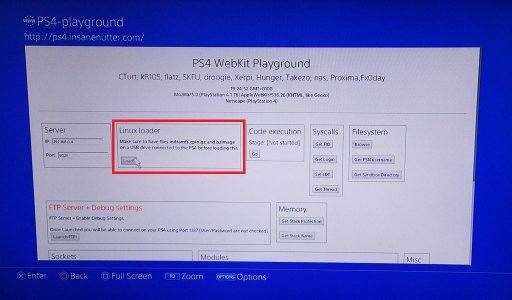
This should load the PS4 Playground, now simply click "Load" on the Linux loader and Playstation Linux will boot.
On my USB SSD it takes less than 30 seconds for Linux to boot, it will take longer if your using a slow USB flash drive or USB hard drive, however, you will eventually end up at the Linux desktop, congratulations you now have a full functional Linux distro running on your PS4!
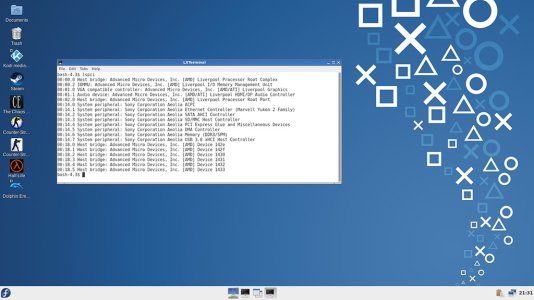
Passwords: The password for the root and ps4 user is simply "1"
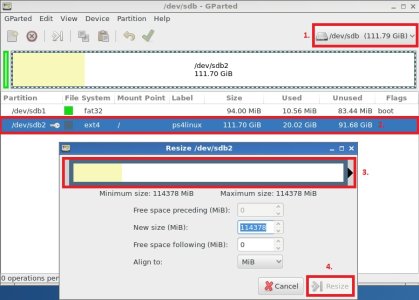
One final thing I would suggest doing is loading up GParted and resizing your partition so you can use any additional free space on the usb drive you wrote the PS4 Linux image to.
To do this press the Fedora "F" button in the bottom left of the screen, then go to System Tools > Gparted.
1. Select the correct hard drive, by default the PS4's hard drive will be shown
2. Click on the ext4 partition, then right click and select Resize / Move
3. Resize the partition to use all the free space
4. Press Resize to confirm you wish to do this
That's it, enjoy playing about with Linux on your PS4!
Known issues:
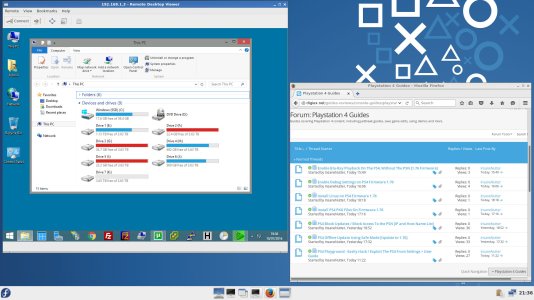
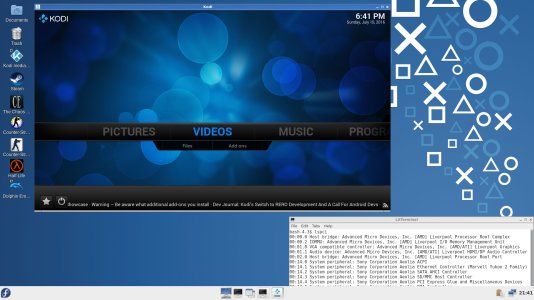
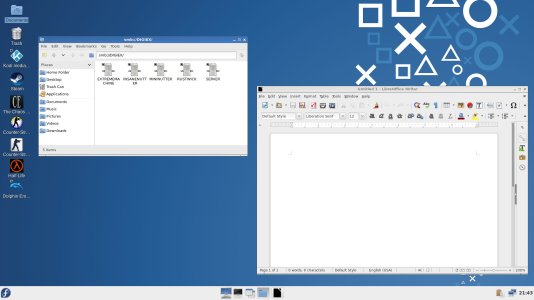
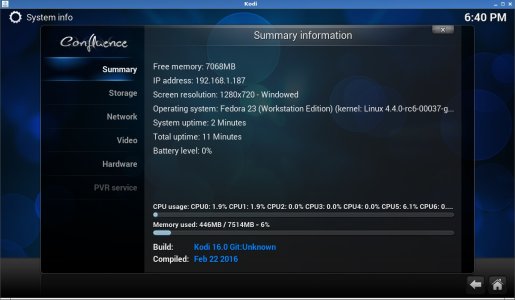
Screenshots:
Before we begin you will need the following:
- A PS4 on firmware 1.76, this is not currently possible on any other firmware
- Have already setup the PS4 Playground which will allow you to exploit a 1.76 PS4 and load Linux
- USB Hub
- USB Hard Drive or Memory Stick
- USB Keyboard
- USB Mouse
The PS4 only has two USB 3.0 ports, so we're going to need a USB Hub as we require a USB Hard Drive or Memory Stick for our Linux install and of course a mouse and keyboard too.
After raiding my box of PC accessories and old parts i've ended up with the following:
- Anker Ultra Slim 4-Port USB 3.0 Data Hub
- Sabrent USB 3.0 to SSD / 2.5-Inch SATA Hard Drive Adapter
- Corsair Force 3 120gb SSD
- Microsoft Intellimouse Explorer
- Generic USB Keyboard
You now want to download the following:
- Rufus
- PS4 Linux v 0.1.1 (Digiex Mirror) or PS4 Linux v 0.1.1 (Torrent Mirror)
The Linux distro used in this guide is PS4 Linux 0.1.1 by D-ecks. This is essentially Fedora 23 Linux with kernel patches from Fail0verflow and 3d acceleration / Steam support from OsirisX. The end result is you have great compatibility with existing x86-64 applications.
Extract both Rufus and PS4 Linux to your desktop:
Load Rufus and follow the steps below:
1. Click this arrow to display the advanced options
2. List USB Hard Drive
3. Select your USB hard drive or memory stick.
4. Browse for the IMG of PS4 Linux you download, be sure to select "All files":
5. Ensure create a bootable disk using DD image is selected
6. Press start to copy PS4 Linux to your USB Hard Drive of Memory Stick, this will erase everything from your USB drive.
Loading Linux on the PS4:
Connect your USB hub to your PS4 with the mouse and keyboard plugged in to it, connect your USB hard drive to the PS4's other USB port.
Presuming you have the PS4 playground setup, go to Settings > User Guide.
This should load the PS4 Playground, now simply click "Load" on the Linux loader and Playstation Linux will boot.
On my USB SSD it takes less than 30 seconds for Linux to boot, it will take longer if your using a slow USB flash drive or USB hard drive, however, you will eventually end up at the Linux desktop, congratulations you now have a full functional Linux distro running on your PS4!
Passwords: The password for the root and ps4 user is simply "1"
One final thing I would suggest doing is loading up GParted and resizing your partition so you can use any additional free space on the usb drive you wrote the PS4 Linux image to.
To do this press the Fedora "F" button in the bottom left of the screen, then go to System Tools > Gparted.
1. Select the correct hard drive, by default the PS4's hard drive will be shown
2. Click on the ext4 partition, then right click and select Resize / Move
3. Resize the partition to use all the free space
4. Press Resize to confirm you wish to do this
That's it, enjoy playing about with Linux on your PS4!
Known issues:
- Ethernet works fine aslong as the PS4 is connected to a Gigabit Switch or Router, 10/100 Ethernet doesn't work, only Gigabit Ethernet.
- WiFi and Bluetooth do not work - Use ethernet for now for network / internet access
- Sound doesn't work - You can purchase a USB sound card to get sound working, hopefully sound will be working in the near future.
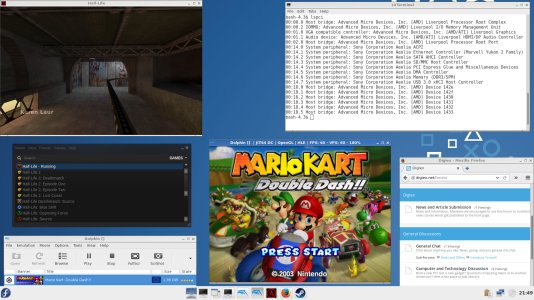
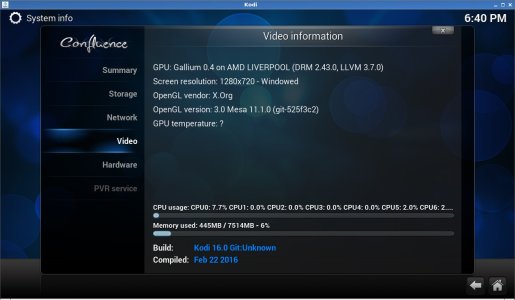
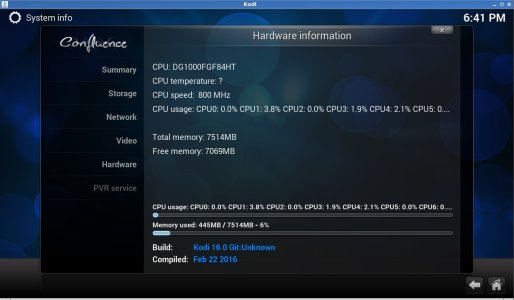
- Gaming wise 3D acceleration works, however the FPS will be low in most games, unless it's something really old like Half-Life. 1080p x264 video will play perfectly on Kodi however.
Screenshots:
Attachments
-
rufus-2.9.zip877.3 KB · Views: 1,189
-
PS4 Linux v 0.1.1.torrent23.1 KB · Views: 1,262
-
 ps4-linux-screenshot-1.jpg375.7 KB · Views: 2,342
 -
 ps4-linux-screenshot-2.jpg298.5 KB · Views: 2,214
 -
 ps4-linux-screenshot-3.jpg251.1 KB · Views: 2,754
 -
 ps4-linux-screenshot-4.jpg163.1 KB · Views: 1,823
 -
 ps4-linux-screenshot-5.jpg184 KB · Views: 2,215
 -
 ps4-linux-screenshot-6.jpg172.3 KB · Views: 1,788
 -
 ps4-linux-screenshot-7.jpg168.7 KB · Views: 1,674




