

InsaneNutter
Resident Nutter
This tutorial will tech you how to install PKG files on a PlayStation 4 (PS4) with firmware 1.76. You will however need a licence to use any PKG file installed, so for now anyway until the PS4 is hacked further this is only really any good for re installing content you might have had installed in the past, then deleted.
Before we begin you will need the following:
How To Install PKG Files On PS4 Firmware 1.76
Before you do anything else, you are going to require a FAT32 formatted usb memory stick with enough space to hold the PKG you wish to install.
Simply copy a PS4 PKG to the root of the USB memory stick, in this example we will use the YouTube app.
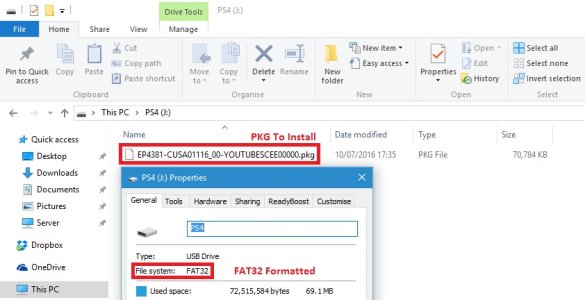
If your having trouble finding a PKG to install here is a link to the YouTube App PKG (on the PSN Servers)
Now that your USB drive is ready connect it to a USB port on your PS4.
Presuming you have the PS4 playground setup, go to Settings > User Guide.
This should load the PS4 Playground.
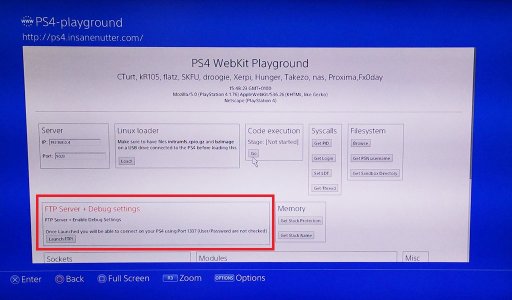
Click "Launch FTP" this will enable the FTP server and debug settings on your PS4:
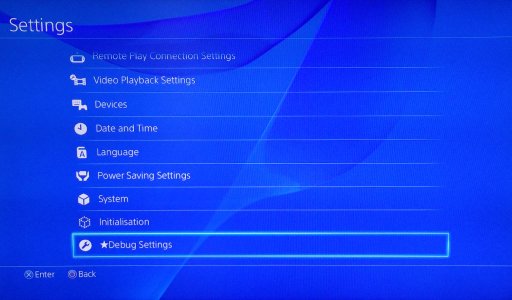
You should now see you have "Debug Settings" as on option on the PS4's settings menu:
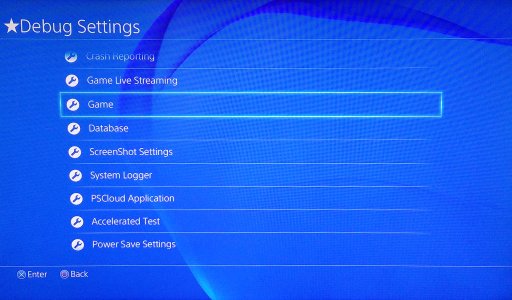
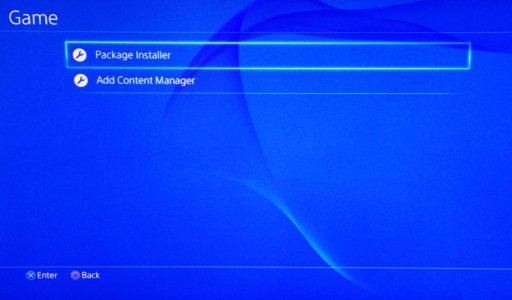
On the Debug Menu go to "Game":
Select "Package Installer":
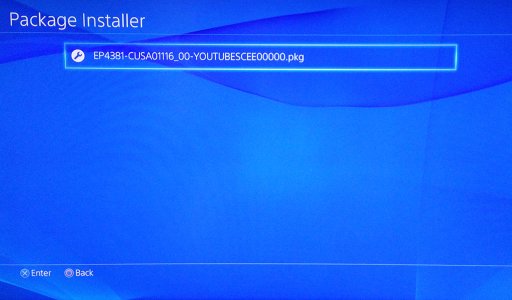
Then select the PKG on your USB drive that you wish to install:
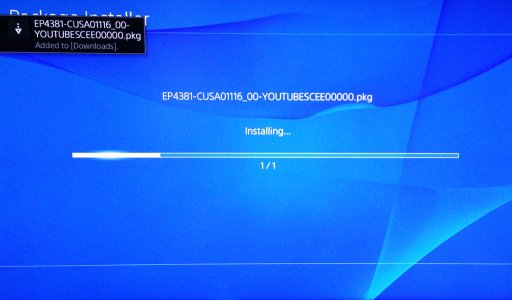
The PKG will start installing to the PS4:
You will get a notification when the PKG installation has finished:
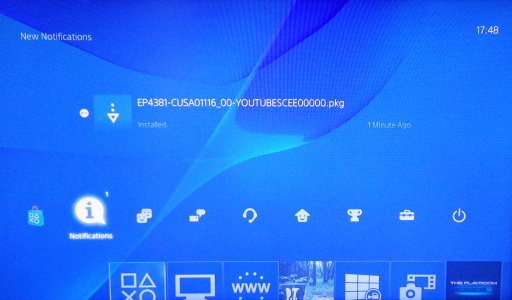
As you can see we now have our YouTube PKG installed:
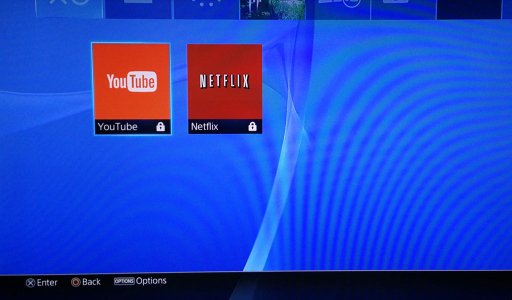
Sadly for apps like Netflix / YouTube you must be signed in to the PSN to use the apps, as we don't want to update our PS4 to keep it exploitable we can't currently use them.
Likewise you can install Demos, such as the P.T. Silent Hills PS4 Demo, however as you don't have a licence the demo will be unplayable:
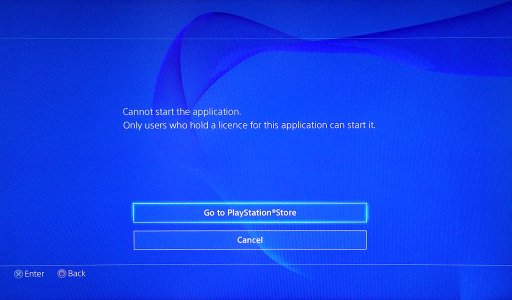
Regardless you have now learned how to install PKG files on the PS4, this could be very useful to know in the future once unsigned PKG files can be installed.
Before we begin you will need the following:
- To to be on firmware 1.76, this is not currently possible on any other firmware.
- Setup the PS4 Playground which will allow you to exploit a 1.76 PS4.
- Have a PS4 PKG file you wish to install.
How To Install PKG Files On PS4 Firmware 1.76
Before you do anything else, you are going to require a FAT32 formatted usb memory stick with enough space to hold the PKG you wish to install.
Simply copy a PS4 PKG to the root of the USB memory stick, in this example we will use the YouTube app.
If your having trouble finding a PKG to install here is a link to the YouTube App PKG (on the PSN Servers)
Now that your USB drive is ready connect it to a USB port on your PS4.
Presuming you have the PS4 playground setup, go to Settings > User Guide.
This should load the PS4 Playground.
Click "Launch FTP" this will enable the FTP server and debug settings on your PS4:
You should now see you have "Debug Settings" as on option on the PS4's settings menu:
On the Debug Menu go to "Game":
Select "Package Installer":
Then select the PKG on your USB drive that you wish to install:
The PKG will start installing to the PS4:
You will get a notification when the PKG installation has finished:
As you can see we now have our YouTube PKG installed:
Sadly for apps like Netflix / YouTube you must be signed in to the PSN to use the apps, as we don't want to update our PS4 to keep it exploitable we can't currently use them.
Likewise you can install Demos, such as the P.T. Silent Hills PS4 Demo, however as you don't have a licence the demo will be unplayable:
Regardless you have now learned how to install PKG files on the PS4, this could be very useful to know in the future once unsigned PKG files can be installed.




