Mobile Device Desktops

InsaneNutter

Resident Nutter
Joined
Jun 1, 2007
Messages
11,869
Location
UK
As the tablet / smart phone market is exploding it would be interesting to see just how people have there devices setup and customised.

My HTC Desire running the Miui XJ 2.2 Rom

Left screen - usually has notes on
Middle screen (home screen) - has the apps I want quick access to
Right screen - has other apps i use frequently with everything else in folders.

The dock at the bottom has the phonebook, sms inbox, phone dialer, email, calander and the web browser.

Unlike other Android roms Miui has no app draw, everything is put on your home screen after installing.

t2ucyriynmrjxktoquzx.png
 
If you have an Android search for "ShootMe" on the Marketplace, your phone needs to be rooted however.

Not sure for any other phones, a quick Google should tell you how for your mobile though.
 
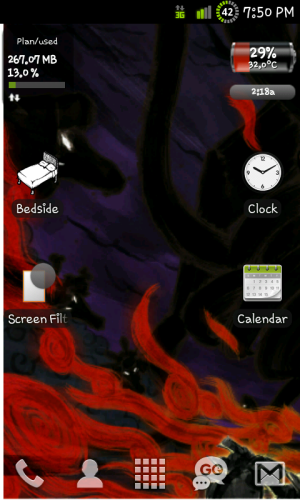
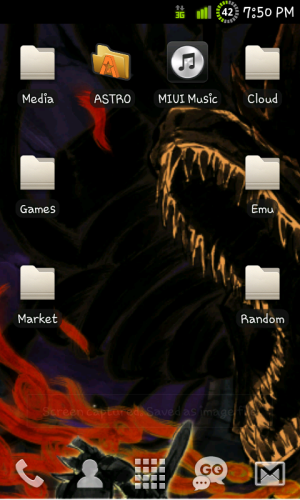
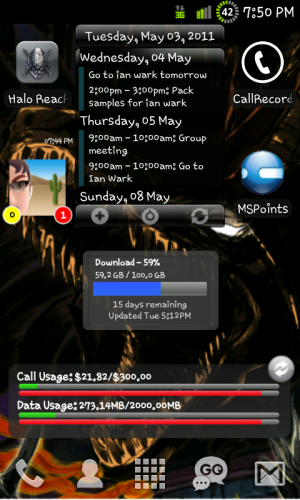
I got a Samsung Galaxy S, runnnig Darky's Rom 9.5

Here's my home screens, fairly ordinary.

First has stuff like data used, battery life n junk
Second has all my folders of stuff.
Third has my calandar, xbox widget and my call record folder, along with my home internet usage.
The bottom dock is scrollable with my main used stuff.
SC20110503-195031.pngSC20110503-195034.pngSC20110503-195043.png
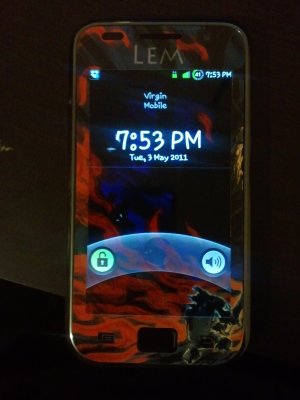
The wallpaper may not be the most amazing, but it goes with my phone as I have an Okami skin on it.
2011-05-03 19.53.03.jpg
 
Last edited:
You can't unless it is dev unlocked or chevron unlocked

Yeah the only problem is that you need to code an app in C# to get it dev unlocked and I know very little C# compared to other languages.

The chevron unlock doesnt work with the new update which I already have
 
Yeah the only problem is that you need to code an app in C# to get it dev unlocked and I know very little C# compared to other languages.

The chevron unlock doesnt work with the new update which I already have

I have currently a chevron unlocked samsung Omnia 7. I can take screenshots with wp device manager but it requires touchxperience to be running and that will only work as it should on htc devices :(
 
How
As the tablet / smart phone market is exploding it would be interesting to see just how people have there devices setup and customised.

My HTC Desire running the Miui XJ 2.2 Rom

Left screen - usually has notes on
Middle screen (home screen) - has the apps I want quick access to
Right screen - has other apps i use frequently with everything else in folders.

The dock at the bottom has the phonebook, sms inbox, phone dialer, email, calander and the web browser.

Unlike other Android roms Miui has no app draw, everything is put on your home screen after installing.

t2ucyriynmrjxktoquzx.png

How come my phone doesn't look all fancy like this!
 
How come my phone doesn't look all fancy like this!

What phone do you have? InsaneNutter has installed a custom rom on his phone there.

If you have an Android you can customize it without even doing any really complicated stuff, install a new launcher from the marketplace and theme it how you like.

If you jail break an iPhone you can make it look better, with Windows Phone 7 and Blackberry you are limited to what you can do.

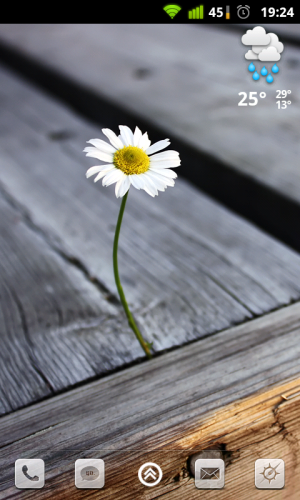
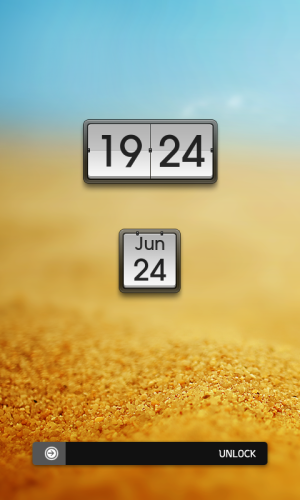
Here is my HTC Evo atm:
 

Attachments

  • homescreen.png
    homescreen.png
    448.8 KB · Views: 1,291
  • lockscreen.png
    lockscreen.png
    334 KB · Views: 1,151
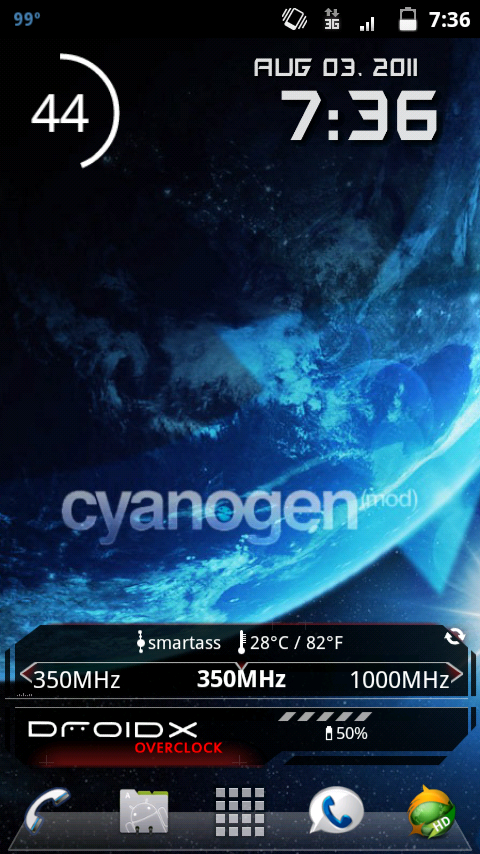
Here's a screenshot of my Droid X running Cyanogenmod 7 with the Dark Ginger theme:

screenshot-1312418220668.png
 
End result of my tinkering the other day, same rom, same layout, new theme.

Android 4.0 lockscreen:

5w9qjoki8aa76doth9ia.jpg


Android 4.0 background , Samsung Galaxy S2 Icons, Miui default theme.

j8rbaz81rwp5qn1xbye1.jpg
 
Samsung Galaxy Nexus running Android 4
Haven't done much to it yet. Sorry about the red blocks but some details including Family and location I don't want to share lol.


wsq8vqatknekgopmh18u.png
ix0jhrex63wqcuvenhz7.png
9zmkmldo2gfkij0szrht.png
oy7kmq578jsg6oxrfkhc.png
68qlwam2scv0hmys06e4.png


Lock Screen, Notification Screen and Installed Apps:

m8w7r7i31cbyqclt8jev.png
fevch8quy8sg1vnbu9mm.png
3cnncuq0w6logzkmghow.png
6o2bu852zu1y8kzjo9ls.png
myz9l35xb1hmmxontiur.png


All Images are resized, otherwise they would fill your screens up too much.. 720p (720x1280) on a phone screen is gorgeous :D
 
Been a long time since i posted, same sort of layout i have used on my phone for ages. It works for me.

Galaxy Nexus running Cyanogenmod 10 (Android 4.1.2)

gnexus28.11.12.png
 
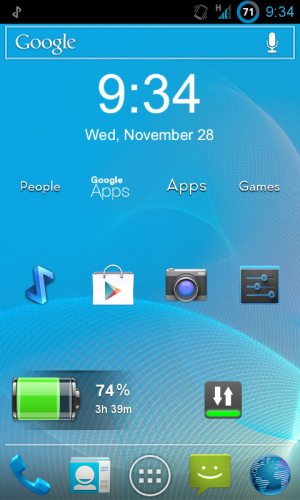
Heres Mine:

Folder icons made with "Simple Text"
Clock is: "Digital Clock Widget"
Data toggle is: "Data On Off" (saves heaps of battery)
Battery widget is: "Battery"
Screenshot_2012-11-28-09-34-41.png
 
I like the battery widget, might download that myself.

You are right about turning data off too, my phone can last a good 3+ days with it off. However I just leave mine on as even with heavy use it will last the whole day.
 

About Digiex

Digiex is a technology and gaming forum, founded in 2004 by InsaneNutter and Nimrod. Digiex has served the internet community with breaking news, detailed guides, exclusive downloads and a popular discussion forum. A small, friendly community of like‑minded people has developed over the years. People are encouraged to register and participate in on‑going discussions.

Get Social

Back
Top Bottom