• Welcome to the Digiex Download Center, you are welcome to download anything you like here. No registration is required! Digiex offers direct download links with no captchas or wait times.
    The team do our best to ensure no content infringes copyrights and provide a DMCA Takedown request form to request the removal of content from Digiex.

    Notable sections: Pokemon Archives | Xbox Archives | Xbox 360 Archives

NXE Kinect Dasboard Templates

l l 2RUΛCΣ l l

Elite Member
Joined
Nov 2, 2010
Messages
85
Location
NL, Amsterdam
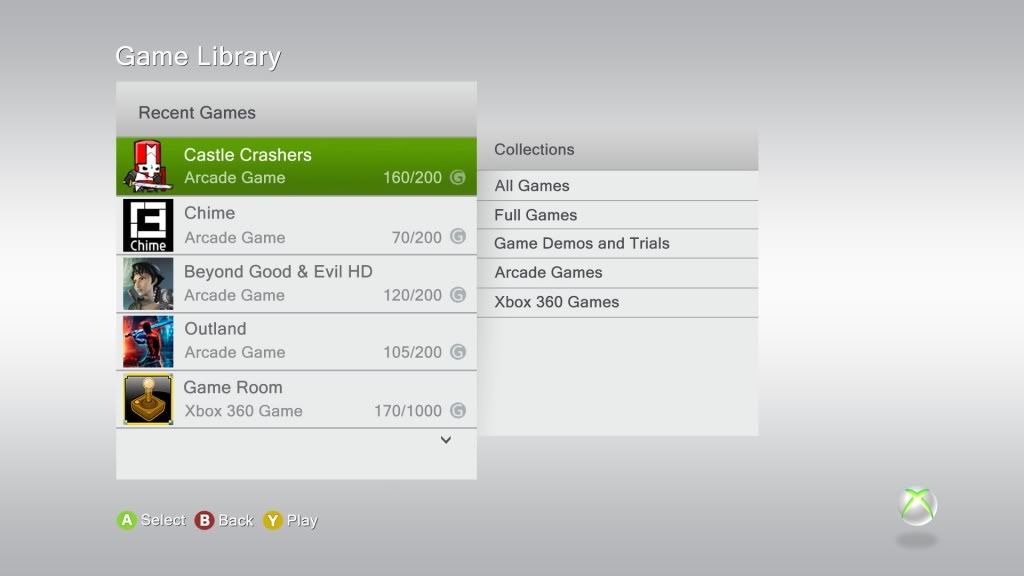
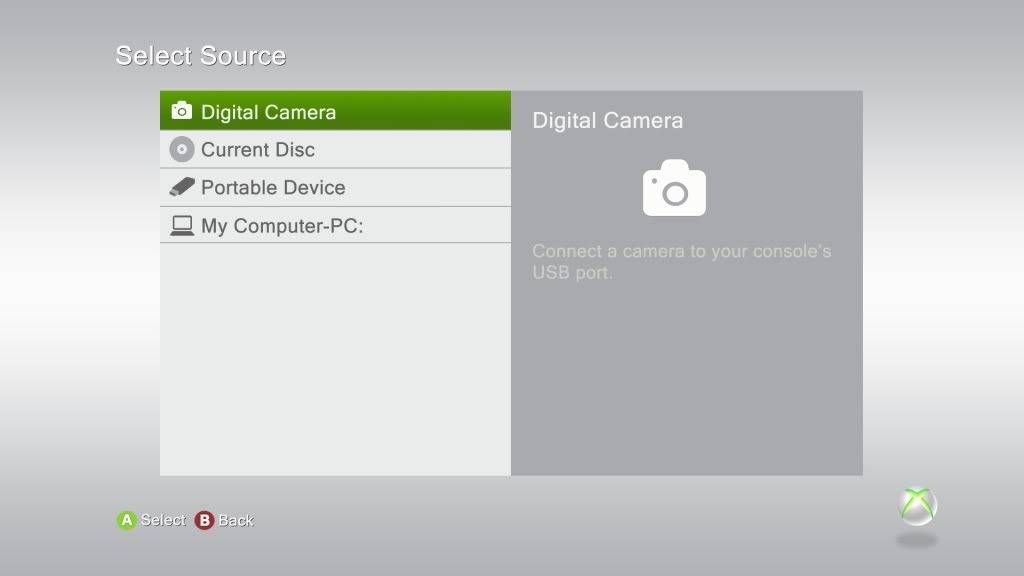
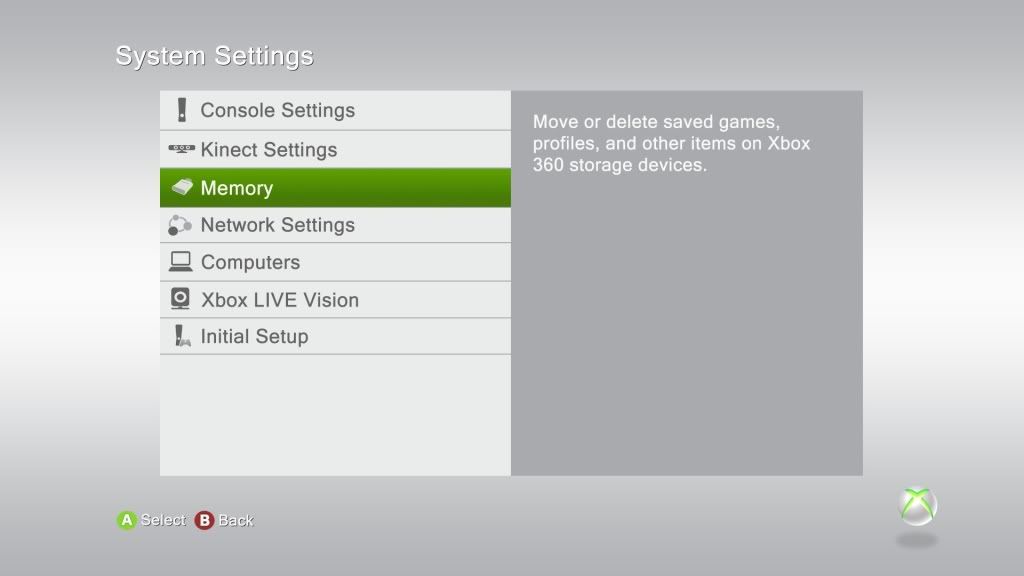
With these templates you will be able to create screenshots of your created/modified theme.
Gamertag settings and game history can be edited to your personal profile.


This package contains four preview screens;

- Default Menu
- Game Library
- Picture Library
- System Settings


Changelog:

3/05/2011

Version 1.5.1

- Added Discblade NXEArt (NXESLOT)
- Added Gamecover History
- Updated Avatar
- Updated sphere colors
- Updated menus
- Rearranged layers


8/12/2010;

Version 1.4

- Updated Blades & Avatar
- Added Picture Library & System Settings menu Icons
- Merged and rearranged most layers
- Updated some sphere colors


7/11/2010;

- Rearranged the layers
- Updated shadow effects
- Updated Sphere colors and shading effect


4/11/2010;

Updated Sphere Colors;

- Default
- Gray
- Black
- Salmon
- Yellow
- BlueGreen
- BabyBlue
- GrayBlue
- HighlightPink
- Tan
- Brown
- Gold
- Green
- Magenta
- Blue
- Violet
- LightGray
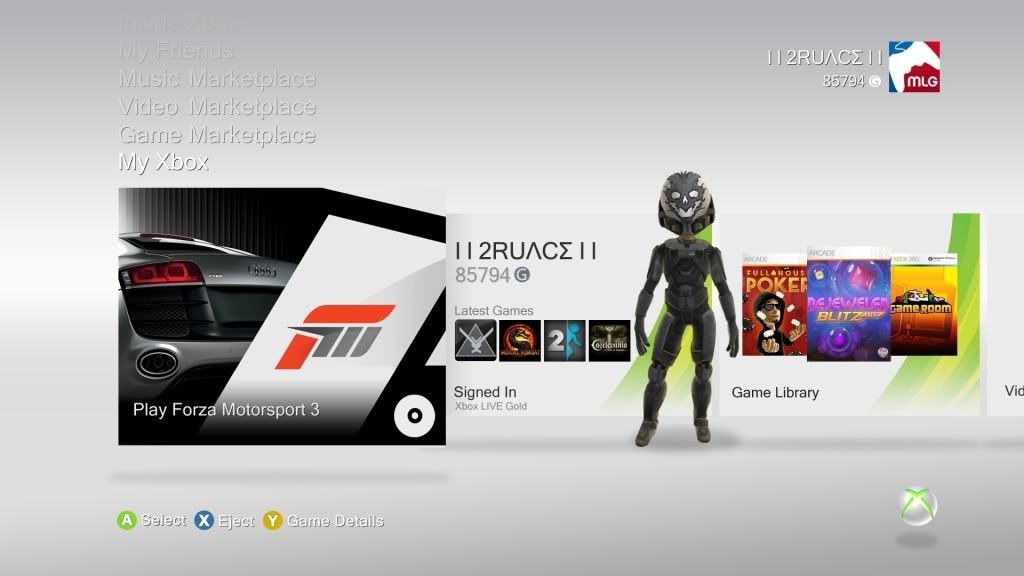
NXEKinectv151BG1-Template.jpg


NXEKinectv151BG2-Template.jpg


NXEKinectv151BG3-Template.jpg


NXEKinectv151BG4-Template.jpg


Regards,

2RU4C3
 

Attachments

Last edited:
Changelog: v1.1

Updated Sphere Colors;

- Default
- Gray
- Black
- Salmon
- Yellow
- BlueGreen
- BabyBlue
- GrayBlue
- HighlightPink
- Tan
- Brown
- Gold
- Green
- Magenta
- Blue
- Violet
- LightGray
 
how do you use these comfused lol whats it 4 ,, soz 4 soundin like a dumbass lol :)*-)
 
how do you use these comfused lol whats it 4 ,, soz 4 soundin like a dumbass lol :)*-)

Hi acicbadee. I know it's all a bit messy. but until everything is sorted I'll make it more user friendly without all the unnecessary layers and stuff.
It is meant for Theme creator's who want to create screenshots of their themes in Photoshop. Just play around with them. :-)
 
aaah nice 1 thought some 1 had worked out how to get rid of the horrible grey lol
 
Hi. Since you can change the color of the sphere, is there any chance to make it a bit transparent since we can't remove it? It will look much better to see the background picture instead of the big sphere
 
Hi. Since you can change the color of the sphere, is there any chance to make it a bit transparent since we can't remove it? It will look much better to see the background picture instead of the big sphere

Yes, it's possible. The transparency can be changed by selecting the desired sphere color and then change the opacity percentage to a lower value.
 
Version 1.4:

Everything has been updated and most layers has been merged down to decrease the filesize of the templates.

- Updated Blades & Avatar
- Added Picture Library & System Settings menu Icons
- Merged and rearranged most layers

Gamertag settings, game history and Sphere color can still be updated to your personal profile.

Cheers!
 
Can I use this theme if console modding Jtag?

Sorry for the late response. I think that should be no problem, but I can't tell for sure.

which theme creator do you use? have you ever tried animated backgrounds like small Gifs?

Still using Conmanager 2.1. Animated gif backgrounds was my first thought as well. I've tried to use animated gif's and also the APNG (Animated PNG) but without success. I was only able to use transparency in the backgrounds.
 
Last edited by a moderator:
Another update:

version 1.5.1:

Changelog:

3/05/2011

- Added Discblade NXEArt (NXESLOT)
- Added Game cover History
- Updated Avatar
- Updated sphere colors
- Updated menus
- Rearranged layers
 
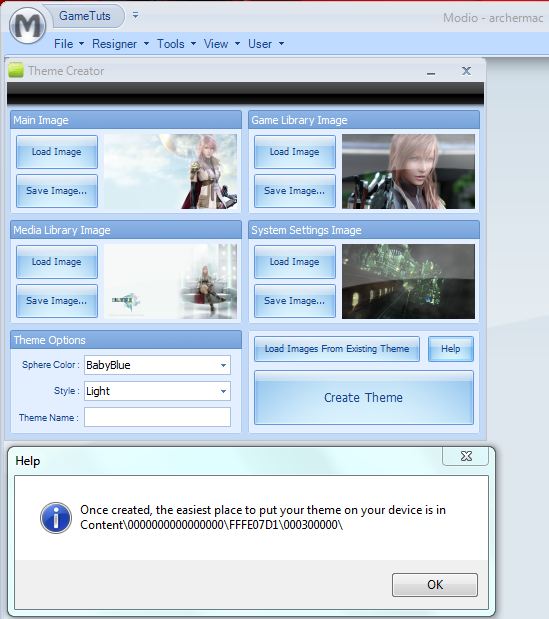
if you wanna make themes use modio or horizon they now have ther inbuilt theme creator and all you do is get images to put into diff screens or you could photoshop your own


lfcustom4modio.jpg
 

About Digiex

Digiex is a technology and gaming forum, founded in 2004 by InsaneNutter and Nimrod. Digiex has served the internet community with breaking news, detailed guides, exclusive downloads and a popular discussion forum. A small, friendly community of like‑minded people has developed over the years. People are encouraged to register and participate in on‑going discussions.

Get Social

Back
Top Bottom