The Digiex IRC Channel

InsaneNutter

Resident Nutter
Joined
Jun 1, 2007
Messages
11,867
Location
UK
Digiex now has an official IRC channel after popular demand, join #digiex on quakenet

Digiex IRC package
I have put a little package together for people who just want to connect and chat. This package consists of mIRC with the NextGenIRC script along with the appropriate connection settings to connect to our IRC channel when loaded up.

Download Here

(Aparently If this is not run with admin rights it will just look and function like the normal mIRC)

Using the Digiex IRC package:
Download the attached zipfile and unzip it somewhere, then load mirc.exe

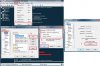
The client will then connect to our channel, all you need to do is go Tools > Options and modify your name

1pvgkgotoc24bm1vc73p.jpg


Here select connection and change your name.

mz2zls7prcq8iyyde12b.jpg


You can also press F2 to get a user control panel up to modify various other settings too.

egb49u5efoehqr6kr9mq.jpg


That it, chat away.
 

Attachments

Just type in the terminal (or anywhere):
/server irc.quakenet.org
/join #digiex
Those should work, I'm not sure though, I'm using a different client.
 
You can easily implement quakenet's CGI-chat now :)

Code:
<iframe src="http://webchat.quakenet.org/?nick='.$nick.'&channels='.$command1.'" width="647" height="400"></iframe>
 
I must admit I keep forgetting to go on IRC, hopefully the new web versions of it will encourage others to give it ago and remind me to go on more often.

Bonez pin some flyers up around Sydney then we might get some more Aussies on here ;)
 
If you’re on the internet you should be able to connect, it doesn’t block based on location, its most likely something at your location blocking you from connecting. If you have a firewall disable it then try to connect.

It could also be your ISP blocking IRC (you would have to ask them)

If your using mIRC or the Digiex IRC Package try the settings in my attached screenshot and see if you can connect on port 8080
 

Attachments

  • Port 8080.jpg
    Port 8080.jpg
    139.8 KB · Views: 1,422
If you’re on the internet you should be able to connect, it doesn’t block based on location, its most likely something at your location blocking you from connecting. If you have a firewall disable it then try to connect.

It could also be your ISP blocking IRC (you would have to ask them)

If your using mIRC or the Digiex IRC Package try the settings in my attached screenshot and see if you can connect on port 8080
Still not allowing me to connect, saying connection not allowed???
 
Not too sure, I think your ISP or Firewall is blocking the connection.

Didn’t you say in an Xbox thread your using your phone / mobile broadband connection to connect to the net? Sometimes services such as MSN get blocked so the phone companies can charge more to allow there users to use a particular service.

Can you connect to any other IRC networks?
 
Not too sure, I think your ISP or Firewall is blocking the connection.

Didn’t you say in an Xbox thread your using your phone / mobile broadband connection to connect to the net? Sometimes services such as MSN get blocked so the phone companies can charge more to allow there users to use a particular service.

Can you connect to any other IRC networks?
Havent tried any other IRC Networks, im at work right now (using network connection) so it could be the firewall not allowing me to connect, not sure if im able to disable the firewall, haventtried that yet, although i am an adminitrator, so it cant be that dont have admin rights or anything, when im at home then i use a 3g modem, but at work, network connections?? so not too sure??
 

About Digiex

Digiex is a technology and gaming forum, founded in 2004 by InsaneNutter and Nimrod. Digiex has served the internet community with breaking news, detailed guides, exclusive downloads and a popular discussion forum. A small, friendly community of like‑minded people has developed over the years. People are encouraged to register and participate in on‑going discussions.

Get Social

Top Bottom