• Welcome to the Digiex Download Center, you are welcome to download anything you like here. No registration is required! Digiex offers direct download links with no captchas or wait times.
    The team do our best to ensure no content infringes copyrights and provide a DMCA Takedown request form to request the removal of content from Digiex.

    Notable sections: Pokemon Archives | Xbox Archives | Xbox 360 Archives

Xbox 360 Kiosk Disc 5.1a Download [Xbox 360 Kiosk Demo Disc]

Gunz4Hire

Exotic XeX Hunter
Joined
Jan 25, 2018
Messages
129
logo-kiosk-disc.png

What is the Xbox 360 Kiosk Disc 5.1a Download?
This is what was inside the demo Xbox 360 around 2009 if you went to Walmart, Best Buy, Fry's Electronics. It showcased the Xbox 360 while keeping it under an even more locked down environment.

Features:
It mostly contains information on what you can do with the Xbox 360. Plenty of videos. Playable demos. Even has a list of OG Xbox compatible games.

Download:
Xbox 360 Kiosk Disc 5.1a Download

How to use:
You will be asked to format your HDD and cannot select otherwise. You can back out of the Kiosk before it ask you to format.

Screenshots:

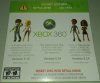
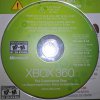
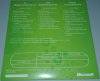
5.1a Front Sleeve.jpg WP_20180329_14_35_02_Pro.jpg 5.1a Back Sleeve.jpg

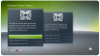
5.png screen.png jtag-image6.png

Enjoy from Gunz4Hire​
 
Ebay, I believe there is 20 odd versions of these. I have more and now a Kiosk Controller which automates the disc and xbox.
 
Last edited:
I've added the download link to your post @Gunz4Hire and just changed the formatting a bit so the post is more mobile friendly and in the style of other 360 downloads.

Fantastic share! thanks for taking the time to purchase and rip this disc, hopefully these can be preserved and enjoyed by others for years to come now.
 
for some unknown reason, my download speed from Digiex server is very slow (around 200kb/s). I am going to schedule downloading to my Diskstation, so i can start working on it tomorrow. I don't have much time for it (Perfect Dark squared is still my highest priority project)
 
I'm not sure, how i can bypass it. Can you please send me dump of your HDD, where you have it installed?
 
Sorry It will not. You will need a modified Xbox 360 and a HDD that you wont mind formatting. I am uploading the GOD files which are the Installed style of this disc. Which I believe will bypass a need to format a HDD. But again, you would need a Modified xbox or even a developer kit should be able to run the files.
 
But xboxes in kiosk were normal unmodified xboxes. At least leaked 1.0 worked on retails, before micro$oft blocked it.
EDIT: default.xex has flag set, so it can boot only from genuine drive. Don't know, how it modifies xbox, so it runs on start up. Maybe it just installs the content to HDD and then is launched from DVD.
 
You need one of these. I bought one and i may have some of the special cables needed to run the special features. for us, only about 90% of the disc is used, the other 10% is accessed by using the kiosk control units

http://vi.vipr.ebaydesc.com/ws/eBay...descgauge=1&cspheader=1&oneClk=1&secureDesc=0

This device lets you set the store location, like Walmart US or Walmart FR, demo time, like 5, 10, 15 minutes the disk restarts with videos. everything hooks into this. There is a power port, couple memory card slots(older kiosk) usb, 2 controller usb ports, 2 360 brand av ports, one uses the standard av cable, the other one uses a loopback cable and it has a av connector on each end. A ethernet port you connect to it and the 360, this thing is the brain. I cant wait to get it and try it out, to document, if I succeed in setting it up ill get video to document. Would love to get my hands on a full kiosk unit
 
Last edited:
Random thing i found: If you want to mod that kiosk disc, open NxeArt file in some STFS modifier (Horizon, Velocity, Le fluffie). I think you can even move contents of NxeArt to root folder of kiosk disc+ delete NxeArt, if you want to modify it easier, but i didn't test it. I am installing it to my second 160GB drive.
 
I have been trying to upload the god files but my internet is shot still, i only get a few times now to upload before it cuts out.

I havent tried to edit the files.
 
When i tried to install it on my Trinity to HDD, it never copies any files (let it for hour, checked HDD and no files). When you have better internet, can you please send me dump? (you can use something like Win32DiskImager and compress the file using bzip, or you can just copy all files from it)
EDIT: I know, why it does not copy any files into my HDD. Original phat internal HDD is HddX:, but slim HDD is Hdd0: (at least on my trinity) and kiosk disc wasn't designed for slims. Don't know, how to solve it :(
 
Last edited by a moderator:
Is there any way this could be reconstructed into an ISO? Got a full kiosk here, but no disc. I do have access to a xk3y modded unit.
 
I have a few kiosk disc now, Can you tell me what I can do to make it into an iso without needed a special dvd drive, like use my rgh. also Very awesome you have one of thoes! can you tell me anything about the medusa kiosk unit? I bought one and do not know what bare minimim is needed to use it, before i preserve it. I will see if I can make an ISO but i am not sure how..
ill have my upload back this week so I can give you guys the god format
 
Use wxRipper. You don’t need any special DVD. Just regular DVD DL (i am using 007: world is not enough) and DVD DL drive with removed top (i am using old laptop drive with SATA to USB converter from broken external DVD drive)
 
I have a few kiosk disc now, Can you tell me what I can do to make it into an iso without needed a special dvd drive, like use my rgh. also Very awesome you have one of thoes! can you tell me anything about the medusa kiosk unit? I bought one and do not know what bare minimim is needed to use it, before i preserve it. I will see if I can make an ISO but i am not sure how..
ill have my upload back this week so I can give you guys the god format

The Medusa box has multiple ports, the bare minimum to use the unit would be the AV cable (the cable from Xbox to Medusa, basically an AV cable with all pins present on connector, straight through), and the USB-A to USB-B cable.
The two USB ports on the front of the unit are for the wired controllers, and the two mini-DIN connectors are for internal and external headphone jacks and the headphone volume control on the kiosk (2x 3,5mm TRS per player, 2 buttons (Vol + / Vol -))
The Mini USB port on the front is used for the Memory Card slot, which is in fact USB but uses 3.3v instead of 5v.

The AV cable is the single most important one, since my Xbox knew it was plugged into a kiosk with just that cable, so it does have communication going on besides passing on AV signals.
If you want to know more about kiosks, feel free to ask. :)

Been thinking about starting a wiki for Xbox enthusiasts, as a definitive resource, since there's much hate for Xbox. Hate to see information go to waste.

I'd love to see your kiosk discs getting archived in a near lossless manner, as a means to protect it from getting lost.
And I'd like to thank you for the effort taken so far, I really appreciate it.

Edited: Made typo. I hate typos.

 

About Digiex

Digiex is a technology and gaming forum, founded in 2004 by InsaneNutter and Nimrod. Digiex has served the internet community with breaking news, detailed guides, exclusive downloads and a popular discussion forum. A small, friendly community of like‑minded people has developed over the years. People are encouraged to register and participate in on‑going discussions.

Get Social

Back
Top Bottom