• Welcome to the Digiex Download Center, you are welcome to download anything you like here. No registration is required! Digiex offers direct download links with no captchas or wait times.
    The team do our best to ensure no content infringes copyrights and provide a DMCA Takedown request form to request the removal of content from Digiex.

    Notable sections: Pokemon Archives | Xbox Archives | Xbox 360 Archives

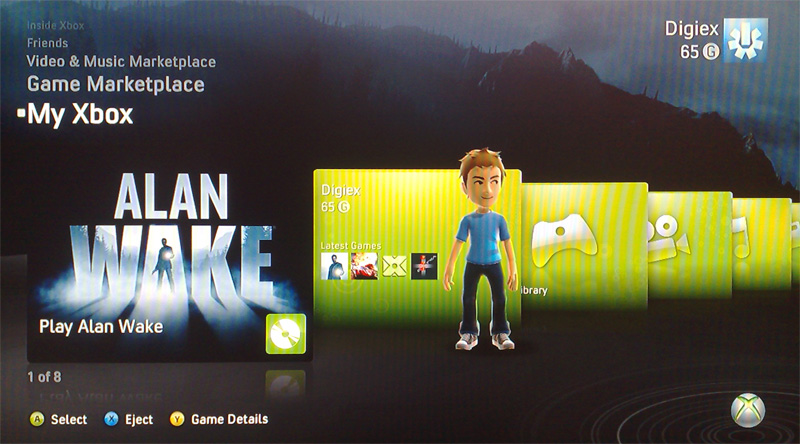
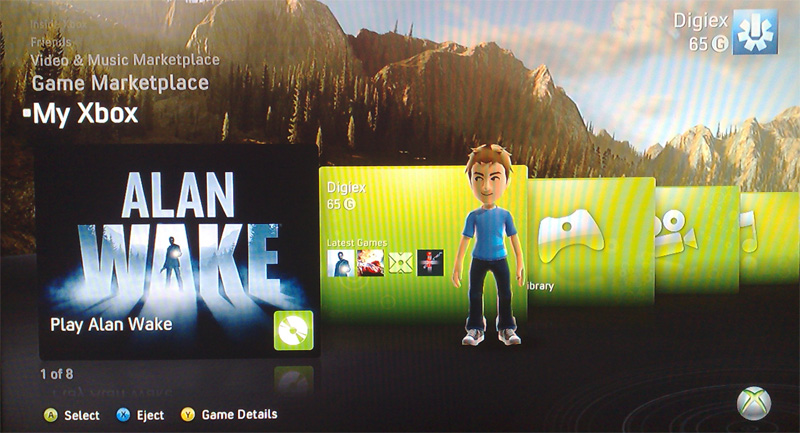
Alan Wake Elderwood and Bright Falls Premium Theme Downloads

InsaneNutter

Resident Nutter
Joined
Jun 1, 2007
Messages
11,876
Location
UK
Elderwood
attachment.php

Bright Falls
attachment.php

Both of these themes are free on the Alan Wake collectors edition bonus disc.

You will need some way of connecting either your 360’s Hard Drive or Memory card to the PC, you cannot burn this to a CD and copy it to your 360.

Once you have either a hard drive or memory card connected to the PC load Xplorer 360 up and click Drive > Open > Hard drive or memory card.

If you are using a memory card open Partition 1, If you are using a 360 hard drive open Partition 3

Unzip the theme, the folders and theme file should be copied to: Content\0000000000000000\

The end result should look something like this: (the folders inside the 16x 0 folder will be different than the image below)
end-result-jpg.2290


Now just sign your profile in, go to the my xbox section, click your gamertag, click change theme and enjoy!

Download Alan Wake Elderwood and Bright Falls Premium Theme
 

Attachments

  • Elderwood.jpg
    Elderwood.jpg
    151.5 KB · Views: 35,516
  • Bright Falls.jpg
    Bright Falls.jpg
    170.2 KB · Views: 34,280
WOW! Thank you.

PS : I am using a pen drive. How should I add this them then? Can I inject this theme using USB Xtaf Explorer? Please guide me.
 
Yes just dump the FFFE07D1 folder it in the Data Partition > Content > 0000000000000000 folder.


Thanks
but why do you keep telling people to install them into the wrong folders

here are the correct folder id's

584807E4 1 vs 100
4D530805 Alan Wake Bright Falls Theme
4D530805 Alan Wake Elderwood Theme
58410955 Banjo-Tooie Stop'N'Swop Theme
454108A8 Battlefield: Bad Company 2
FFFE07C3 Holiday 2008 Theme
534E07D2 KOFXII Premium Theme 6
4D5388BB Mass Effect Normandy Theme
494D8848 OXM - Borderlands Theme
494D8851 OXM - Left 4 Dead Theme
494D8841 OXM : Lost Planet
494D8843 OXM : Resident Evil 5
584109C2 Perfect Dark E3
5841098F Splosion Man
584108C2 The Maw
5858080A Xtival 2009
5858080A Xtival Winter Theme
5858080A Kerrang! Xtival 09 Theme ********** Dont Have**********
 
oh and the gamerpictures are console signed by your console

so microsoft can id you
i would remove them if i where you

the themes are pirs signed so are fine
 
oh and the gamerpictures are console signed by your console

so microsoft can id you
i would remove them if i where you

the themes are pirs signed so are fine
I doubt that they would do anything since your friend can use his memory card to transfer pics over to your HDD and they would still work. Microsoft would have no way of knowing whether the way you got the pics was from this site or your friend's memory card.
 
Thanks
but why do you keep telling people to install them into the wrong folders

here are the correct folder id's

That is how the folder structure was after extracting it from my Xbox...
 
Yes just dump the FFFE07D1 folder it in the Data Partition > Content > 0000000000000000 folder.

Done! Worked perfect. Thanks again. (Y)

Thanks
but why do you keep telling people to install them into the wrong folders

here are the correct folder id's

I didn't get what you mentioned, I copied it to the above mentioned folder and it worked fine for me. *-)
 
You can put it in any folder and it will work fine
doesnt mean its supposed to be there

My list of folder id's is correct you can open the files
in a hex editor and check byte 000360 for the folder id

These files cant be changed ofc as then the pirs signing will be wrong
So the folder id is correct

Example for Alan Wake Elderwood

4d530805.jpg


Example for Perfect Dark Skedar theme

584109c2.jpg


I didn't get what you mentioned, I copied it to the above mentioned folder and it worked fine for me. *-)
 
You can put it in any folder and it will work fine
doesnt mean its supposed to be there

It works perfectly fine by putting it in the folder that InsaneNutter listed, so why do you keep going on about it? Its way more simple to just put them all into one folder instead of making multiple folder to put a single theme in. So why complain about making something that can be quite simple and making it unnecessarily complicated?
 
I dont really care where you put them on your xbox

If microsoft wake up one day and decide to ban for this
they can check with ease if everything is in the correct folder

I was just warning people is all

You all dont seem to care so i wont mention it again

Cross your fingers microsoft never look into banning for it
 
I dont really care where you put them on your xbox

If microsoft wake up one day and decide to ban for this
they can check with ease if everything is in the correct folder

I was just warning people is all

You all dont seem to care so i wont mention it again

Cross your fingers microsoft never look into banning for it

Microsoft will NEVER ban you for this or for how you putting it on your HDD.. they are not even checking what you have on your HDD
 
Microsoft will NEVER ban you for this or for how you putting it on your HDD.. they are not even checking what you have on your HDD

You should never say never
you have no idea what microsoft do when you sign into live

It is still considered console tampering
and some people prefer to be cautious
so blindly throwing files anywhere can only be a bad thing

Last i will say on the matter
as its like talking to 10 year olds
 

About Digiex

Digiex is a technology and gaming forum, founded in 2004 by InsaneNutter and Nimrod. Digiex has served the internet community with breaking news, detailed guides, exclusive downloads and a popular discussion forum. A small, friendly community of like‑minded people has developed over the years. People are encouraged to register and participate in on‑going discussions.

Get Social

Back
Top Bottom