

Costume changer + Full unlocker for Super Street fighter IV Arcade Edition for the PC
After posting a lengthy guide on how to enable alternative costumes in SSF4ae, I came across a program that automates all of this and even gives picture previews of the changes.
Also included is an unlocker for all colors, taunts, etc
How to use
Costume changer:
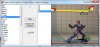
1) Extract the file into the super street fighter 4 arcade edition folder. Do not extract into a new folder. The "SF4AECostumeChanger.exe" file has to be in the same folder as "SSFIV.exe". Also make sure the image folder was extracted too, as that's needed
2) Run "SF4AECostumeChanger.exe" and click the Init button on top. Now wait a few minutes for it to read all the files and set some things up.
3) After it's fully loaded you'll see a list of character names on the left. Simply click the desired character then choose the costume on the right. Click apply to apply it, or restore to go back to the original costume
Unlocker:
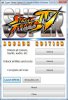
1) Extract the unlocker into your super street fighter 4 arcade edition folder
2) Make sure explorer is open to the super street fighter Iv arcade folder
3) run super street fighter IV arcade edition.
4) hit ALT-TAB on your keyboard once. This should bring you back to explorer
5) run "Super Street Fighter IV Arcade Edition Unlocker (Retail + Steam).exe" and click on either the the retail or steam version button depending on what one you have
6) click whatever you want to unlock, then alt-tab back into ssf4ae and test to see if it unlocked
Note: you should run both in administrator mode in vista/win 7. Also the costume changer needs .net 2.0 or better
Credit goes out to emapr for the orginal program and somebody2978 for the suggested fixes. Source for the costume changer is available upon request
After posting a lengthy guide on how to enable alternative costumes in SSF4ae, I came across a program that automates all of this and even gives picture previews of the changes.
Also included is an unlocker for all colors, taunts, etc
How to use
Costume changer:
1) Extract the file into the super street fighter 4 arcade edition folder. Do not extract into a new folder. The "SF4AECostumeChanger.exe" file has to be in the same folder as "SSFIV.exe". Also make sure the image folder was extracted too, as that's needed
2) Run "SF4AECostumeChanger.exe" and click the Init button on top. Now wait a few minutes for it to read all the files and set some things up.
3) After it's fully loaded you'll see a list of character names on the left. Simply click the desired character then choose the costume on the right. Click apply to apply it, or restore to go back to the original costume
Unlocker:
1) Extract the unlocker into your super street fighter 4 arcade edition folder
2) Make sure explorer is open to the super street fighter Iv arcade folder
3) run super street fighter IV arcade edition.
4) hit ALT-TAB on your keyboard once. This should bring you back to explorer
5) run "Super Street Fighter IV Arcade Edition Unlocker (Retail + Steam).exe" and click on either the the retail or steam version button depending on what one you have
6) click whatever you want to unlock, then alt-tab back into ssf4ae and test to see if it unlocked
Note: you should run both in administrator mode in vista/win 7. Also the costume changer needs .net 2.0 or better
Credit goes out to emapr for the orginal program and somebody2978 for the suggested fixes. Source for the costume changer is available upon request
Attachments
Last edited:
 .
. ... but the "Restore" function work fine and performs a similar function, so it's not a serious problem
  .
. .
.





