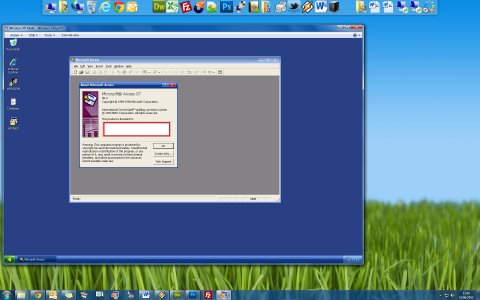
Basically with one of the above applications installed your PC can run another OS in a virtual machine. It will be a slower than actually installing it natively on your computer as your computer is basically emulating another PC. You will need a far bit of ram too, Windows 7 needs 1 gig minimum (you want to assign the VM 2gb+ for a good experince) so if your PC hasn't got a lot of ram your experience will not be great.
You would basically install Windows 7 in the VM the exact same as you would on a real PC, so you will need a Windows 7 install CD.
Screenshot below of what you can expect, that's actually Windows XP Mode for Windows 7. But as you can see basically another OS running inside a Virtual Machine on Windows 7.
I've downloaded the evaluate copy and Microsoft Virtual PC 2007. I'll be sure to try it now and if I like it, I'll definitely upgrade to Windows Seven!