Rick
Veteran
This guide will show you how to inject demos, arcade games, apps, dlc using a usb drive and Usbxtaf v45
1.Configure your 1gb+ usb drive for xbox 360 use if not already configured. If you want to skip some steps copy a gamer picture or theme to the usb so it creates the folders.
Insanenutter has created a tutorial for configuring a usb drive.
How to configure a USB memory stick to be used as Xbox 360 storage (Saves & Profiles)
1a.Extract any demo,app,arcade game,dlc.
2.Download usbxtaf here.With the usb drive connected, open the program.
3.Select file > open first usb drive
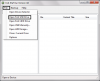
3a.If you have the content and zeros folder you can skip to #6.
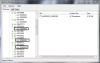
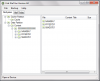
4.Right click on the data partition and select new folder.Type in Content and press ok.
5.Select the content folder and create a folder named 0000000000000000
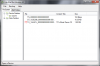
6.Select the 0000000000000000 folder.Right click in the right side of the program then select inject folder.Select the extracted folder of the demo, arcade game,app,ect.
Usually the right folder to inject is
Game folder>folder
Full path: content>0000000000000000>Game folder>folder
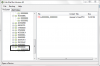
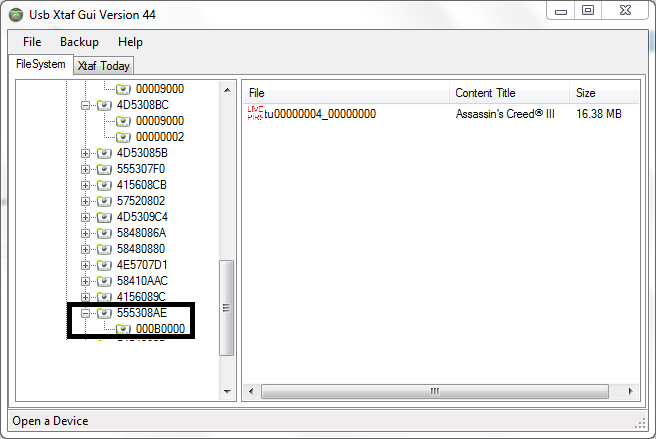
7.It may appear the program is frozen or crashed that is normal.This is what it looks like when the demo,app,arcade game is injected properly.When it is unfrozen you can close the program and safely remove the drive.
1.Configure your 1gb+ usb drive for xbox 360 use if not already configured. If you want to skip some steps copy a gamer picture or theme to the usb so it creates the folders.
Insanenutter has created a tutorial for configuring a usb drive.
How to configure a USB memory stick to be used as Xbox 360 storage (Saves & Profiles)
1a.Extract any demo,app,arcade game,dlc.
2.Download usbxtaf here.With the usb drive connected, open the program.
3.Select file > open first usb drive
3a.If you have the content and zeros folder you can skip to #6.
4.Right click on the data partition and select new folder.Type in Content and press ok.
5.Select the content folder and create a folder named 0000000000000000
6.Select the 0000000000000000 folder.Right click in the right side of the program then select inject folder.Select the extracted folder of the demo, arcade game,app,ect.
Usually the right folder to inject is
Game folder>folder
Full path: content>0000000000000000>Game folder>folder
7.It may appear the program is frozen or crashed that is normal.This is what it looks like when the demo,app,arcade game is injected properly.When it is unfrozen you can close the program and safely remove the drive.

 all is good!