• Welcome to the Digiex Download Center, you are welcome to download anything you like here. No registration is required! Digiex offers direct download links with no captchas or wait times.
    The team do our best to ensure no content infringes copyrights and provide a DMCA Takedown request form to request the removal of content from Digiex.

    Notable sections: Pokemon Archives | Xbox Archives | Xbox 360 Archives

Windows Vista Dream Scenes Downloads

InsaneNutter

Resident Nutter
Joined
Jun 1, 2007
Messages
11,877
Location
UK
Aurora


Bliss


Blue Waves


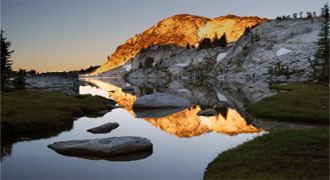
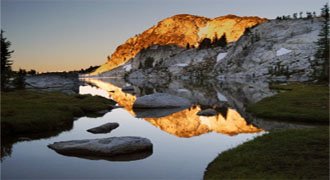
Mountains


Click on the image to download the scene, feel free to reply and attach some more DreamScenes if you have any nice ones.

 

Attachments

  • Aurora.jpg
    Aurora.jpg
    19.7 KB · Views: 16,517
  • Bliss.jpg
    Bliss.jpg
    26 KB · Views: 16,739
  • Blue Waves.jpg
    Blue Waves.jpg
    17.8 KB · Views: 15,770
  • Mountains.jpg
    Mountains.jpg
    35.9 KB · Views: 15,748
  • Aurora.zip
    Aurora.zip
    3.4 MB · Views: 6,263
  • Bliss.zip
    Bliss.zip
    520.6 KB · Views: 3,873
  • Blue Waves.zip
    Blue Waves.zip
    17.7 MB · Views: 5,476
  • Mountains.zip
    Mountains.zip
    2.5 MB · Views: 5,995
Thanks for the premiums Trisha Takanawa, greatly appreciated. I was thinking of signing up to Stardock but saw that you still had to pay for the really good dreamscenes. If I have any good ones I'll post them here as well.
 
Last edited by a moderator:
Are these meant to be backgrounds or Dreamscenes Trisha Takanawa? If they're only backgrounds I'll move the post but thanks anyway (Y)
 
Last edited by a moderator:
For some reason I only see these dreamscenes as jpgs on my XP netbook even after I've installed the deskscape trial :( I'll download them on my Vista PC and let you know what I think later.
 
Did you extract them into your...
>Documents
>>Stardock
>>>Dreams Folder?

After extracting them there right click on the desktop go to personalize (on vista) Go to desktop wallpaper then click on the drop down menu and select Deskscapes Animated Wallpapers. Then select which one you wish to be displayed.

On XP You click start then go to...
>All Programs
>>Stardock
>>>Deskscapes

it should then pop something up so you can select your wallpaper.

They do work though I'm using them myself, plus I believe Nimrod himself tested them. :) Let me know if this helps.
 

About Digiex

Digiex is a technology and gaming forum, founded in 2004 by InsaneNutter and Nimrod. Digiex has served the internet community with breaking news, detailed guides, exclusive downloads and a popular discussion forum. A small, friendly community of like‑minded people has developed over the years. People are encouraged to register and participate in on‑going discussions.

Get Social

Back
Top Bottom