Hack a 250gb, 320gb or 500gb Sata harddrive to work in the Xbox 360 and Xbox 360 Slim

So I am at the part where I restore partition 2. But for some reason, it seems like xplorer360 keeps hanging and not making any progress.

I tried Hoffmans partition 2 as well but did the same thing. I am using the WD2500BEVT drive. I did try this on a 500 GB drive but had issues injecting the content folder where it would seem to hang on a certain file and just keep repeating it.

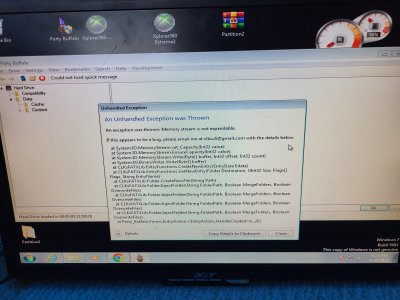
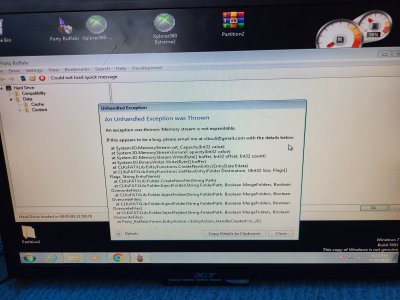
Weirdly, when I try to inject the content folder now it says "An unhandled exception was thrown"

Any suggestions on what to do? I am worried that I lost all my game progress. Thanks
 

Attachments

  • Screenshot_20230426_220645_Gallery[1].jpg
    Screenshot_20230426_220645_Gallery[1].jpg
    1.3 MB · Views: 539
  • Screenshot_20230426_220645_Gallery[1].jpg
    Screenshot_20230426_220645_Gallery[1].jpg
    1.3 MB · Views: 543
Partition 2 only contains the emulator for the original Xbox, if you still have issues you might possibly have to create the partitions again.

I would suggest using Party Buffalo Drive Explorer to restore your save games to Partition 3, Xplorer 360 is generally not that great at this and you also need to use a modded version depending on what size drive you have.

Use Xplorer 360 Extreme2 to restore partition 2 (run with admin rights) and nothing more, don't touch partition 3 as it does not support larger drives for this.
 
I reflashed and made the partitions on the drive but still no luck. I am so confused as to why I have this issue. Weirdly when I tried a 500gb drive it worked. But I seemed to run into issues when copying the content folder to it, even when using party buffalo drive explorer. So now got another drive which is the 250gb one, and I now have this issue.

This is the video showing restoring partition 2 it seems to be looping. I did let it sit for a while but got know where.
 

Attachments

Are you running these apps with admin rights? (Right Click > Run as Administrator)

To rule out the drive been hacked correctly create the partitions again and put the drive in the 360, does the drive actually show up in the memory section of the dashboard?

If so format it and then then try to restore your saves with Party Buffalo.
 
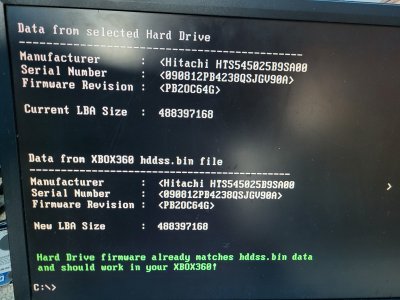
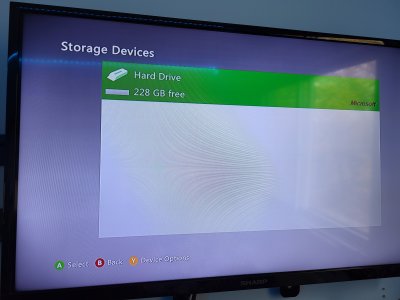
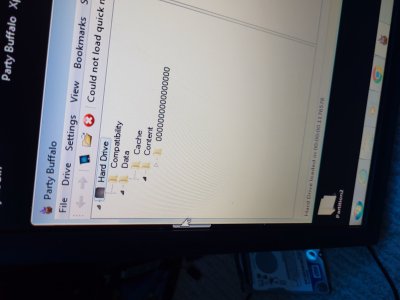
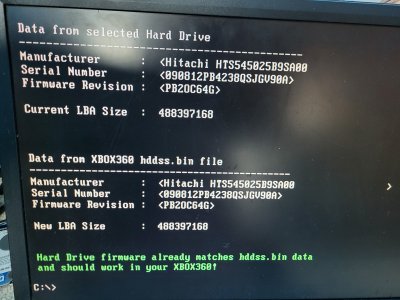
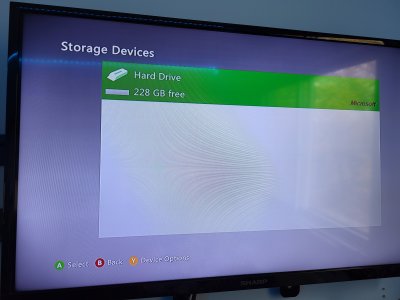
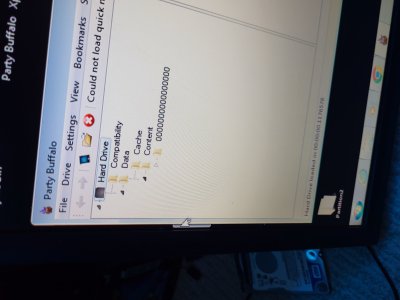
Yes, so I always run with admin rights. I did repartition the HDD however it said it was already flashed. So I took it and put it right into the 360. Detected it right away, without issue. Formatted it. Went back to Party Buffalo and restored it. Not sure if I did it right, but I went under the Data folder and just clicked "Inject folder". It started running but ran into an error. The last image is just showing where I restored the content folder too.
 

Attachments

  • 20230428_175404.jpg
    20230428_175404.jpg
    4 MB · Views: 614
  • 20230428_175959.jpg
    20230428_175959.jpg
    3.3 MB · Views: 598
  • 20230428_181311.jpg
    20230428_181311.jpg
    3.6 MB · Views: 567
  • 20230428_181335.jpg
    20230428_181335.jpg
    2.4 MB · Views: 614
  • 20230428_175404.jpg
    20230428_175404.jpg
    4 MB · Views: 575
  • 20230428_175959.jpg
    20230428_175959.jpg
    3.3 MB · Views: 577
  • 20230428_181311.jpg
    20230428_181311.jpg
    3.6 MB · Views: 581
  • 20230428_181335.jpg
    20230428_181335.jpg
    2.4 MB · Views: 615
The drive is hacked ok then which is a good thing, the issues might possibly be related to your Windows 7 install.

Maybe try using the 360 with that hard drive and saving one save game to the hard drive, Party Buffalo should register the content is there, then you can gradually drop your backed up content in to the correct place. Could possibly be an issue dumping everything back in at once.

You could also try FATXplorer its a paid for app, however has been updated in the last 13 years compared to most other tools. I believe you get a 7 day trial which will be fine for restoring your saves.
 
I haven't got too far today. But I put the HDD into the 360. created a new profile, and it did a system update as well. I loaded it back to party buffalo and still gave me some errors. However, it recognizes all the folders, (shown in photo). What's weird is one of the profiles seemed to be working, and showing progress but still throwing an error. It does seem like most of the profile is copied, but I don't know if it finished it or only did it up until it gave the error. Makes me wonder if it is a bad installation on Windows 7. The images uploaded are just the errors it gave me every time while copying.
 

Attachments

  • 20230429_232536[1].jpg
    20230429_232536[1].jpg
    2.7 MB · Views: 557
  • 20230429_232724[1].jpg
    20230429_232724[1].jpg
    2.6 MB · Views: 596
  • 20230429_234812[1].jpg
    20230429_234812[1].jpg
    2.7 MB · Views: 502
  • 20230429_235020[1].jpg
    20230429_235020[1].jpg
    3.2 MB · Views: 525
  • 20230429_235126[1].jpg
    20230429_235126[1].jpg
    3.1 MB · Views: 560
  • 20230430_000955[1].jpg
    20230430_000955[1].jpg
    3.3 MB · Views: 534
Hey man I wanna say thank you! I kept playing around and was able to get all the profiles copied over. I popped the drive into the 360 and everything was detected and working! I can't express my excitement about having my 360 working. Thank you!
 
I've since upgraded my original HDD to 500GB. I had an 320GB HDD that was converted. I went to restore it (WD3200 BEKT) but it wouldn't finish it and failed. I used the same PC to convert the 320 as the 500 so it's not an issue of the conversion PC not being "old enough". The BEKT is essentially bricked at this point as the firmware has been stripped by the original firmware can't be restored. Anywho, what can I do to force the original BIN back on if HDDHackr doesn't want to play ball?
 
Hi. Just a quick question, will a WD3200LPX work ? I read that the WD500LPLX has some issues as it is not recognisable from xbox 360, does this apply also in the 320Gb version ?
 
Hi. Just a quick question, will a WD3200LPX work ? I read that the WD500LPLX has some issues as it is not recognisable from xbox 360, does this apply also in the 320Gb version ?

They are the same model line but different sizes. Because they are the same model line, they will have the same issues. The model numbers of these WD drives add a "0" to the GB size of the drive, then end in a different model number.
"WD" for Western Digital, "3200" or "5000" for 320GB or 500GB, "LPVX" or "LPLX" for the model line.

Just stick with the "LPVX" or other drives listed.
 
I have a question for someone who really knows hddhackr.

using a WD5000LPLX-08 (yes I know its not listed)

yes program works, yes drive works, no xbox 360 doesn't like it, yes W10 can see it.

flash was good, undo file was created. drive still works except its a hitachi....

I cannot flash or recover using the undo I created.

"F" gives error 1 - sector checksum <54f8> in file undo.bin is wrong!

"R" gives error 2 - Firmware file undo.bin has wrong size!

Is there a way to force the undo.bin back on the hdd?

or does my hdd have an identity crisis from now on.

Also, I was able to successfully flash and use a WD5000LPCX.
 
So here I am again, I just have to say I really love this thread, especially that it has been supported for 15 years. Thank you. I am really lucky because I bought a WD 2500 BEVT from eBay which according to smart data has only been running for 293 hours, so it is practically new.


Everything worked with hddhackr as usual, pictures to follow
20240509_141650.jpg
20240509_141730.jpg
20240509_141919.jpg
20240509_141943.jpg
20240509_142119.jpg
20240509_142517.jpg
20240509_142709.jpg
20240509_140302.jpg

20240509_143348.jpg
20240509_143354.jpg
20240509_145411.jpg
 
Last edited:
So here I am again, I just have to say I really love this thread, especially that it has been supported for 15 years. Thank you. I am really lucky because I bought a WD 2500 BEVT from eBay which according to smart data has only been running for 293 hours, so it is practically new.


Everything worked with hddhackr as usual, pictures to follow

That seems like a great Ebay find, basically new despite been 14 years old!

Quite scary it's pretty much 15 years ago I was interested in hacking a hard drive for my 360! how time flies.
 
It's really amazing how time flies, but that makes me even more happy that there are people who invest time and bring an old console like the Xbox 360 back to life, and give the console more storage space. I think it won't be my last :)
 

About Digiex

Digiex is a technology and gaming forum, founded in 2004 by InsaneNutter and Nimrod. Digiex has served the internet community with breaking news, detailed guides, exclusive downloads and a popular discussion forum. A small, friendly community of like‑minded people has developed over the years. People are encouraged to register and participate in on‑going discussions.

Get Social

Back
Top Bottom