


RGHdemon
Active Member
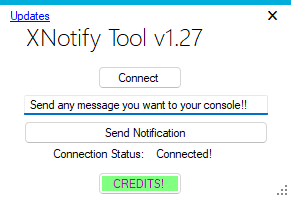
This tool will allow you to send any custom notification message directly to your console that you choose,
Step 1. Have JRPC2.xex as one of your plugins
Step 2. Make sure you have neighborhood connected to console.
Step 3. Launch Xnotify tool.exe from your pc or laptop.
Step 4. Press connect from with in the tool on pc or laptop.
Once it has connected to console you will be ready to begin using this tool.
Step 1. Have JRPC2.xex as one of your plugins
Step 2. Make sure you have neighborhood connected to console.
Step 3. Launch Xnotify tool.exe from your pc or laptop.
Step 4. Press connect from with in the tool on pc or laptop.
Once it has connected to console you will be ready to begin using this tool.





