• Welcome to the Digiex Download Center, you are welcome to download anything you like here. No registration is required! Digiex offers direct download links with no captchas or wait times.
    The team do our best to ensure no content infringes copyrights and provide a DMCA Takedown request form to request the removal of content from Digiex.

    Notable sections: Pokemon Archives | Xbox Archives | Xbox 360 Archives

Pokemon Berry Glitch Shiny Zigzagoon JPN GameCube Distribution Download

Their is no problem, I had plans to make a disc that could distribute multiple GameCube distributions. Each of these would be translated in to English and have all the images / text changed, so although unofficial would be themed towards the Pokemon it was distributing from a viewpoint of today, looking back on what happened in the past and educating the person using the distribution about the original event from many years ago.

For example this is my Wishing Star Jirachi distribution, based on the JPN Zigzagoon distro:

View attachment 16485

View attachment 16486

As it stands at the moment i've replaced all the text / images for a successful distribution, theirs just a lot of different error messages to do, however other than that its finished.

Some people i showed it to suggested it was kept more authentic and in the theme / colour style of the JPN Zigzagoon. So the plan was to try make a more "authentic" distro with JPN text for the Jirachi, which will not be as easy to do.

Either way I didn't want to release anything until it was 100% decided on the best thing to do.

However I will try and sort a thread out for these are they are in the wild anyway, then any user modification such as my one above or a more official looking one can be added as additional downloads in the future.

I had been intending to do some more on this, i've just not had much time these last few months to do so.
Having ONE disc with ALL the known GameCube distributions would be AMAZING.
 
I finally got the game running on the Wii
The disc runs smoothly on the wii, but it does not recognize the connected GBA
 
The disc runs smoothly on the wii, but it does not recognize the connected GBA

If you are using Nintendont be sure to turn native control on, otherwise the connected GBA will not be detected.

Also some 3rd party GC to GBA cables just don't work with Nintendont (this is confirmed on Github), so you might possibly have to purchase an official cable. My 3rd party cable doesn't, however the official cable works fine.
 
InsaneNutter, did you ever make/distribute the disc that could distribute multiple GameCube distributions?
 
Last edited:
Not at the moment, this post shows as far as I ever got. I kinda got sidetracked with other projects.

I really do need to find some time to finish that and hopefully build that disc also.
Given the fact that the PCNY disc is getting archived and analyzed by Project Pokemon, is this going to get made? It is a perfect time to do so? It would be fitting and a nice holiday gift.
 
Given the fact that the PCNY disc is getting archived and analyzed by Project Pokemon, is this going to get made? It is a perfect time to do so? It would be fitting and a nice holiday gift.

maybe next year, we have to make more research in this new terrain
 
I downloaded this along with the Bonus Discs and they came out as blank RAR files. What does this mean?
 
Okay, I did what you said. The downloaded files said that the disc image file is corrupted. Are they talking about the image or the overall file?
It works with me, try to redownload (maybe using a download manager like JDownloader)
upload_2023-1-9_19-17-45.png
 
I'm surprised this hasn't been figured out in years... or maybe it has, and it just hasn't been posted publicly. Anyway, I'm leaving it here for future reference. The Berry Glitch Fix menu has always been present on the CDs we've had all along. So I think it's safe to assume that there's no alternative version of the discs, at least in terms of Pokémon content.
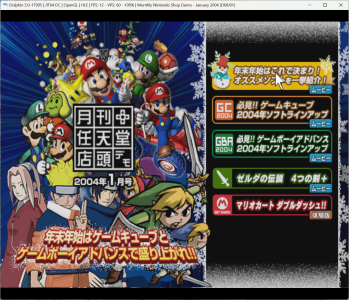
Making it show up is pretty simple (I used the January disc posted in the OP here):

2025-11-06_00-02.png

tl;dr

Press L+R+Y+START at boot in the January disc.
Press L+R+B+START at boot in the February and March disc.

Actual explanation
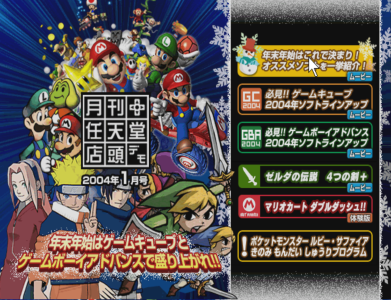
Inside the disc's "local" folder there are two files called index.html and index2.html. The one having the Pokémon entry (the last one that you see in the screenshot) is index2.html. However, the disc automatically loads index.html, which hasn't it.
At first I renamed index.html to something else, and index2.html to index.html. This successfully triggered the game to boot into index2.html with the Berry Fix Glitch menu.
Then I analyzed the content of the two files. At line 9 of index2.html you can see the following in the January disc:
<meta name="BY_PADINPUT" content="L R Y START">
And the following in the February and March disc:
<meta name="BY_PADINPUT" content="L R B START">
And yeah, these are exactly the button combinations that make the menu show up.
 
Last edited:
I'm surprised this hasn't been figured out in years... or maybe it has, and it just hasn't been posted publicly. Anyway, I'm leaving it here for future reference. The Berry Glitch Fix menu has always been present on the CDs we've had all along. So I think it's safe to assume that there's no alternative version of the discs, at least in terms of Pokémon content.
Making it show up is pretty simple:

View attachment 18835

tl;dr

Press L+R+Y+START at boot.

Actual explanation
Inside the disc's "local" folder (I used the one from January here) there are two files called index.html and index2.html. The one having the Pokémon entry (the last one that you see in the screenshot) is index2.html. However, the disc automatically loads index.html, which hasn't it.
At first I renamed index.html to something else, and index2.html to index.html. This successfully triggered the game to boot into index2.html with the Berry Fix Glitch menu.
Then I analyzed the content of the two files. At line 9 of index.html you can see the following:
<meta name="BY_PADINPUT" content="L R Y START">
And yeah, that's exactly the button combination that makes the menu show up.

Thank you! This was figured out a few years back by "ppltoast", but looking back I don't think it was ever posted publicly (and definitely never with this much detail). This would be a great piece of information to add to the first post of this thread :)
 
Thank you for the mention!
I also took a look at the February and March disc and the button combination there is L+R+B+START. I honestly have no idea why they changed it ^o) Anyway I've edited my post to also include this information.
 

About Digiex

Digiex is a technology and gaming forum, founded in 2004 by InsaneNutter and Nimrod. Digiex has served the internet community with breaking news, detailed guides, exclusive downloads and a popular discussion forum. A small, friendly community of like‑minded people has developed over the years. People are encouraged to register and participate in on‑going discussions.

Get Social

Back
Top Bottom