


InsaneNutter
Resident Nutter
This is a VBA build with both link cable emulation and e-reader emulation, compatible with raw files. This was complied by by javier_himura on Project Pokemon. Essentially it is a merged of VBA-Link 1.73 created by denopqrihg and VBA-Reader created by caitsith.
I have mirrored his build and instructions on how to use this with the Pokemon games from javier's origional post. Many of the files were hosted on hosted on file hoster websites with only some of the links still working. I take no credit for this, i have simply archived his work the best i can.
Download:
Download VBA Link With Link Cable Emulation and E-Reader Support
Download VBA Link With Link Cable Emulation and E-Reader Support Source Code
Download GameBoy Advance (GBA) E-Reader Cards
How to Emulate the E-Reader with Pokemon Games:
Pokemon Ruby/Sapphire JP
The American version works exactly like the Japanese, but I'll post pictures of the Japanese version anyway, because the American version is already possible to emulate the ereader with VBA Link and .sav files
0 - If you want to use an English save, rename the save to have the same name as the Japanese rom, and the extension must be changed to sa1. For example if we have the ROM Ruby.GBA and Japanese Pokemon "Pokemon Ruby JP.gba" the save "Pokemon Ruby.sav" should be renamed to "Pokemon Ruby JP.sa1"
1 - Open the emulator twice
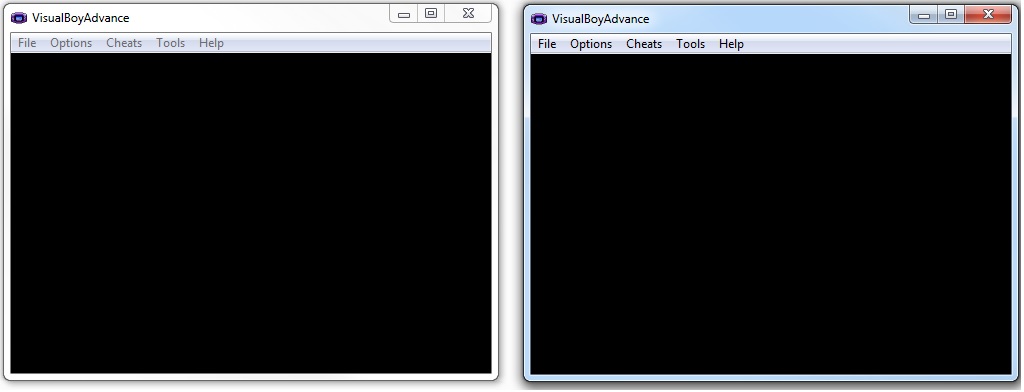
2 - Load the rom of pokemon ruby or sapphire in the first emulator and the rom e-reader + JP in the second emulator
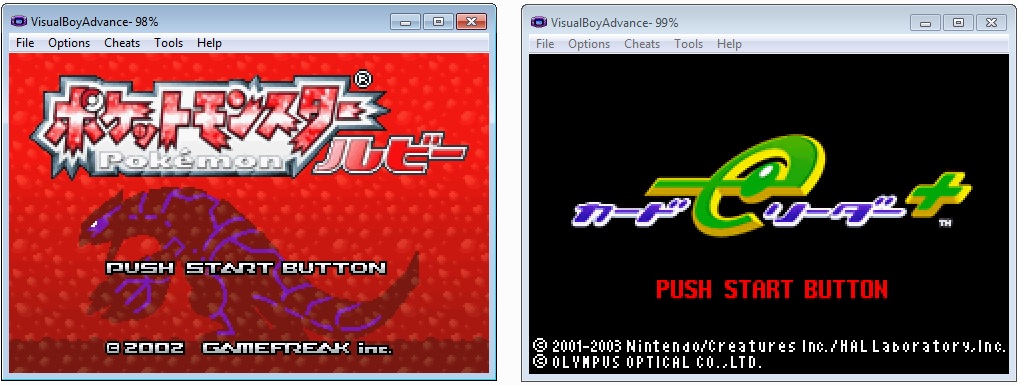
3 - Press start on both emulators
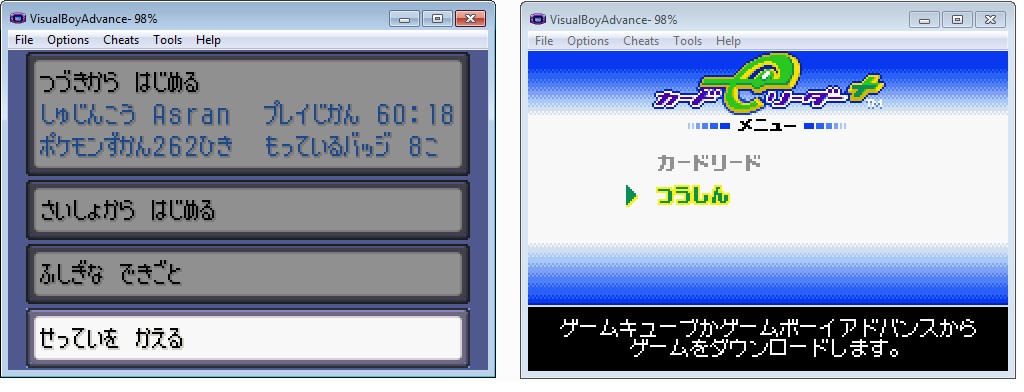
4 - Select the third option of the emulator with Pokemon Sapphire (Mystery Event)
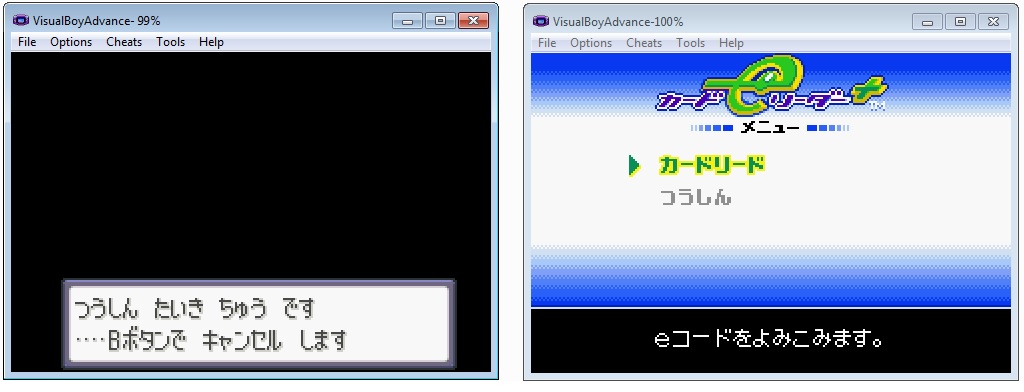
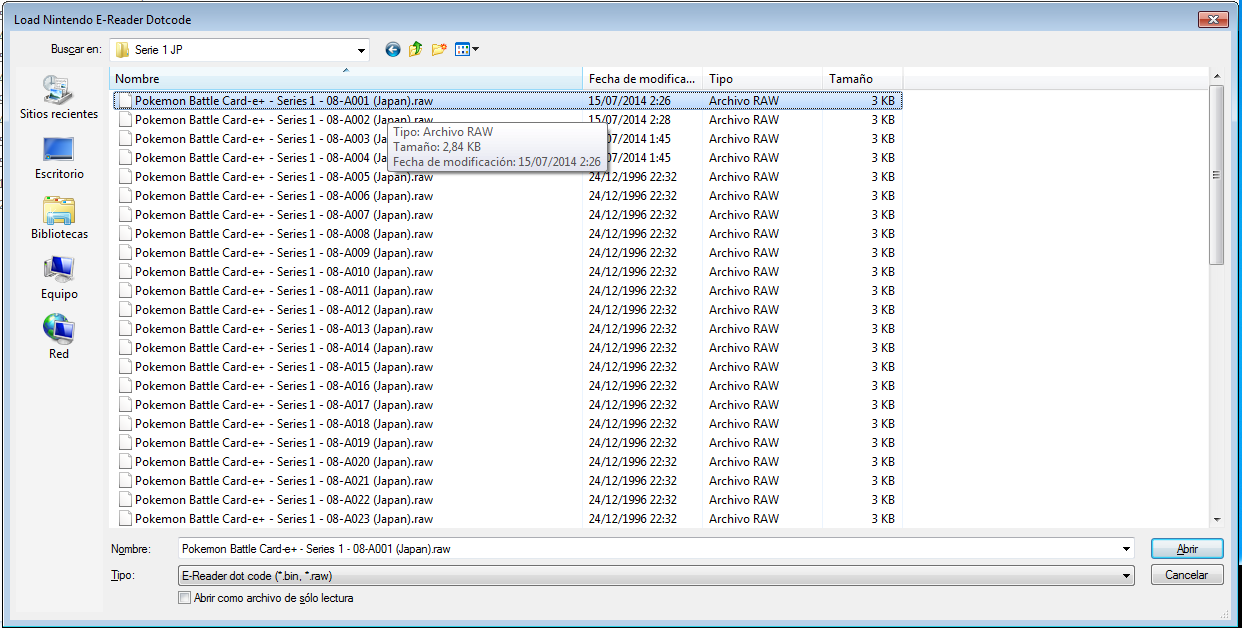
5 - Select the first option in the second emulator . A popup will open , select a raw file corresponding to the version you are using, in my case Pokemon Sapphire JP
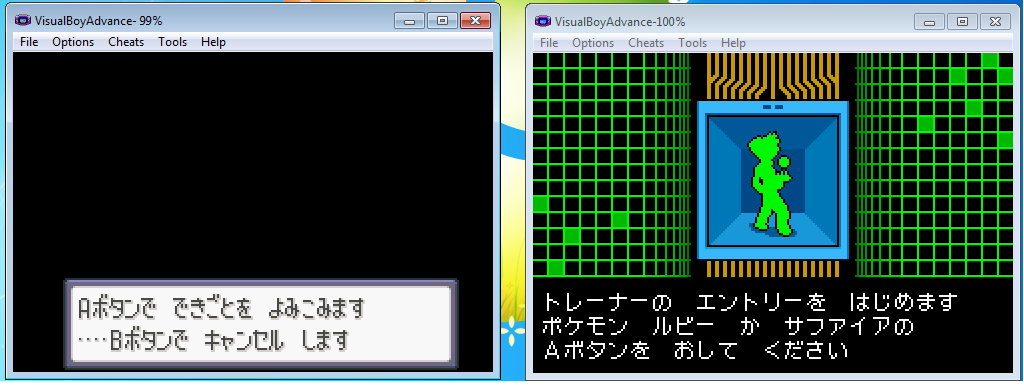
6 - Press A on the first emulator and thats it, you have loaded a Japanese trainer or berry
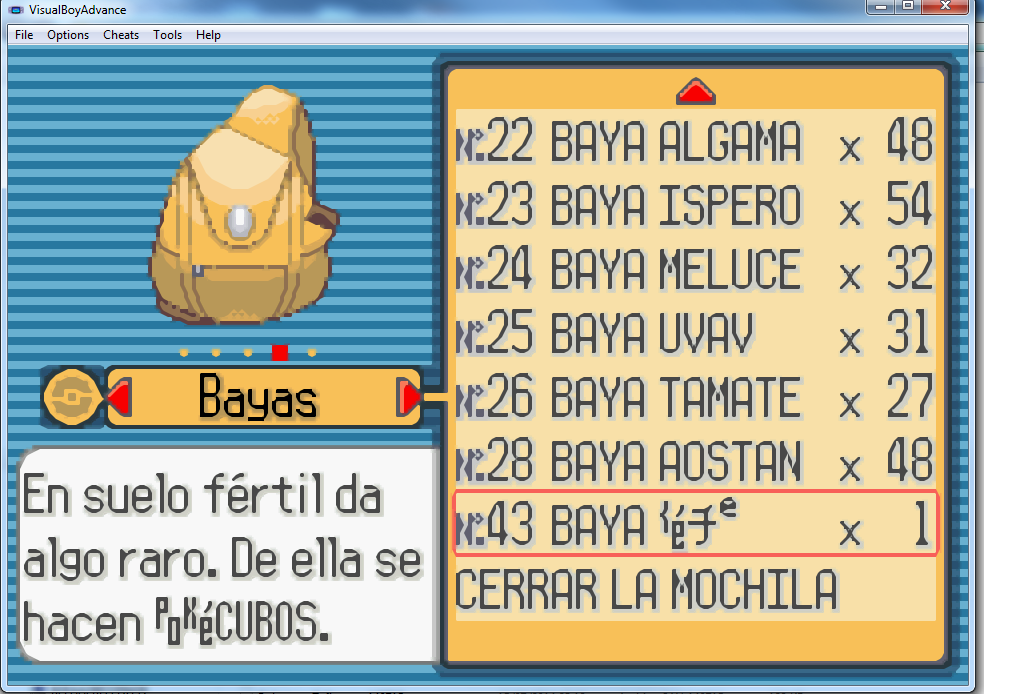
7 - Change back the name of the save as it was originally and you have a japanesse ereader berry or trainer loaded in an american save
Pokémon Emerald / FireRed / LeafGreen Japanese
0 - We can do the same with the saves but this time only with Pokemon Emerald. Japanese and non-Japanese saves for FireRed and LeafGreen are not compatible
1 - Download the following saves already prepared for Ereader
2 - Open the emulator twice
3 - Load in the first emulator an Emerald/FR/GL rom and an e-reader + JP rom in the second emulator
4 - On the emulator with the ereader ROM select File -> Import -> Battery File and select one of the downloaded saves,corresponding to the game that we are using and click OK. A third option will appear
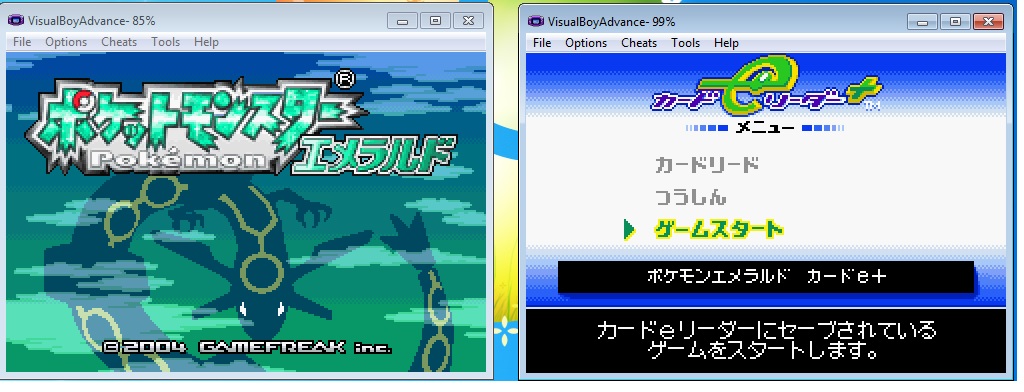
5 - Pikachu appears. Press A and select a raw file for the ereader, in this case Pokemon Emerald
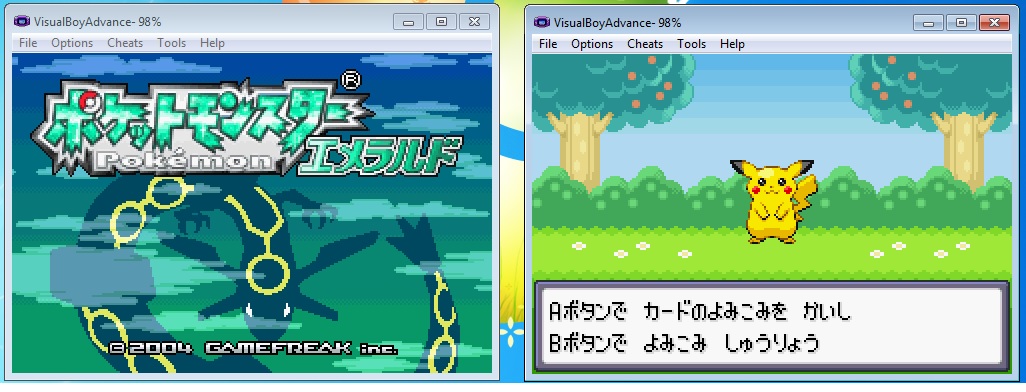
6 - A sandsdrew and 7 holes more will appear and the raw file selection will be open again. At this point you can select up to 8 different cards. If you want to load less than 8 just press cancel on the file selection, then press B and select the first option

7 - Select the third option of the first emulator and press A twice in the first emulator
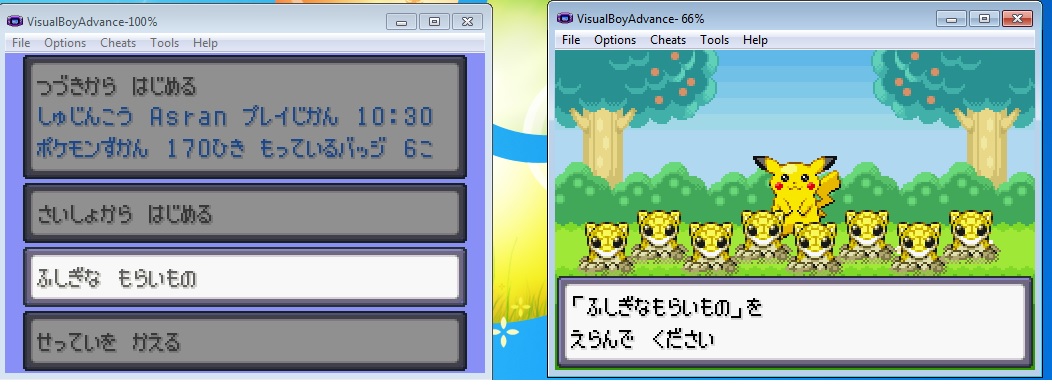
8-Then press A on the second emulator. The Sandshrew will the start to move up and down. If all went well the first emulator will restart, indicating that the data loaded properly
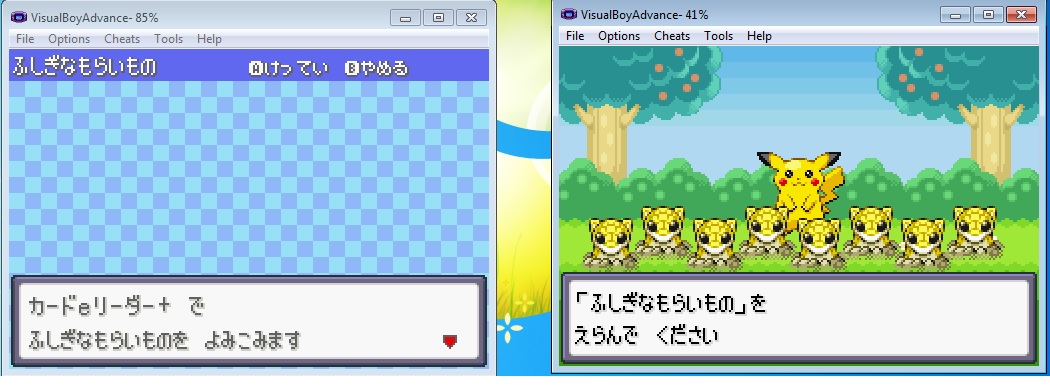
9 - Now the trainers will be available on the Trainer Hill. In this case you cant put back in the save in the English versions beacuse the Trainer Hill is incompatible with ereader and have fixed trainers
I have mirrored his build and instructions on how to use this with the Pokemon games from javier's origional post. Many of the files were hosted on hosted on file hoster websites with only some of the links still working. I take no credit for this, i have simply archived his work the best i can.
Download:
Download VBA Link With Link Cable Emulation and E-Reader Support
Download VBA Link With Link Cable Emulation and E-Reader Support Source Code
Download GameBoy Advance (GBA) E-Reader Cards
How to Emulate the E-Reader with Pokemon Games:
Pokemon Ruby/Sapphire JP
The American version works exactly like the Japanese, but I'll post pictures of the Japanese version anyway, because the American version is already possible to emulate the ereader with VBA Link and .sav files
0 - If you want to use an English save, rename the save to have the same name as the Japanese rom, and the extension must be changed to sa1. For example if we have the ROM Ruby.GBA and Japanese Pokemon "Pokemon Ruby JP.gba" the save "Pokemon Ruby.sav" should be renamed to "Pokemon Ruby JP.sa1"
1 - Open the emulator twice
2 - Load the rom of pokemon ruby or sapphire in the first emulator and the rom e-reader + JP in the second emulator
3 - Press start on both emulators
4 - Select the third option of the emulator with Pokemon Sapphire (Mystery Event)
5 - Select the first option in the second emulator . A popup will open , select a raw file corresponding to the version you are using, in my case Pokemon Sapphire JP
6 - Press A on the first emulator and thats it, you have loaded a Japanese trainer or berry
7 - Change back the name of the save as it was originally and you have a japanesse ereader berry or trainer loaded in an american save
Pokémon Emerald / FireRed / LeafGreen Japanese
0 - We can do the same with the saves but this time only with Pokemon Emerald. Japanese and non-Japanese saves for FireRed and LeafGreen are not compatible
1 - Download the following saves already prepared for Ereader
2 - Open the emulator twice
3 - Load in the first emulator an Emerald/FR/GL rom and an e-reader + JP rom in the second emulator
4 - On the emulator with the ereader ROM select File -> Import -> Battery File and select one of the downloaded saves,corresponding to the game that we are using and click OK. A third option will appear
5 - Pikachu appears. Press A and select a raw file for the ereader, in this case Pokemon Emerald
6 - A sandsdrew and 7 holes more will appear and the raw file selection will be open again. At this point you can select up to 8 different cards. If you want to load less than 8 just press cancel on the file selection, then press B and select the first option
7 - Select the third option of the first emulator and press A twice in the first emulator
8-Then press A on the second emulator. The Sandshrew will the start to move up and down. If all went well the first emulator will restart, indicating that the data loaded properly
9 - Now the trainers will be available on the Trainer Hill. In this case you cant put back in the save in the English versions beacuse the Trainer Hill is incompatible with ereader and have fixed trainers





