


Harcroft
Addict
Note this requires a modified Original Xbox or homebrew enabled Xbox360. All games will install on Xbox 360 with the newest installer though some will not run. The xISO version works in Xemu!
If an installer does not work in your softmod, update to Rocky5's v1.1.9 Softmodding Tool. If any specific installer still does not work, download a different one.
Use the V2 installer files for installing these games on a stock console.
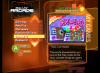
This is a complete pack of all the arcade games released for the original Xbox. Both xISO and standalone installers options are available for download.. The arcade on the Xbox originally came with the Xbox Live starter kits, standalone Xbox Live Arcade discs, bundled with some games and on various demo discs such as some OXM discs.
With these downloads you can install all 27 Xbox Live Arcade Game demos, unlock the full versions, and play the Xbox Live Arcade on your Xbox. You do not need an Xbox Live account to do this, all games included work offline.
This will take up over 35 000 blocks of space (about 550mb) on your E drive.
Download the Xbox Live Arcade Final package
Download the Xbox Live Arcade Final xISO
New installers uploaded! October 18, 2022
The newest and hopefully final version of the installer does away with CDX and menus entirely. Just unpack the xISO, burn it to a disc and stick it your Xbox or XEmu. Or download the standalone installer, unpack it, FTP it to your Xbox and run.
No selecting more clunky installer, selecting which keys or games to install. You can select which games to skip installing by deleting the game and associated key from the Games folder prior to running the installer. The first time you run the Xbox Live Arcade Installer it will take a long time to load, between 1 and 5 minutes depending the hard drive or solid state drive installed in your console. The Microsoft Game Studios logo animation may also be laggy on systems with an SSD installed. This is due to the menu starting the game install before the animation finishes. After all games are installed delete the Games folder from inside the installer to save space.
This package contains the following games:
Alien Sky - 1587+4 blocks
AstroPop - 2050+4 blocks
Atomaders - 1613+4 blocks
Bankshot Billiards -1162+4 blocks
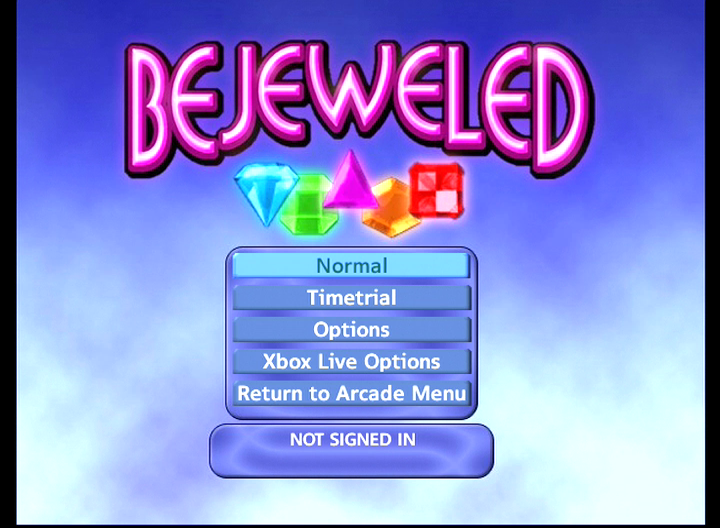
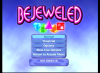
Bejeweled - 561+4 blocks
Bookworm - 1016+4 blocks
Dangerous Mines - 830+4 blocks
Dino and Aliens - 950+4 blocks
Feeding Frenzy - 1268+4 blocks
Fuzzee Fever - 1812+4 blocks
Gauntlet - 2316+4 blocks
Guardian - 2039+4 blocks
Hamsterball - 2454+4 blocks
Hardwood Solitaire - 1170+4 blocks
Joust - 1270+4 blocks
Marble Blast Gold - 1403+4 blocks
Ms. Pac-Man - 338 blocks
Mutant Storm - 872+4 blocks
Namco Vintage (Pole Position, Dig Dug, & Galaga) - 690+4 blocks
Orbz - 1625+4 blocks
Pipeline - 1339+4 blocks
Ricochet Lost Worlds - 978+4 blocks
Robotron: 2084 - 1281+4 blocks
Smash TV - 2110+4 blocks
Super Collapse II - 290+4 blocks
Think Tanks - 1289+4 blocks
Zuma - 1045+4 blocks
Special thanks go to: (as written by Hoffman)
Matt2k - for a large monetary donation to keep the project alive.
dominater01 - for a large content contribution.
AmyGrrl - for images for the original installers
Credit to Harcroft for creating the installer and compiling the DLC.
Installing the packages as DLC on a stock console
1) Download the Xbox Live Arcade Installer v2.rar.
2) Unpack all 53 folders from \Xbox Live Arcade\content\c\ to your local HDD/SSD.
3) Run the Xbox Skeleton Key Payload off a compatible flash drive.
4) Get the IP address of your console from the bottom left of the screen
5) FTP into the console using the IP address listed in the Skeleton Key launcher, port 21, plain FTP, username and password are both xbox
6) Transfer the 53 folders from your local storage to E:\TDATA\4d5300c8\$c\ on the stock Xbox console.
7) In the Skeleton Key launcher go to System\Utilities\DLC / Update Signer and Sign all content
After that you need a game disc with Xbox Live Arcade on it to launch the menu.
DEPRECATED
Xbox Live Arcade Installer v2 package is here!
Download the Xbox Live Arcade Installer v2 package
This works like any other DLC installer package from the main DLC installers thread.
- a readme file with some helpful information is now included
- XBLA launcher crashing back to your dashboard instead of loading should be fixed now
- key installs added to game demo installs to save time
- trying to install a demo when that demo is already installed (greyed out in menu) will only install the key
- new "Fast Mode" to install all games without browsing the menus, requires 52 A or Start button presses to complete
- smaller download because it's not an xISO
- I built this in 2011 (without Fast Mode) and thought I released it, but I didn't. SORRY!
How to install if from the xISO:
1) Download the old Offline Xbox Live Arcade Installers
2) Either burn to a DVD-R or DVD-RW (Most Xbox's can't read CD-R's) or Extract the iso with Qwix and FTP it to a location on your Xbox where it can be launched from your dashboard.
(Usually E:\Games or F:\Games)
Always set your FTP application to binary transfer mode, as ascii transfer can destroy the content or executables making the content causing you to get errors.
Extra info: How to Burn and ISO with ImgBurn
3) Launch the arcade installer and select "Launch Arcade" then exit back to the installer
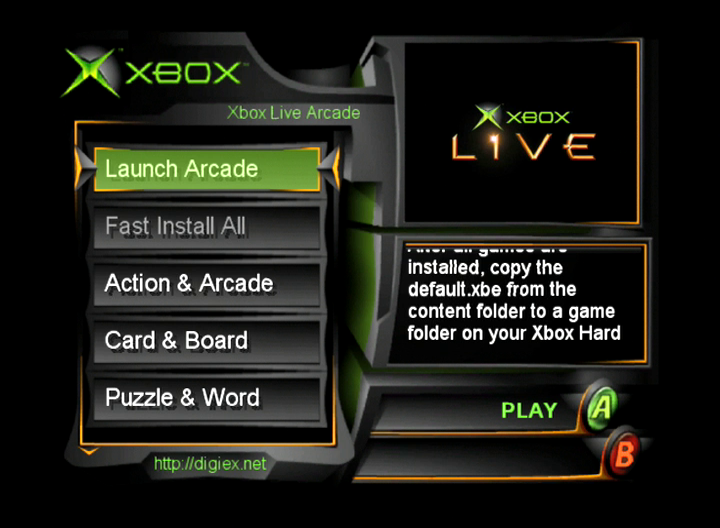
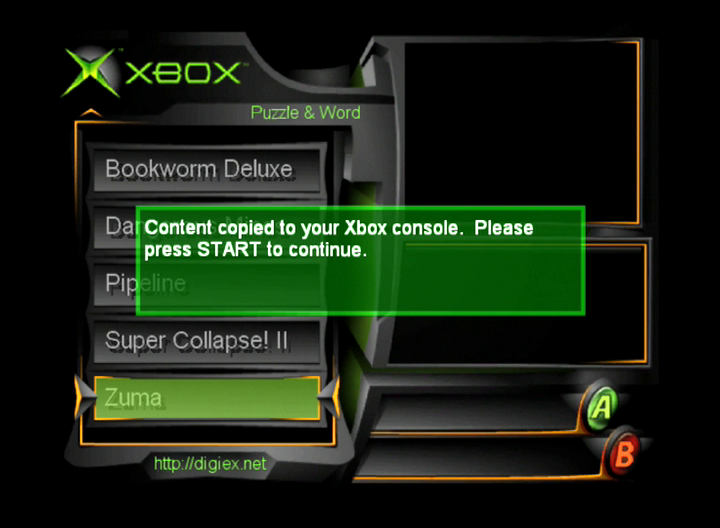
4) Now find a game you want and install the demo, after you have install the key for the game
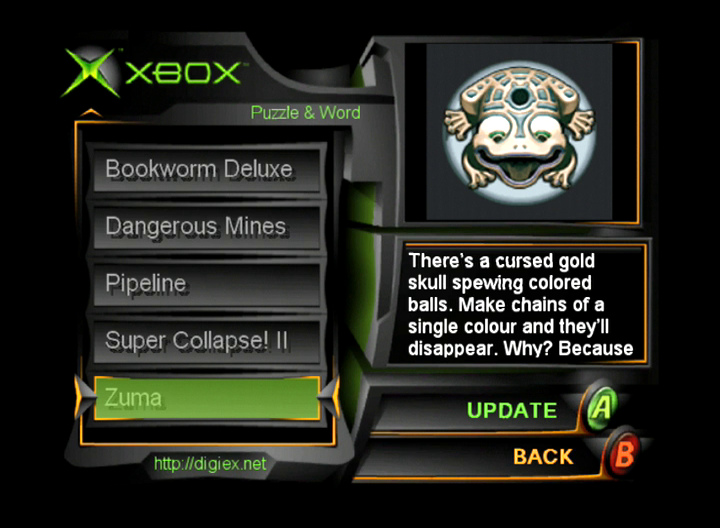
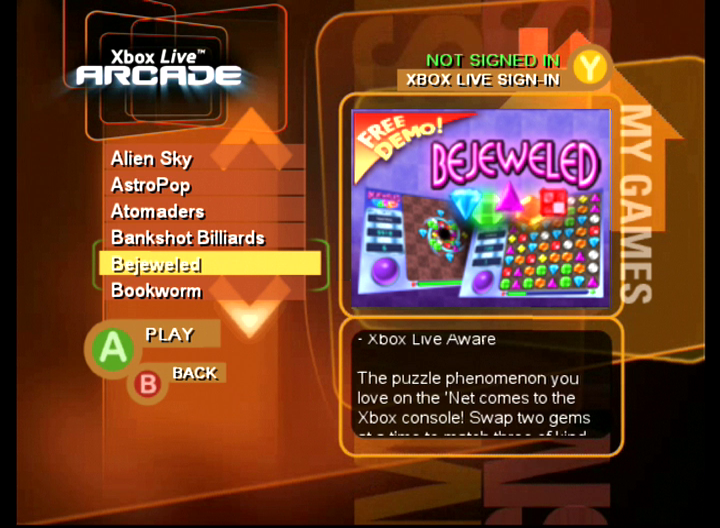
5) The key unlocks the full game, it will still say its a free demo on the games picture but as you will find out the game will be the full game
6) Launch the arcade again and enjoy the games
7) Enjoy
Added stock console guide May 16, 2026.
If an installer does not work in your softmod, update to Rocky5's v1.1.9 Softmodding Tool. If any specific installer still does not work, download a different one.
Use the V2 installer files for installing these games on a stock console.
This is a complete pack of all the arcade games released for the original Xbox. Both xISO and standalone installers options are available for download.. The arcade on the Xbox originally came with the Xbox Live starter kits, standalone Xbox Live Arcade discs, bundled with some games and on various demo discs such as some OXM discs.
With these downloads you can install all 27 Xbox Live Arcade Game demos, unlock the full versions, and play the Xbox Live Arcade on your Xbox. You do not need an Xbox Live account to do this, all games included work offline.
This will take up over 35 000 blocks of space (about 550mb) on your E drive.
Download the Xbox Live Arcade Final package
Download the Xbox Live Arcade Final xISO
New installers uploaded! October 18, 2022
The newest and hopefully final version of the installer does away with CDX and menus entirely. Just unpack the xISO, burn it to a disc and stick it your Xbox or XEmu. Or download the standalone installer, unpack it, FTP it to your Xbox and run.
No selecting more clunky installer, selecting which keys or games to install. You can select which games to skip installing by deleting the game and associated key from the Games folder prior to running the installer. The first time you run the Xbox Live Arcade Installer it will take a long time to load, between 1 and 5 minutes depending the hard drive or solid state drive installed in your console. The Microsoft Game Studios logo animation may also be laggy on systems with an SSD installed. This is due to the menu starting the game install before the animation finishes. After all games are installed delete the Games folder from inside the installer to save space.
This package contains the following games:
Alien Sky - 1587+4 blocks
AstroPop - 2050+4 blocks
Atomaders - 1613+4 blocks
Bankshot Billiards -1162+4 blocks
Bejeweled - 561+4 blocks
Bookworm - 1016+4 blocks
Dangerous Mines - 830+4 blocks
Dino and Aliens - 950+4 blocks
Feeding Frenzy - 1268+4 blocks
Fuzzee Fever - 1812+4 blocks
Gauntlet - 2316+4 blocks
Guardian - 2039+4 blocks
Hamsterball - 2454+4 blocks
Hardwood Solitaire - 1170+4 blocks
Joust - 1270+4 blocks
Marble Blast Gold - 1403+4 blocks
Ms. Pac-Man - 338 blocks
Mutant Storm - 872+4 blocks
Namco Vintage (Pole Position, Dig Dug, & Galaga) - 690+4 blocks
Orbz - 1625+4 blocks
Pipeline - 1339+4 blocks
Ricochet Lost Worlds - 978+4 blocks
Robotron: 2084 - 1281+4 blocks
Smash TV - 2110+4 blocks
Super Collapse II - 290+4 blocks
Think Tanks - 1289+4 blocks
Zuma - 1045+4 blocks
Special thanks go to: (as written by Hoffman)
Matt2k - for a large monetary donation to keep the project alive.
dominater01 - for a large content contribution.
AmyGrrl - for images for the original installers
Credit to Harcroft for creating the installer and compiling the DLC.
Installing the packages as DLC on a stock console
1) Download the Xbox Live Arcade Installer v2.rar.
2) Unpack all 53 folders from \Xbox Live Arcade\content\c\ to your local HDD/SSD.
3) Run the Xbox Skeleton Key Payload off a compatible flash drive.
4) Get the IP address of your console from the bottom left of the screen
5) FTP into the console using the IP address listed in the Skeleton Key launcher, port 21, plain FTP, username and password are both xbox
6) Transfer the 53 folders from your local storage to E:\TDATA\4d5300c8\$c\ on the stock Xbox console.
7) In the Skeleton Key launcher go to System\Utilities\DLC / Update Signer and Sign all content
After that you need a game disc with Xbox Live Arcade on it to launch the menu.
DEPRECATED
Xbox Live Arcade Installer v2 package is here!
Download the Xbox Live Arcade Installer v2 package
This works like any other DLC installer package from the main DLC installers thread.
- a readme file with some helpful information is now included
- XBLA launcher crashing back to your dashboard instead of loading should be fixed now
- key installs added to game demo installs to save time
- trying to install a demo when that demo is already installed (greyed out in menu) will only install the key
- new "Fast Mode" to install all games without browsing the menus, requires 52 A or Start button presses to complete
- smaller download because it's not an xISO
- I built this in 2011 (without Fast Mode) and thought I released it, but I didn't. SORRY!
How to install if from the xISO:
1) Download the old Offline Xbox Live Arcade Installers
2) Either burn to a DVD-R or DVD-RW (Most Xbox's can't read CD-R's) or Extract the iso with Qwix and FTP it to a location on your Xbox where it can be launched from your dashboard.
(Usually E:\Games or F:\Games)
Always set your FTP application to binary transfer mode, as ascii transfer can destroy the content or executables making the content causing you to get errors.
Extra info: How to Burn and ISO with ImgBurn
3) Launch the arcade installer and select "Launch Arcade" then exit back to the installer
4) Now find a game you want and install the demo, after you have install the key for the game
5) The key unlocks the full game, it will still say its a free demo on the games picture but as you will find out the game will be the full game
6) Launch the arcade again and enjoy the games
7) Enjoy
Added stock console guide May 16, 2026.
Attachments
Last edited:





