Hack a 250gb, 320gb or 500gb Sata harddrive to work in the Xbox 360 and Xbox 360 Slim

Hello there,

So I got three Xbox 360, one Resident Evil 5 Elite and two S 250GB. I would like to upgrade my elite with 500GB and I have two questions.

The first one is the main one. Can my account get banned for switching to the bigger Hard Drive? I really would not like to risk by any means...

The second one. Is there a way to back up all my games and everything else from my previous HDD and move to the new 500GB one?

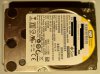
I found WD Scorpio Blue BPVT for pretty cheap with 100 health/performance and I would like to upgrade my Xbox with it.

Thanks!
 
You don't get banned for upgrading the hard drive.

Party Buffalo Drive Explorer is the easiest way to backup content from 360 hard drives. It can have issues on versions of Windows newer than 7 however.

Xplorer 360 also works, as described in the first post. (Using the correct version for the size hard drive you are backing up / restoring to).

FATXplorer is probably the best tool for modern version of Windows, I believe you will need to purchase it however.
 
After I accidentally formatted my official Xbox drive under Windows (destroying the Microsoft license on it), I decided to buy a 3200BEVT after seeing this tutorial.
I didn't think for a second that it would be a real pain to do this in 2022.

First I struggled to flash MS-DOS on my USB drives, none of them could do it, getting 'The media is write-protected'.
I had to dig through my old stuff to find an 2gb flash drive, which finally worked

Another problem I encountered was that my motherboard was not able to boot to the USB drive, it didn't see it at all. I spent hours in the BIOS, changing options, setting the SATA mode to Legacy, with no success (I guess this is a problm with all newer motherboards).
I had to use my mother's old Win 7 PC, which did the job!
Sometimes it helps to keep good old hardware...

Thanks man!

A note for anyone who wants to do this: Get yourself an old PC with an old USB stick, and make sure you rename HDDSSxxx.bin to HDDSS.bin.
Although it says so in the tutorial, I forgot to do it, and ended up with an error. It won't work if the .bin name is not HDDSS
 
Another problem I encountered was that my motherboard was not able to boot to the USB drive, it didn't see it at all. I spent hours in the BIOS, changing options, setting the SATA mode to Legacy, with no success (I guess this is a problm with all newer motherboards).
I had to use my mother's old Win 7 PC, which did the job!
Sometimes it helps to keep good old hardware...

Glad to see this tutorial was still useful almost 13 years after I posted it!

I found that a few years ago when hacking a 500gb drive, the only device I had that could still successfully hack a drive was my old MSI Wind Netbook that is circa 2008 hardware. I suspect any modern motherboard that uses EFI and not the legacy BIOS will simply be no good these days unfortunately.

A Windows 7 era PC is certainly good to keep around, I suspect you could run any version of Windows from XP to 10 quite easily on such hardware.
 
Before I invest in parts is there a noticable performance difference between using an internal mechanical hard drive and an external usb thumb drive for loading games?
 
You will not notice much difference on the 360, i'd get a usb hard dive instead of a thumb drive though if you go that route.
 
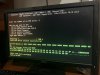
Hi, everything worked fine but when I created the partitions problems this happened, additionally two different Xbox 360’s don’t seem to detect the drive, it’s like nothing is connected at all, I really don’t know what to do.
 

Attachments

  • C57EDAD9-A97B-4973-8BEE-4CE0C590B55D.jpeg
    C57EDAD9-A97B-4973-8BEE-4CE0C590B55D.jpeg
    3 MB · Views: 604
Did you use FreeDOS or MS DOS when creating the bootable USB drive? Looking at the photo it seems like you have some memory errors which have affected the process looking at that photo.

You could try creating the USB drive with the other DOS option you didn't use and try again.

Another possible option is creating a USB drive with the latest version of FreeDOS here: FreeDOS | The FreeDOS Project then copying Hddhackr to that drive and trying again. You might have better luck with the hardware you are using then.

If not then if you have any other hardware you can try i'd do that, unfortunately this process on any sort of modern hardware released in the last decade is less than ideal.
 
So i used the WD diagnostic to wipe the drive, Installed the firmware, formatted it but when i installed it it dont show up. Its a 500gb lpvx. Do i need to redo it?
 
Yes, you will need to re-hack the drive. It's possible the SATA chipset in the current PC is not compatible.
 
hi, thanks a lot for the tutorial, i was able to re create partition 0 with fatxplorer (made a misstakes while making a restore of the compatibility partition...used the 320GB of xplorer 360, as restore choice wasn't available i've choosen restore image, the partition 0 was gone...
seeing the price of actual wd500 i think i will replace it by the maximum size of 360 drive supported...will see this later.
 
Can you please add Western Digital BLACK HDD's to the HDDHACKER compatibility list 250gb , 320gb & 500gb , manufacture date of the drives was between 2010 to 2016 .

Today tested these 3 drives with HDDHACKER , on a 360E Winchester 2015 board & a 360E Corona V4 2014 & can confirm they are working perfectly , Xbox see's the drives & formats , then I used fatxplorer for partition 2 on the PC all working fine once installed back in the 360 .
At least now others will be not limited to just the WD BLUE .
Going to try this on the 360 Slim next .

Hope this helps others
 
Can you please add Western Digital BLACK HDD's to the HDDHACKER compatibility list 250gb , 320gb & 500gb , manufacture date of the drives was between 2010 to 2016 .

What model numbers? we currently have the following on the list:

- WD Scorpio Black Series BEKT/BJKT/BPKT/LPLX
WD800BEKT - 80GB
WD1200BEKT - 120GB
WD1600BEKT - 160GB
WD2500BEKT - 250GB
WD3200BEKT - 320GB
WD5000BEKT - 500GB
WD800BJKT - 80GB
WD1200BJKT - 120GB
WD1600BJKT - 160GB
WD3200BJKT - 320GB
WD5000BJKT - 500GB
WD3200BPKT - 320GB
WD5000BPKT - 500GB
WD7500BPKT - 750GB
WD5000LPLX - 500GB
WD5000BPKX - 500GB
 
WD2500BEKX - 250GB
WD3200BEKX - 320GB
WD5000BEKX - 500GB

I've got another coming once delivery arrives I'll check the model number first then confirm it's working if it's not on the list .

Just checked I've got a LPLX 500GB in transit, this is going in my own retail unit so I'll confirm if it works
 
Last edited:
I would like to add that I've gotten this to work with the WD5000BLHXSUN500G 10k drive (Oracle Sun branded).
HDDHACKR would not partition the drive however it was able to flash the firmware. I put it into the Xbox 360 and it worked after formatting it in the Xbox under Storage menu.
 

Attachments

  • 20230214.jpg
    20230214.jpg
    1.8 MB · Views: 459
hi
i tried with a WD5000BPKX , no success so far (with the 500gb hddss.bin, with fatxplorer, no problem with a 320gb wd blue, but this one isn't seen by the console...will try to contact eaton just in case.
 
Sadly Ive run into a wall
HDD - WD5000BEVT - 500GB
Computer that I am trying to flash this on - MSI Wind U100 Netbook

Ive made sure that AHCI is disabled

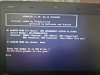
This is as far as I get
 

Attachments

  • IMG_20230324_150505.jpg
    IMG_20230324_150505.jpg
    6.1 MB · Views: 456
Managed to get the new drive working on the Xbox 360. However, still trying to figure out how to transfer partition 3 to the new drive. I keep running into issues, and the original Xbox 360 HDD isn't displaying data in partition 3. But when I check the FATXplorer it shows all the data. I tried many different ways of transferring the data but can't figure it out. How can I get the data transferred?
 

About Digiex

Digiex is a technology and gaming forum, founded in 2004 by InsaneNutter and Nimrod. Digiex has served the internet community with breaking news, detailed guides, exclusive downloads and a popular discussion forum. A small, friendly community of like‑minded people has developed over the years. People are encouraged to register and participate in on‑going discussions.

Get Social

Top Bottom