InsaneNutter
Resident Nutter
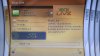
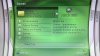
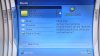
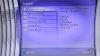
This guide will show you how to launch the original Xbox 360 Blades Dashboard on a Jtagged Xbox 360.
We will be using version 1888 of the blades dashboard, this is the very first version of the Xbox 360 dashboard that was on the Xbox 360 launch consoles sold in 2005.
You will need the Xbox 360 1888 Dashboard files which can be downloaded in the download center. You will also need XEX Tool 6.3 which again can be downloaded in the download center.
Now use XEX Tool to patch all the .xex files for the 1888 dash with the following options: -r a -c b -e d
E.g. if we were to patch the dash.xex file we would use: xextool -r a -c b -e d dash.xex
Red = loads xex tools, Blue = options to patch with and Green = xex file to patch.
This will remove the media limit, region limit, bounding path limit, signed keyvault only limit, library version limit, required revocation check and the media id limit allowing your jtag to boot the dashboard like a homebrew application.
Alternatively to save your self some time and make things easier you can download a pre patched and ready to go 1888 dashboard.
You now simply want to transfer your patched 1888 dashboard to the Xbox 360 and launch it like you would any other .xex file.
Here is a quick video I made of the dashboard:
I found the dash would randomly crash on my console, mainly when looking at arcade games and navigating away from that screen before it has finished counting them.
Enjoy your trip down memory lane, I think looking back its safe to say the Xbox 360 dashboaed has improved a lot over the last 5 years.
We will be using version 1888 of the blades dashboard, this is the very first version of the Xbox 360 dashboard that was on the Xbox 360 launch consoles sold in 2005.
You will need the Xbox 360 1888 Dashboard files which can be downloaded in the download center. You will also need XEX Tool 6.3 which again can be downloaded in the download center.
Now use XEX Tool to patch all the .xex files for the 1888 dash with the following options: -r a -c b -e d
E.g. if we were to patch the dash.xex file we would use: xextool -r a -c b -e d dash.xex
Red = loads xex tools, Blue = options to patch with and Green = xex file to patch.
This will remove the media limit, region limit, bounding path limit, signed keyvault only limit, library version limit, required revocation check and the media id limit allowing your jtag to boot the dashboard like a homebrew application.
Alternatively to save your self some time and make things easier you can download a pre patched and ready to go 1888 dashboard.
You now simply want to transfer your patched 1888 dashboard to the Xbox 360 and launch it like you would any other .xex file.
Here is a quick video I made of the dashboard:
I found the dash would randomly crash on my console, mainly when looking at arcade games and navigating away from that screen before it has finished counting them.
Enjoy your trip down memory lane, I think looking back its safe to say the Xbox 360 dashboaed has improved a lot over the last 5 years.